
esbens10833188
Participating Frequently
February 6, 2025
Answered

How to shut off effect

  • February 6, 2025
  • 2 replies
  • 491 views

I haven’t used PP for quite some time. Opening up, the 2025 version offered a range of new presets to try out. I clicked around to see what they did and then moved on to my project.


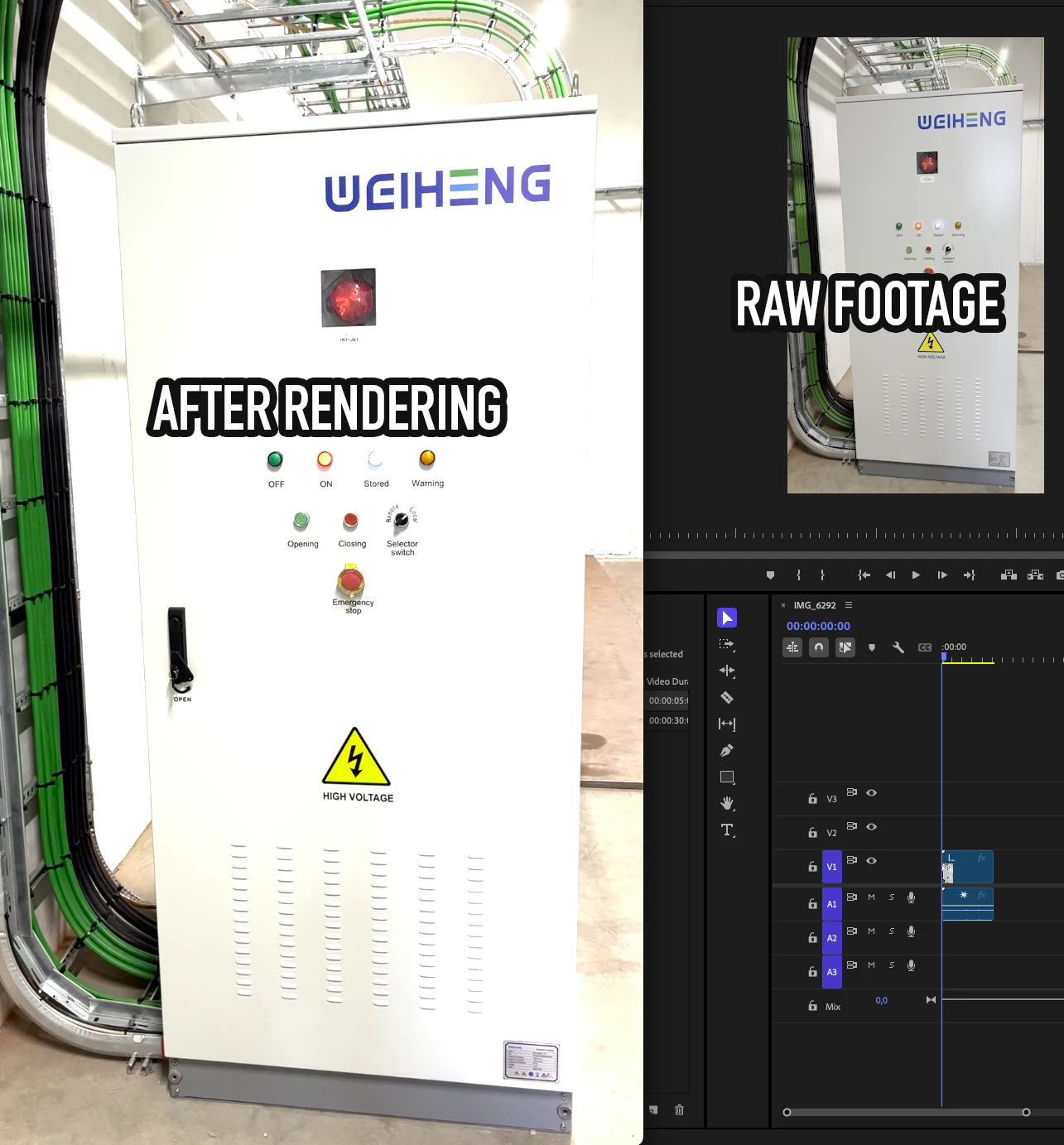
Apparently, I’ve accidentally added an exaggerated brightness filter and now I have no clue how to switch it off again. Closing the project and shutting down the app doesn’t reset the app.


Any idea what I’ve done, and more importantly, how to undo it?
Correct answer R Neil Haugen

As noted, you have a color space problem which you need to fix by correctly setting up the new and very extensive CM options in Premiere.


Color Workspace, Lumetri panel, SETTINGS TAB ... the tab named Settings.


ALL color management options are there, and they are both extensive and comprehensive.


Most users should have Display color management, auto detect log, and auto tonemapping on. Use the Rec.709 sequence color space.


HDR is fun but still pretty much wild wild west. I can help further if needed.

2 replies

R Neil Haugen
R Neil HaugenCorrect answer
Legend
February 6, 2025

As noted, you have a color space problem which you need to fix by correctly setting up the new and very extensive CM options in Premiere.


Color Workspace, Lumetri panel, SETTINGS TAB ... the tab named Settings.


ALL color management options are there, and they are both extensive and comprehensive.


Most users should have Display color management, auto detect log, and auto tonemapping on. Use the Rec.709 sequence color space.


HDR is fun but still pretty much wild wild west. I can help further if needed.

Everyone's mileage always varies ...
esbens10833188
Participating Frequently
February 6, 2025

I've located the effects pane and un-ticked all effects and lumetri presets. When I hover over the layer, it says "No effects applied or modified". Still, when I export the file, it's still excessively bright.

Ann Bens
Community Expert
Community Expert
February 6, 2025

2025 is all about color management.

Color management in Premiere Pro


esbens10833188
Participating Frequently
February 7, 2025

Thanx Ann. This did the trick. Funny thing, though, that the default setting is to twist everything.