
How to speed up encoding in Adobe Premiere Pro CS6?
Hello, I'm having issures reducing export time in premiere pro (hence the title). Can you please help me out? Thank You.
Problem:
I export videos that are generally about 4-5 minutes long. They currently take about 40 minutes to export. I expect that they should take about 10-15 minutes.
What I've done so far:
I've spent hours trying to figure out why my exports take so long. I've looked at the FAQ, I've watched tons of YouTube videos, and looked up a bunch of articles. I'm still having trouble.
- I've experimented with codecs, and export settings with no luck.
- I've set process priority to high
-Allocated 26/32 GB of ram to Premiere. It only ends up using 3 for whatever reason.
My system:
-Adobe Premiere Pro CS6
-32 gigs ram
-9th gen i7-9750H, 12 logical processors
-with an Nvidia Gtx 1660 Ti (6 Gb DDR6)
-I have a 500 gb ssd, and a 1tb HDD (Both with hundreds of Gb offree space)
I run premiere on the SSD, and I export to the SSD as well.
Current settings:

- note, process priority has been set to high.
- I also can't seem to get preiere pro to use my GPU like other people suggest doing. Such as the FAQ suggests: (https://community.adobe.com/t5/premiere-pro/faq-how-do-i-speed-up-rendering-exporting-or-encoding/td-p/8242070?page=1)
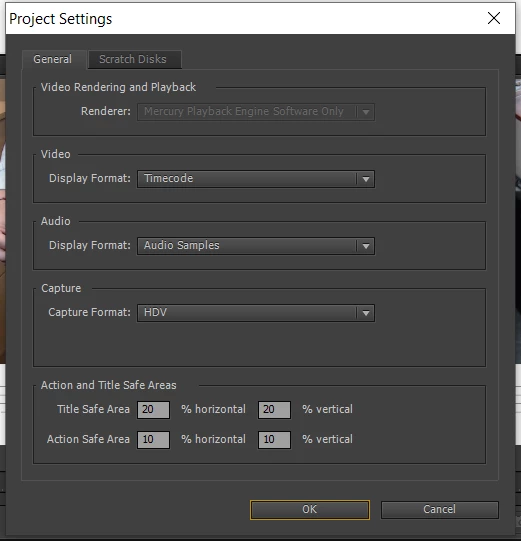
I can't get the Renderer to not be Gray. I can't figure out how to change that.
- Note: if I render the project before exporting, Rendering takes about 20 minutes, and then exporting takes about 20 minutes. No time decrease overall.
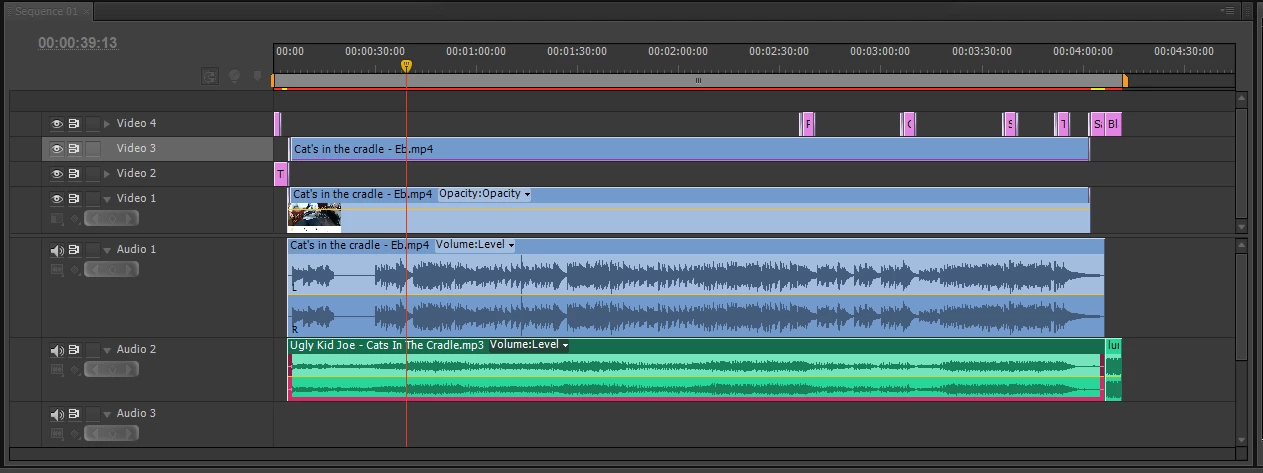
This is my entire sequence or project. I have a couple cross fades, and one trim for my effects. No color correction or anything like that. Sequence is 1080p, all clips are 1080p, and there are titles made inside premiere that are only text.
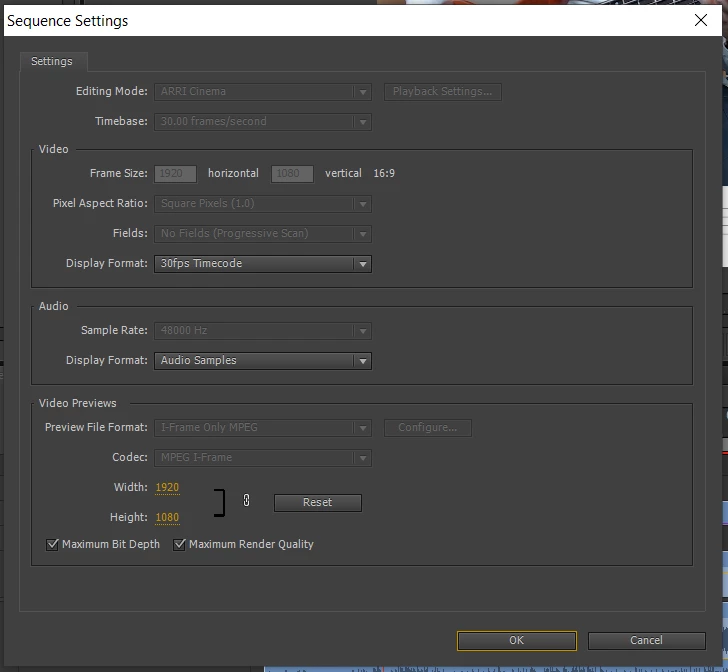
Sequence settings - I can't get the gray boxes to become not gray. I've found the max bit depth and max render quality don't really affect my time. Also, my system should be able to run it with them checked
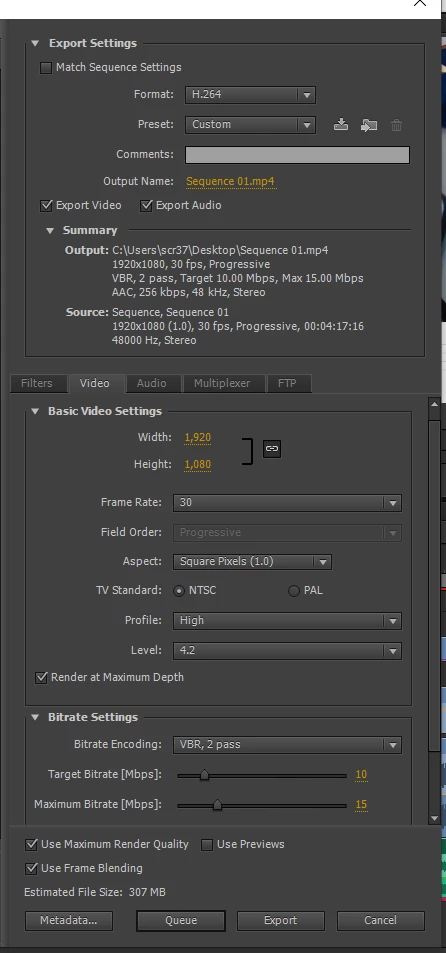
These are my export settings.
I'm using H.264. A lot of the encoders don't like going 1080p with 30 fps for some reason. They like 24,25, and 29.97, but not the 30. As you can see, source and output settings have no scaling, source video is 30fps
- video profile at high or main doesn't seem to affect my export times, nor does render at max depth or max quality.
- VBR 2 pass seems to take slightly longer than 1 pass. I will switch it. I had previously used 5 for the target and the maximum, but have since increased it with no noticable change in export time.
Conclusion:
I hope it is clear that I have tried my best to reduce the export time and can't figure out what to do.
My system is clearly capable of better performance, but I don't know how to tell premiere pro to use more resources than it currently uses.
I export as an .mp4 because I upload my videos to YouTube, and YouTube says .mp4 is the best upload format for them (last I checked).
I have also tried exporting the same sequence on a 2010 laptop with an old i5 and 4 gigs of ram with no GPU, and it exports in a similar timeframe as my new computer. This also leads me to think it is a settings issue and not a hardware issue.
I hope I've made it very clear all the setting you might need to know to understand my problem and what all I've done so far.
Thank you for your time.
 AdChoices