Participating Frequently
February 5, 2024
Question

How to stretch MORGT on Premiere pro?

  • February 5, 2024
  • 2 replies
  • 1094 views

Hello everyone,


i am having a little issue with MORGT, i created a cool text animation in AE and i exported it as a template to use it in PPro.

I wanted to be able to stretch it in PPro, in other words: i may want the text to appear shorter or longer than the original time and of course the protected areas need to stay non touched.
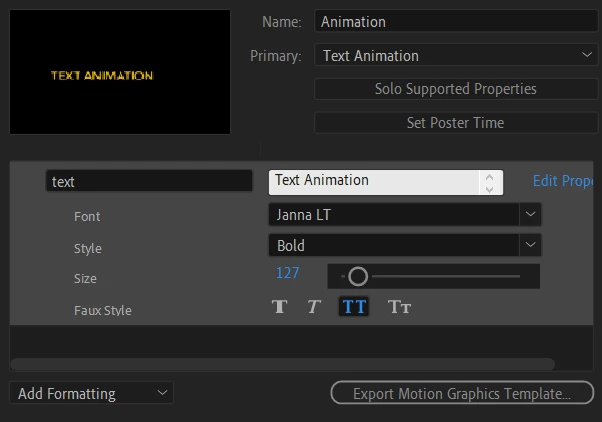
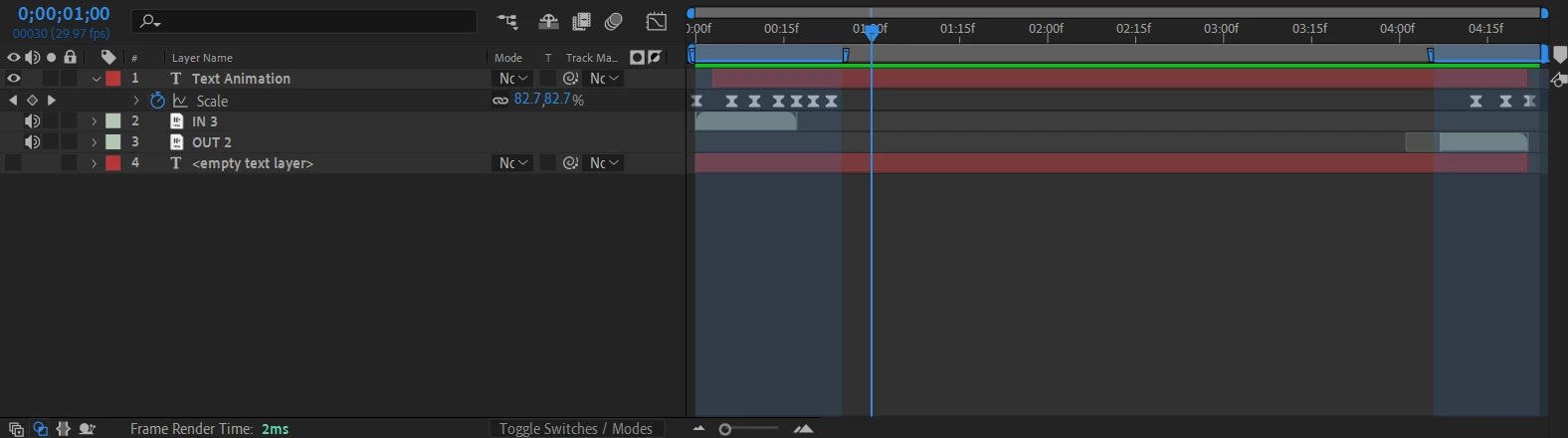
I used a wiggle effect on the text and i want just to make it appear fo more or less seconds but still wiggling like it does in the original template time, thats why i cannot insert frame freeze segments or cut the template in PPro nor change the duration because i will loose the wiggle effect or the protected area timing at the beginning and the end just like you can see in the fotos.

I just want to find a way to stretch it in a way letting the text stay more seconds but maintaining the same wiggle effect the whole duration until the ending protected area comes .


Is there a straight forward way to do it please?

I can afford the MORGT file too if someone can edit it for me, but i really want to learn it for my next editings.


Thankx for your time.  


This topic has been closed for replies.

2 replies

Kevin-Monahan
Community Manager
Community Manager
February 21, 2024

Have you found a solution for this issue yet, @S.Nejmi? Let the community know.


Thanks,
Kevin

Kevin Monahan - Sr. Community and Engagement Strategist – Adobe Pro Video and Audio
S.NejmiAuthor
Participating Frequently
March 11, 2024

Thank you for asking.

No i havent.

I just created multiple templates for 4s, 5s, 7s but it is not cool to work with.

Harold Silva
Community Expert
Community Expert
February 5, 2024

Hola buenos dias, lo que tienes que hacer es ajustar el "responsive design" y exportarlo nuevamente como MOGRT y listo:


Saludos

Harold Silva B.
S.NejmiAuthor
Participating Frequently
February 5, 2024

Thankx for your Reply,

as you can see in my Foto: i did (create intro) and (create outro) from the (responsive design-time) list, then i adjusted them in my timeline: they are the blue areas, then exported but having the issue that i mentioned in the topic.

Harold Silva
Community Expert
Community Expert
February 6, 2024

Lo que debes usar es la última. (Create Protected region.....)

Harold Silva B.