motlking
Participant
December 8, 2016
Answered

How to use korean and japanese text in title?

  • December 8, 2016
  • 1 reply
  • 12293 views

Hi all,

Is there a way to copy and paste korean and japanese text into Premiere Pro CC?

    This topic has been closed for replies.
    Correct answer stefan_gru

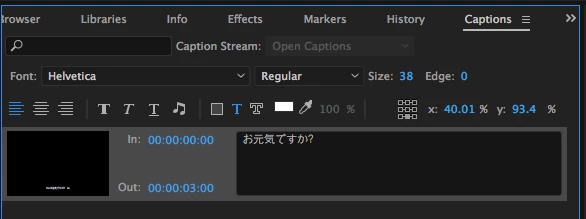
    What version of Premiere Pro are you using? It could be a font issue with your computer. I copied some Kanji off of Google Translate and it appears fine when I paste it in the Captions panel (Premiere Pro 2017 Release).

    1 reply

    Ann Bens
    Community Expert
    Community Expert
    December 8, 2016

    Choose a Japanese font then copy/paste.

    motlking
    motlkingAuthor
    Participant
    December 8, 2016

    Hmm I have tried that but I only get blank squares...

    Ann Bens
    Community Expert
    Community Expert
    December 8, 2016

    There are several Japanese fonts. Try another.

    From were are you copying from?