RajneshD
Inspiring
March 27, 2019
Answered

How to use ProRes 4444 XQ 24p as the Sequence Setting..

  • March 27, 2019
  • 2 replies
  • 2604 views

Greetings,

    I've been using FCP X until now, but I'd like to switch to Premiere Pro CC 2019.

    I'd like to create a sequence with:

  1.     ProRes 4444 XQ as the setting.
  2.     The Time base 24p.
  3.     Pixel Aspect square.

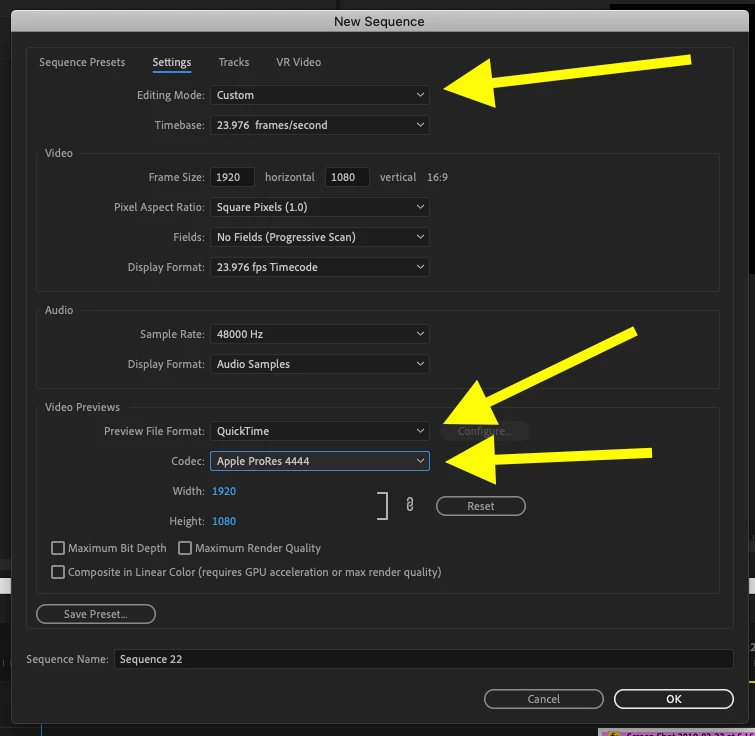
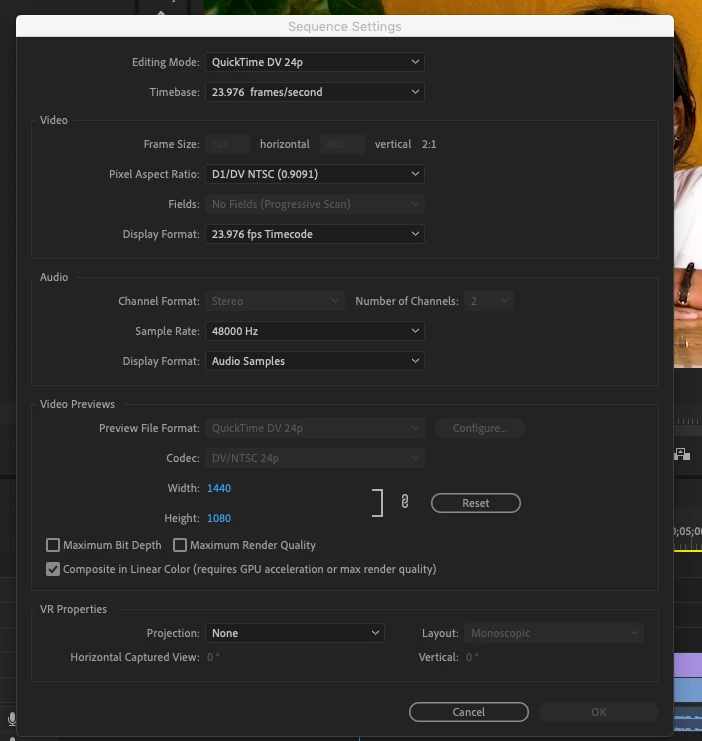
    When I click on the Sequence settings, and look at the Editing Modes available, I don't see these as a possibility.

    I've attached a Screen Grab.

    Your help would be greatly appreciated.

Thanks,

Rajnesh
This topic has been closed for replies.
Correct answer Meg The Dog

Not sure about the XQ part:

MtD

2 replies

R Neil Haugen
Legend
March 27, 2019

The list of presets is just one using different formats as starting points. Pr doesn't really have say an "Arri" sequence ... it's just using typical Arri-type settings for the various parameters. So ... if you create a new sequence from clip, which is the 'standard' way of working in Pr, the app goes down the list of presets for the first one where the parameters of the sequence meet the parameters of the clip.

As Meg noted, you can create a sequence with the settings you want, frame-size, frame-rate, time-code, and even preview settings. If you want ProRes 4:4:4:4HQ as your previews, it's available in the drop-down list.

So a typical workflow is simply to drag a clip in a bin to the New Item icon, where it will make a sequence to match the parameters of the clip ... or right-click a clip in a bin and select new sequence from clip.

Pr makes a sequence with the settings to match those of the clip. Again, taking the first one it comes to alpha-numerically down the preset list. You can then mod as you will.

And of course, you can save a setup sequence as a preset yourself, and name it so it pops up first at the top of the list. Then you can right-click on the New Item icon in the Project panel, select Sequence, and select your preset. This is especially useful if you have say specific audio channel needs.

Neil

Everyone's mileage always varies ...
RajneshD
RajneshDAuthor
Inspiring
March 28, 2019

Thank you for your help Neil. You've saved me a lot of time.

Regards,

Rajnesh

Meg The DogCorrect answer
Inspiring
March 27, 2019

Not sure about the XQ part:

MtD

RajneshD
RajneshDAuthor
Inspiring
March 28, 2019

Thanks for replying, Meg. You've answered my question.

Regards,

Rajnesh