
Participant
November 12, 2018
Question

How to zoom in Program Monitor Comparison View?

  • November 12, 2018
  • 2 replies
  • 1397 views

I cannot find a way how to zoom Program Monitor in the Comparison view. So I'm running this Comparison view but cannot compare a thing because everything is too bloody small!
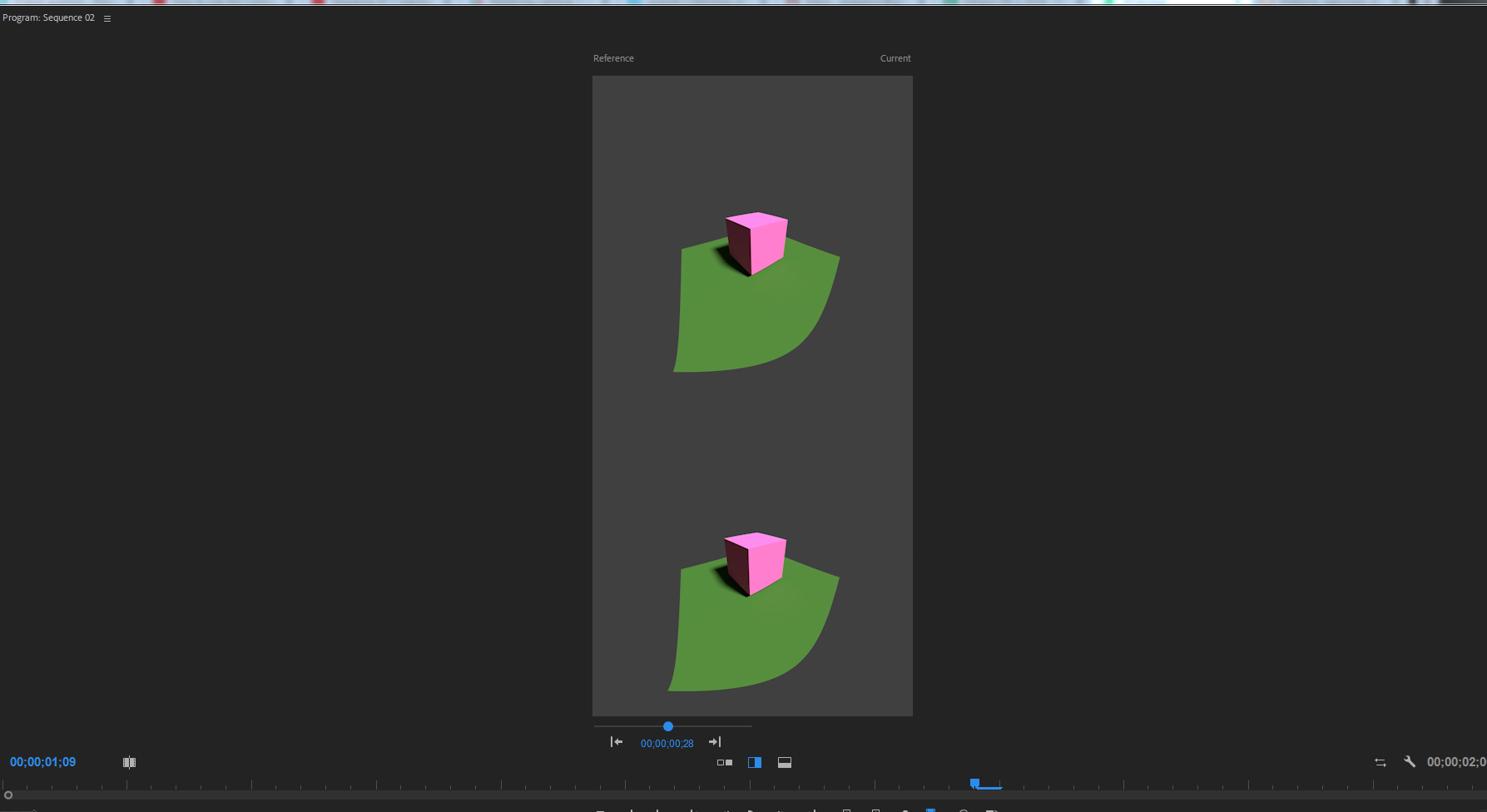
b5b69795df81b8714afa386cbb9b3adc.png

Any ideas how to do ENLARGE this view?

    This topic has been closed for replies.

    2 replies

    Inspiring
    October 1, 2023

    Hi there, have you ever found a way to do this? I find it utterly impossible to adjust grading to match if I can't see what I'm doing. YES, there is that second monitor, and that 3rd one, but unfortunately, PP is too buggy to handle even 2 properly, without telling me in the FX panel "no clip selected", not moving the playhead anymore or other jokes on pro grade equipment

    R Neil Haugen
    Legend
    October 1, 2023

    My normal setup is four monitors, three for program content, the fourth for Transmit Out, and I never have monitor trouble. Through switching between my 9 custom workspaces. So it can be done, others do it also.


    For that, first ... the Premiere program window, the one with the menu bar, MUST be on the monitor your OS sees as your 'main' monitor. The Program monitor should also be in that panel. As I use Transmit Out to a 32" UHD, I run the Program monitor pretty small in nearly all my workspaces.


    Second, setup "panel groups" in the other monitors, but make sure they do not ever bleed image even one pixel over to another monitor, or it goes wonky. So you need to make your panel group with a wee bit showing around it on each monitor.


    Everyone's mileage always varies ...
    Inspiring
    October 1, 2023

    Hi Neil,
    the program monitor is on the correct side. As soon as I remove any panel (some are more prone to error than others, apparently), I may work properly for a while, if I'm lucky, but at some point I need to restart and reset my workspace to "zero", or I get aforementioned bugs.

    I believe you told me yourself this is because PP doesn't think in monitors, but in pixels and needs a technical overhaul that you've been wishing for since a longt time.

    BUT you didn't mention the panel groups then. So I could, in theory, go ahead and put all panels but program on some other monitor?

    And on my Laptop I can basically go cry to mommy, since apparently there is no way to zoom into comparison view...

    Shivangi_Gupta
    Community Manager
    Community Manager
    November 12, 2018

    Hi OnkelTem,

    I understand you are looking for a method to zoom in the comparison view for Program Monitor. Ideally, the clip size in the comparison view is dependent on both the media file and sequence resolution. We need to check the clip properties as well as the sequence settings. Please share a screenshot for both.

    FAQ: How do I capture and post a screen shot or video?

    Thanks,

    Shivangi

    OnkelTemAuthor
    Participant
    November 12, 2018

    Sequence Settings:

    0230360eb1eab8f4c1b19596a6023b1c.png

    Clip properties:

    ca75d1ab3f.jpg