
Participating Frequently
February 22, 2020
Answered

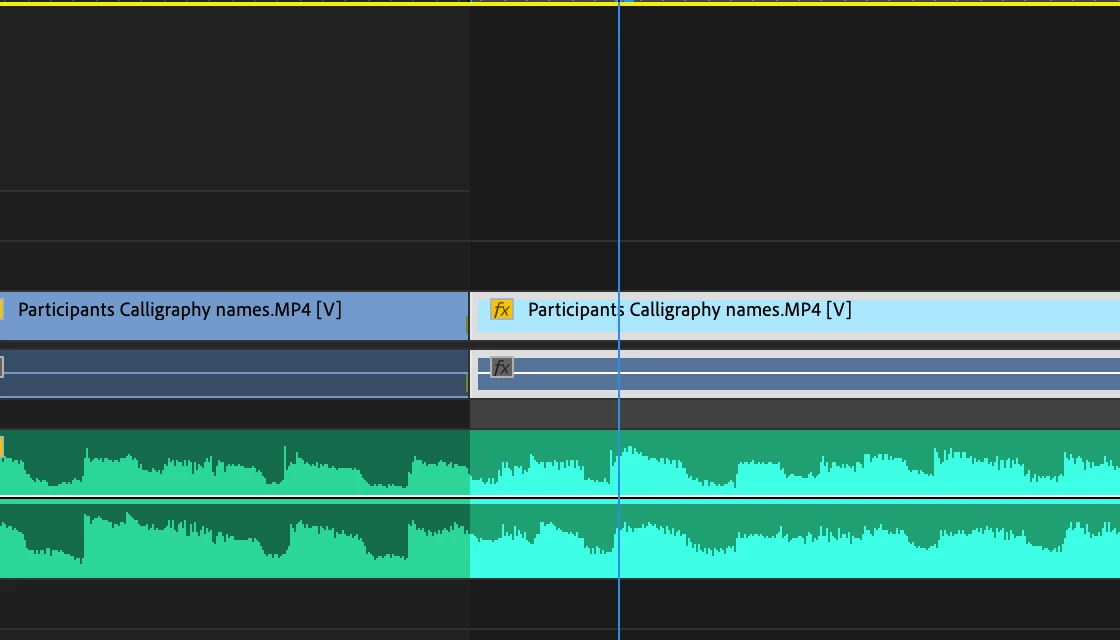
I accidentally hit "X" (Mark Clip) and I highlighted a clip. How do I undo it?
  • February 22, 2020
  • 5 replies
  • 48432 views

Hi, can someone help me how to undo when I click "X"? it says it  is "Mark Clip" but I don't know how to remove it. When I export, it only exports the clip that is highlighted in turquoise  which is the clip where I pressed the "X". Kindly help. Thank you 

Correct answer Ann Bens

Ctrl + shift + X to undo the selection. (clear in to out)

5 replies

Legend
February 25, 2020

I don't really care (????) but you're supposed to mark the post "correct answer"  that solved your problem not your own post that's saying "thank you."   But glad you've solved (or should I say "we") solved your problem.   Kind of sad that it matters...  but I'll get over it.

Legend
February 22, 2020

don't usually get the opportunity to correct Ann, but I think this depends on which keyboard preset you've chosen.  Actually just did a search for in the keyboard shortucts dialog for "undo selection" and nothing comes up.  

Ann Bens
Community Expert
Community Expert
February 22, 2020

Works for me. Its a kbsk I use very often.

Its called clear in to out.

Kevin J. Monahan Jr.
Community Manager
Community Manager
February 24, 2020

"Clear In and Out" on Mac it's Option + X.

Kevin Monahan - Sr. Community and Engagement Strategist – Adobe Pro Video and Audio
Ann Bens
Community Expert
Ann BensCommunity ExpertCorrect answer
Community Expert
February 22, 2020

Ctrl + shift + X to undo the selection. (clear in to out)

Legend
February 22, 2020

and you can change your export options to export your entire timeline.   When you're in the export dialog on the bottom center left side, simply change the option from source range from sequence in to out, to entire sequence. 

Legend
February 22, 2020

Not sure how you're keyboard is mapped but you want to clear in and out.  If you go to the premiere menu and choose keyboard shortcuts and do a search for "clear in and out" if it's not already mapped to a keyboard shortcut, you can map it to wherever you want on the keyboard.  Both mark clip and clear in and out are very useful keyboard shortcuts...

MaurelleAuthor
Participating Frequently
February 23, 2020
Thank you so much for your help! I went to the timeline - right click- and
press clear in and out . It worked! I will follow your suggestion to map
the keyboard. Thanks!

Cheers,
Maurelle