
June 13, 2020
質問

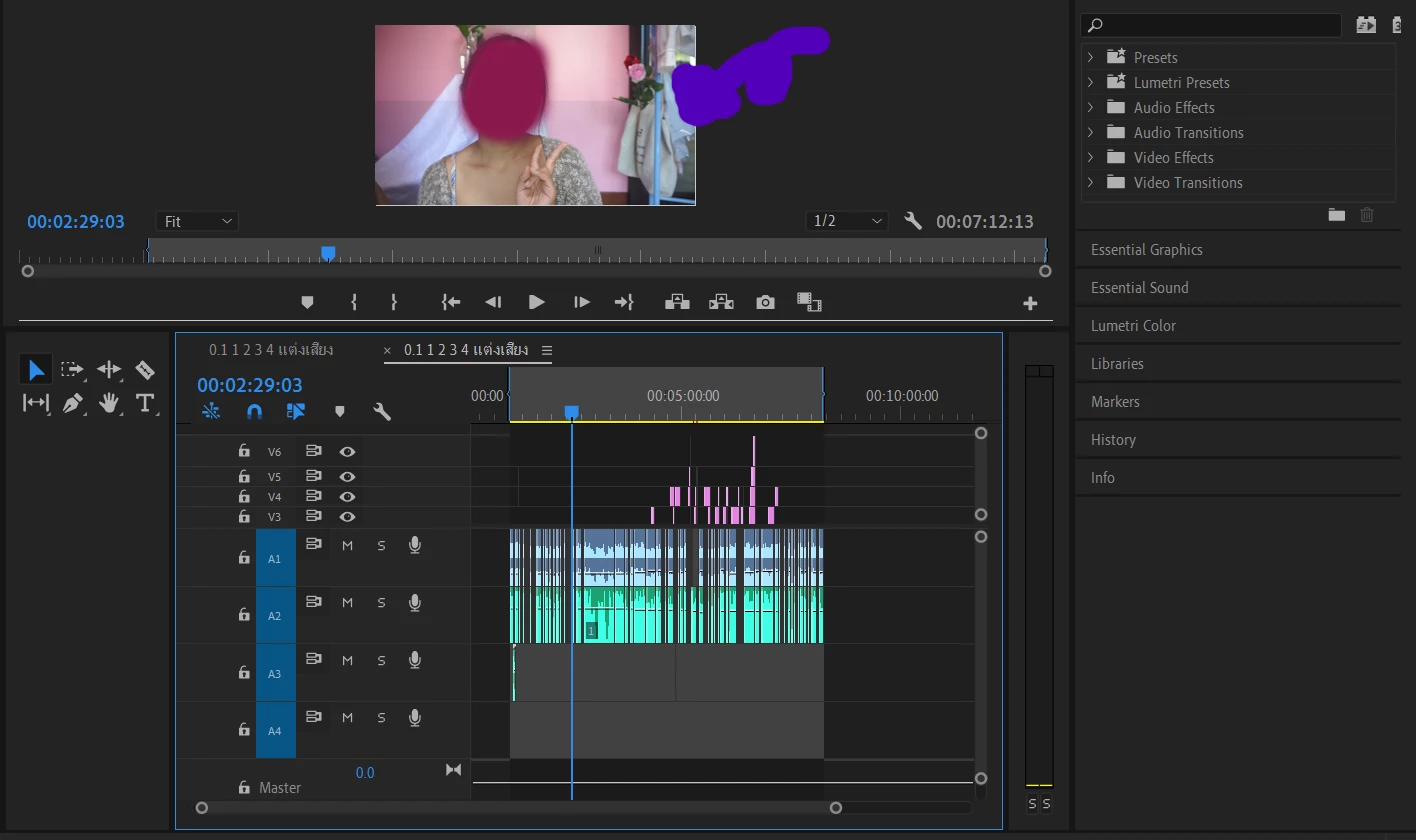
I accidently made a blue line on video. How can I get rid of it?

  • June 13, 2020
  • 返信数 2.
  • 759 ビュー

I'm a new user here and accidently made a blue line on the middle of the screen. My other saves are fine so I guess it's not the program error. I randomly tried many effects and stuff. I just noticed the line when my work's done.
このトピックへの返信は締め切られました。

返信数 2

Inspiring
June 13, 2020

Park the playhead where you see the line.

Turn on/off the visibility of each active track by clicking on the eyeball icon for the track, one at a time.

When you turn off the track and the blue line disappears, examine the clip that is on the track at that point for contents and effects applied and see if you can find the offending object.

Make sure you do this to all the tracks that are on the timeline.

MtD

Community Expert
June 13, 2020

Could we have a screen shot of the effects control panel for the clip under the timeline.

June 13, 2020

I'm sorry, you mean this panel? It seemed like I didn't use any effect. (I just randomly clicked the effect but didn't use it in the video.) 

Ann Bens
Community Expert
Community Expert
June 13, 2020

You should have selected one clip to show in your screenshot.


Guessing its the adjustment layer: some sort of mask or crop or dispostioned.

Edit: guessing the latter as it has a green Fx