



I am having problems with the export of my short film.
I have a short film edit on a timeline that when it exports, color is not always consistent throughout. The inconsistencies show up as brief or constant color value changes colors either getting brighter or more contrasty. Sometimes they show up for one frame and sometimes after a certain point and for the rest of that clip on screen.
A bit about the project:
- Video files were shot on a RED Komodo
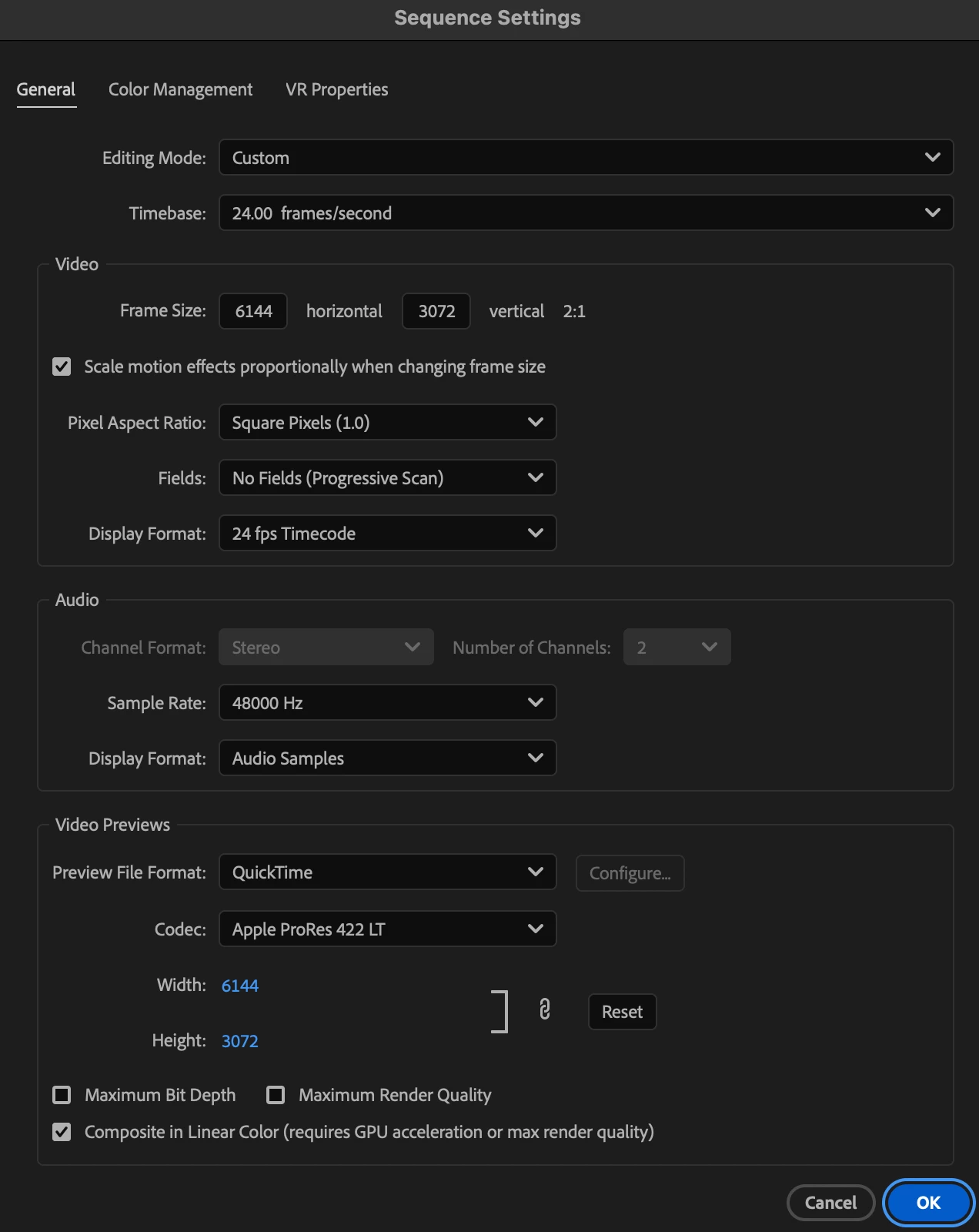
- Timeline and sequence settings are attached below
- I have some fast harddrives connected.
- 1 for project files
- 1 for cache
- I dont have problems with exporting in h.264
- I have problems when exporting in:
- ProRes 4444
- ProRes 422Hq
- I started with 3 sections where there were these color changes. 2 of them have went away.
- 1 of my problems was solved by removing a cross dissolve (for a section that fades on from black) and covering the problem area with black color matte and then cross dissolving that to reveal footage under.
- One blip that was constant on one machine was not a problem on the other.
- I’m one step closer to the edge and i’m about to break (about this issue)
I have attached a few screen shots that illustrate my issue.
Below are screenshots of the change in color value.


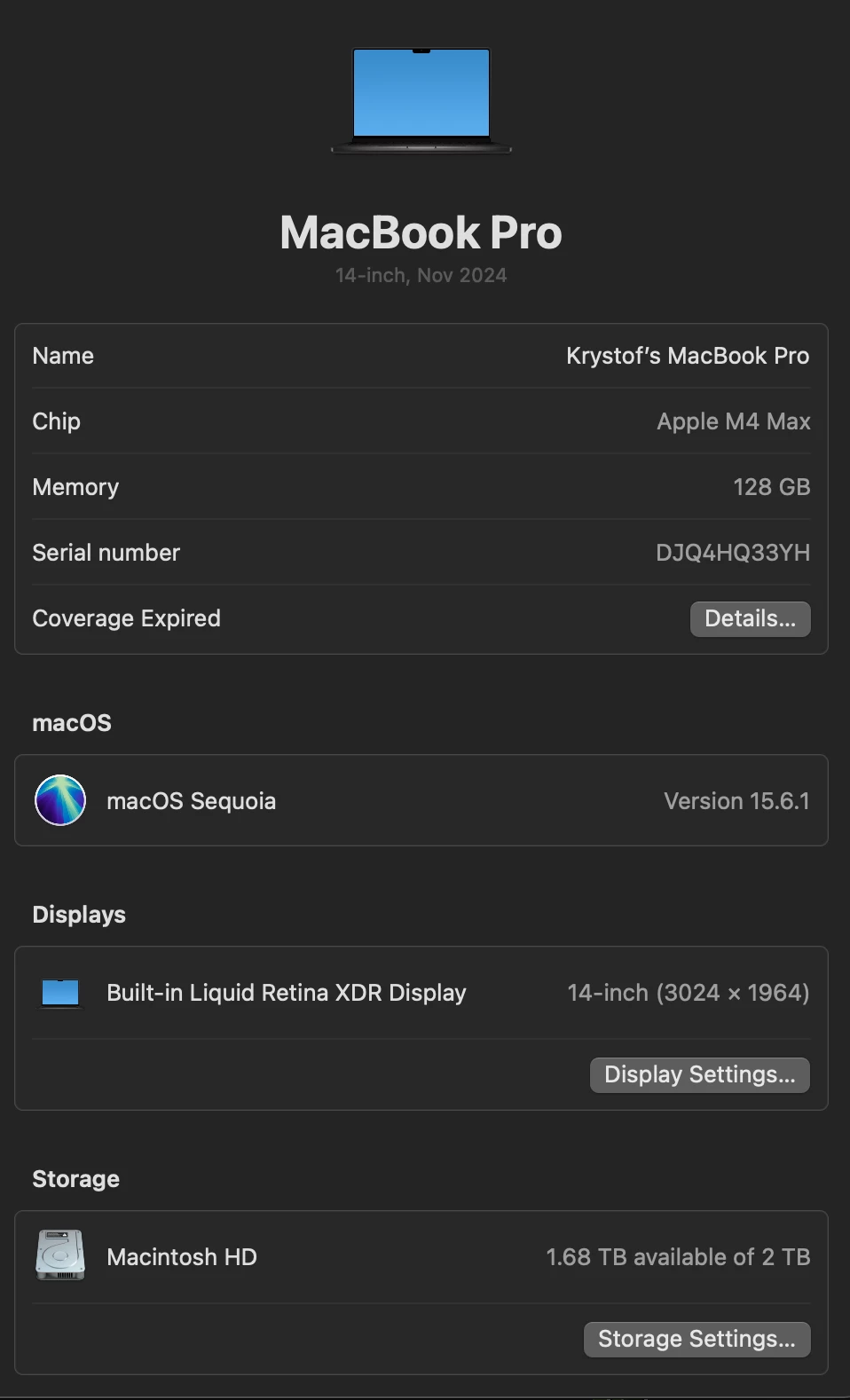
Here is my computer info:
And my sequence settings:
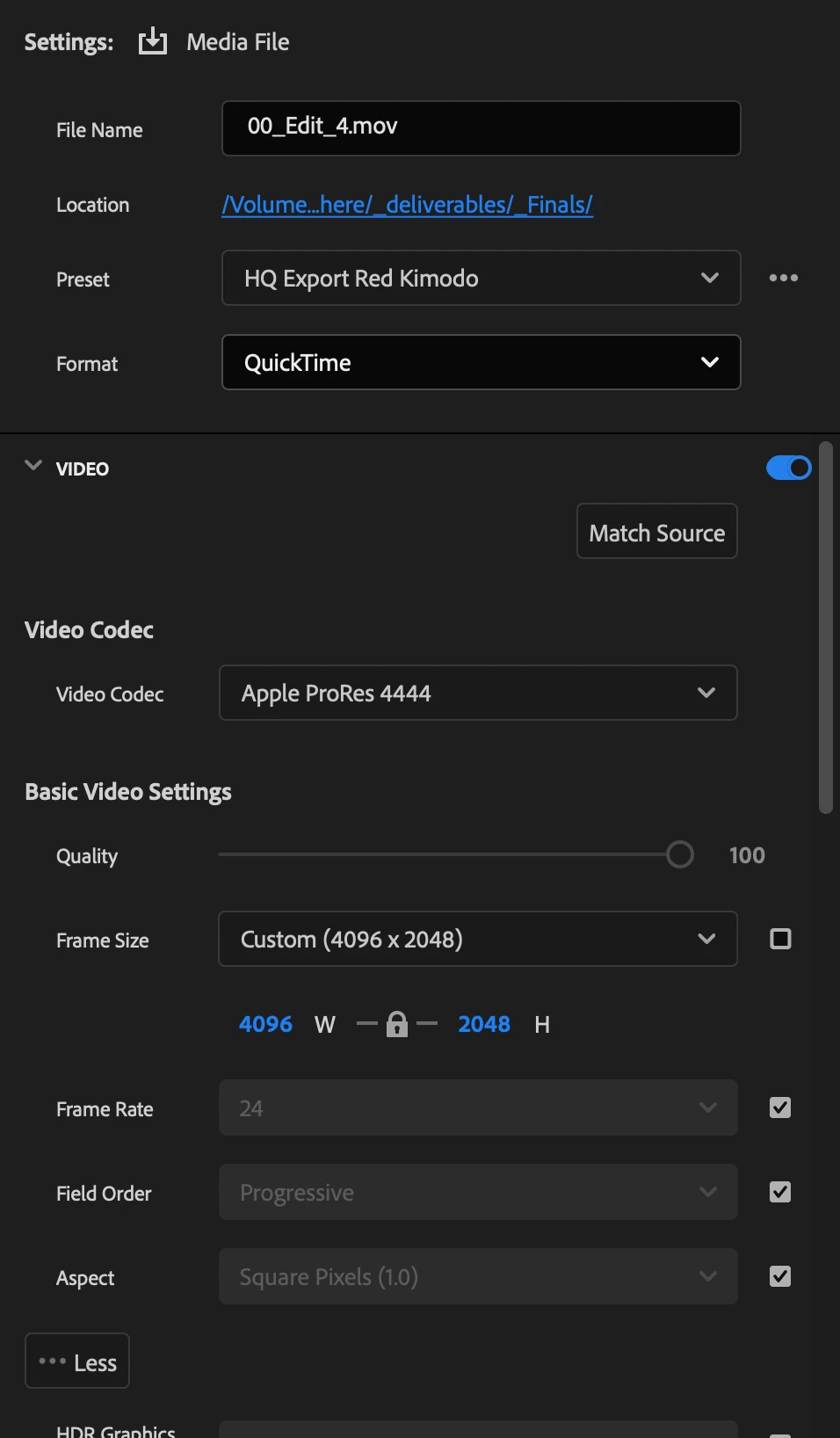
Export settings:

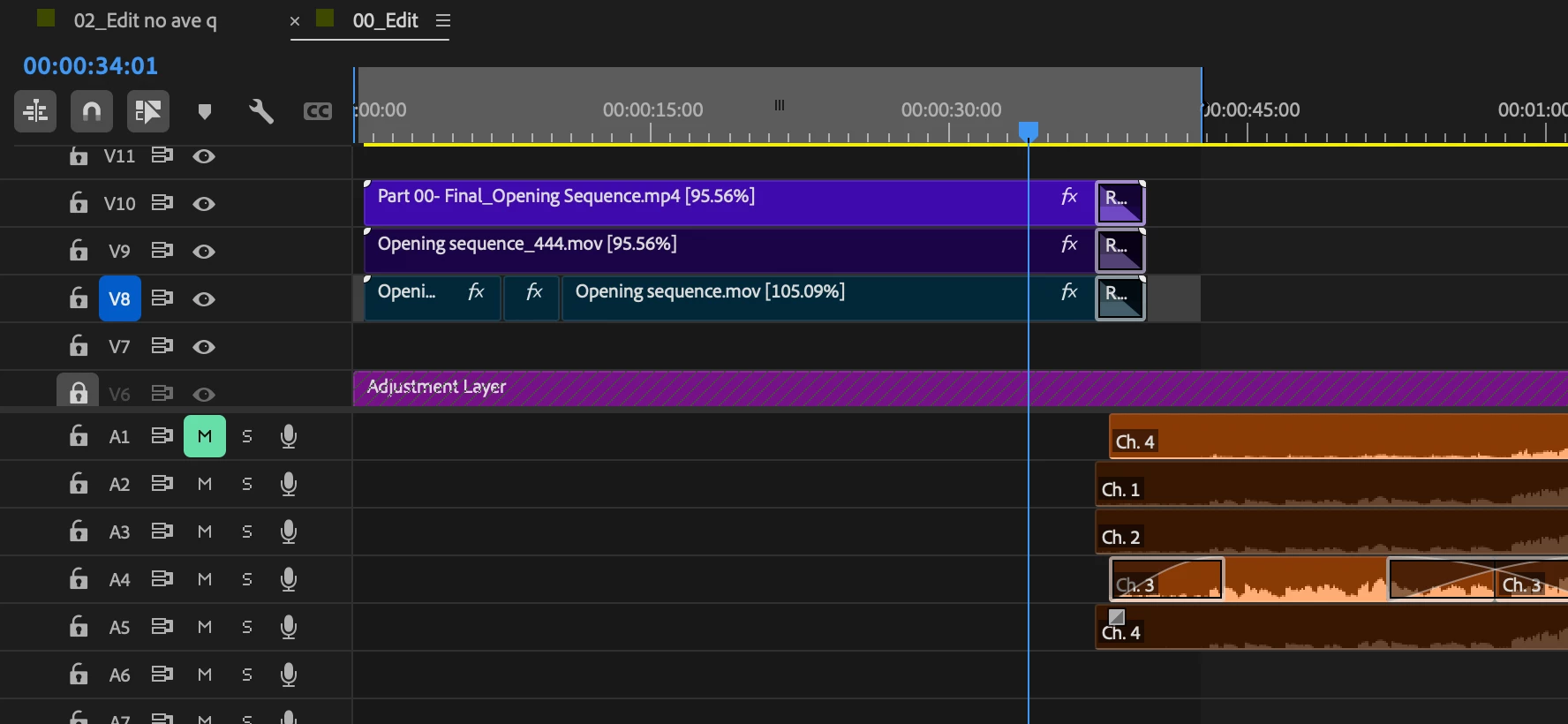
The timeline of the problem area:
V8 and 9 are exports out of Ae in different formats to see if that was the issue.
Lords and ladies of the Adobe Community and beyond, please educate me.
Lastly, thank you.
 AdChoices