Participant
April 17, 2019
Question

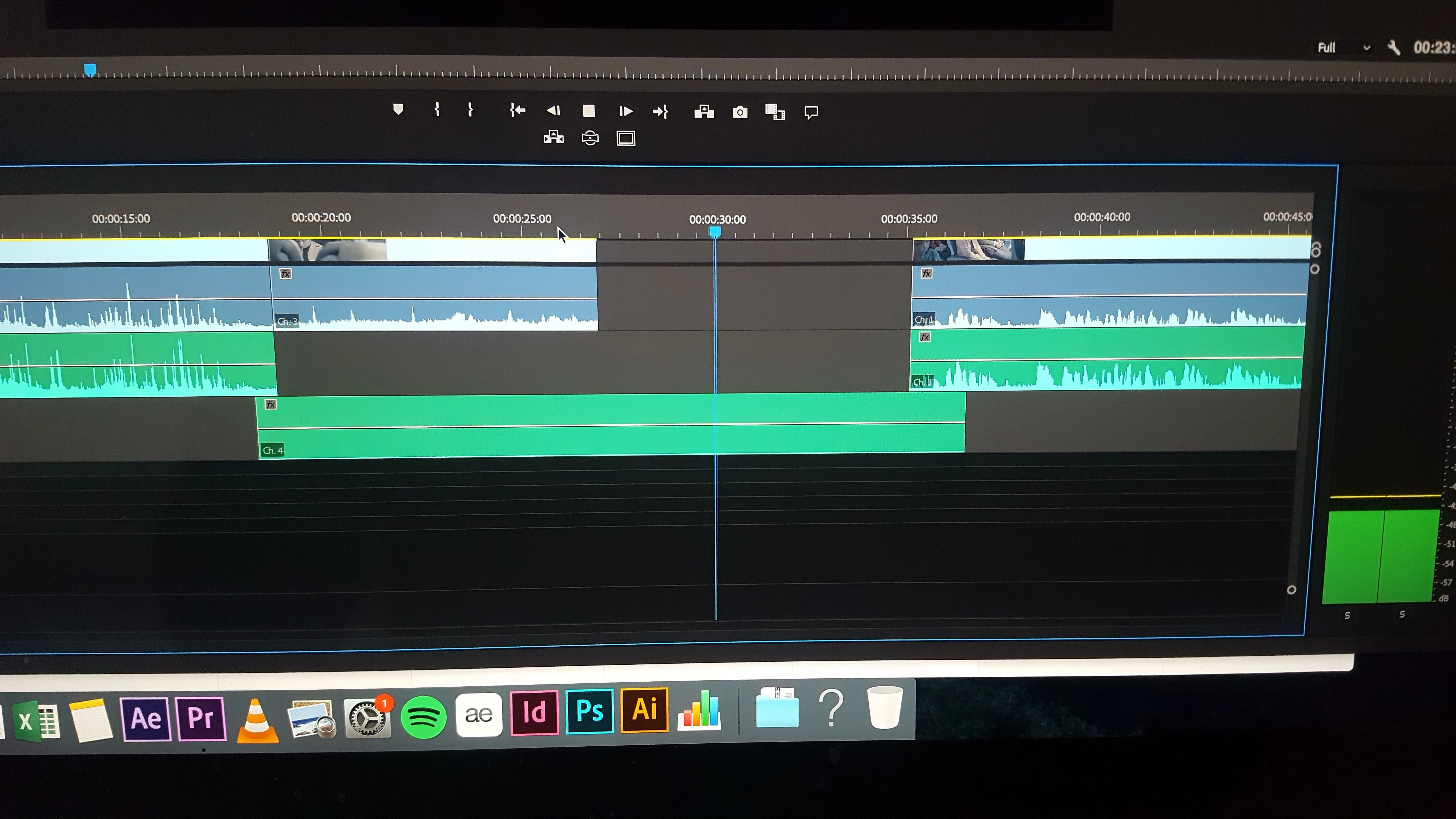
I broke my timeline😓 audio waves wont show in timeline...?

  • April 17, 2019
  • 7 replies
  • 576 views

Hello,

while editing my video I ran into the problem that the audio clips I put in the timeline no longer show an audio wave. DB meters show that audio is being played but I can't see or hear it in the timeline, the rest of the audio in the timeline works fine but new clips that I add don't. audio is recorded externally.

have already tried the standard stuff of youtube: timeline dysplay settings, restart, tracks are not muted etc.

I have no clu, help plz
This topic has been closed for replies.

7 replies

Inspiring
April 17, 2019

I've had this happen before spontaneously, and the only way to fix it was to restart Premiere and re-import the audio files. (I know you said you already tried restarting and such.) I think sometimes that didn't work either and I had to duplicate or rename the source files in Finder and then import them again and that fixed it. It seems like a bug that happens sometimes, but beyond that I don't know. Sorry!

Christian.Z
Community Expert
Community Expert
April 17, 2019

1- Try rendering the Audio.

2- Try clearing the cache. Manually

Peru Bob
Community Expert
Community Expert
April 17, 2019

Have you tried rendering the audio?

Sequence > Render audio

Legend
April 17, 2019

hmmm.

maybe post a better screen shot where people can see the left side of your screen and right side (meters better ) and do as before, putting CTI over the non playing clip. Then people can see if it's mono, stereo, what your assets are and so on..

seems like a weird problem ... but me guessing about stuff without more info is kinda fruitless..

good luck !

Legend
April 17, 2019

If it's mp3 or from a smart phone etc... go into audition and convert to WAV format ( 48k ) and put that into timeline.

Participant
April 17, 2019

They hav bin recorded in .WAV

So that is not gonna work but thx for the advice

Legend
April 17, 2019

maybe try to raise the volume line ...sometimes that makes the waveform visible if it was recorded at low level...

Participant
April 17, 2019

And its not the volume I all the externally recorded audio has an good level so does the rest 9f the clips

And I also found out that its only the audio files, the video cips I drag in to the time line do have audio...

Community Expert
April 17, 2019

Are you sure track 4 has audio on it?

Participant
April 17, 2019

Yes I'm shure, its playing fine in the prevew window