


September 12, 2026
Answered

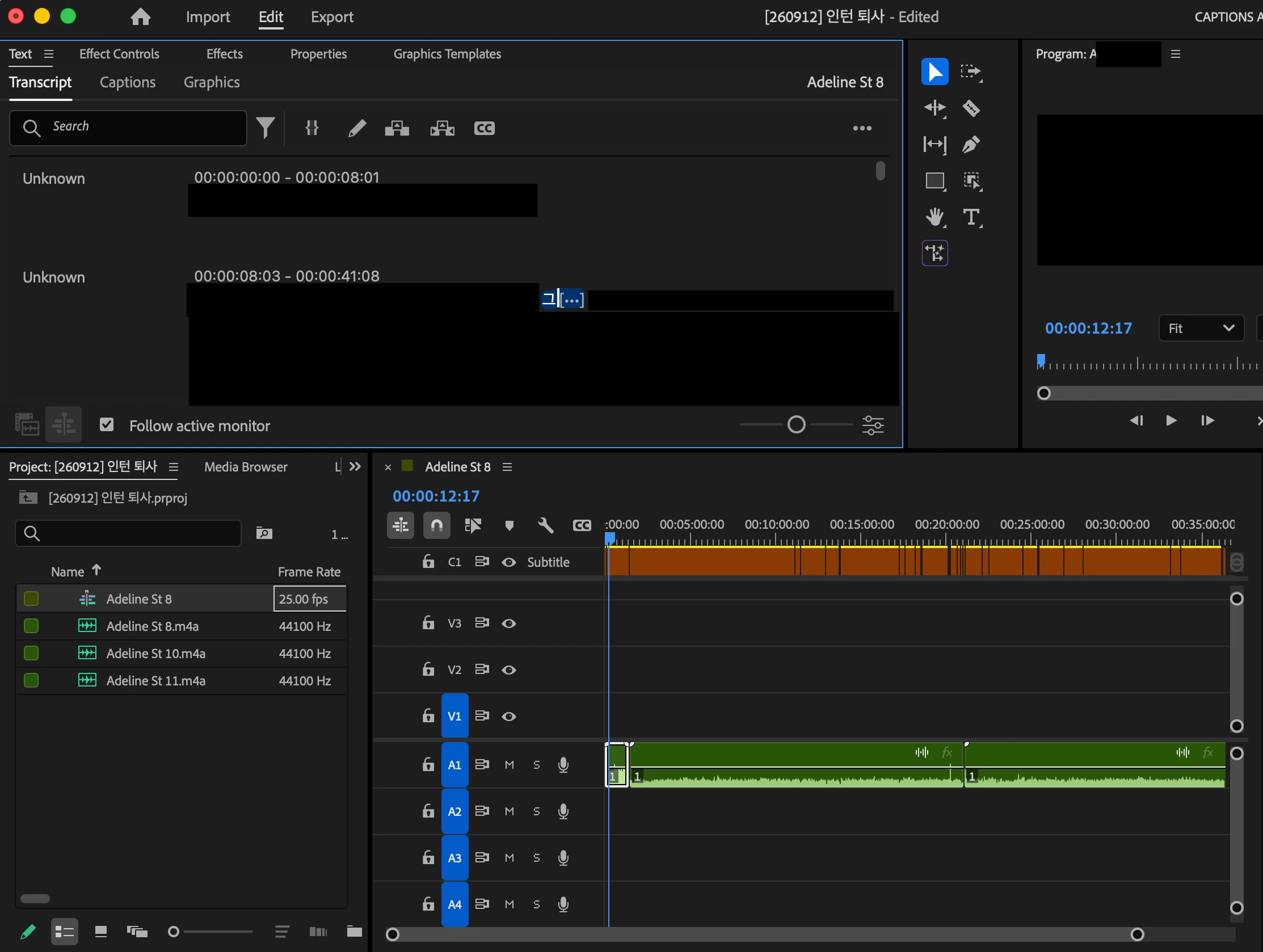
I can't delete text in transcript

  • September 12, 2026
  • 1 reply
  • 16 views

Hi,
I imported audio files and made new caption. It automatically generated transcript as well.

After that, I changed script to text-based editing.

However, even before and after the change, I cannot delete transcript.

I wanted to delete it so that the audio file is cut automatically and I dont have to trim it by myself.

Delete button is active, not greyed out, but even tho I click it, it is not deleted.

What should I do?
 

Correct answer PaulMurphy

In the Text panel, select the curly brackets icon next to the filter icon. This is the Automatically Set In/Out Points toggle. With it turned on, selecting text in the transcript sets the matching in and out points in the Timeline.

1 reply

PaulMurphyCommunity ExpertCorrect answer
Community Expert
September 13, 2026

In the Text panel, select the curly brackets icon next to the filter icon. This is the Automatically Set In/Out Points toggle. With it turned on, selecting text in the transcript sets the matching in and out points in the Timeline.