I can't export the subtitles with the "sidecar" option
Hi everyone,
So maybe there is something I must wrong but I can't find out why, also looking in the forum did not gave me the answer. 
I retook this old project made on Premiere 5.5 which had "titles" created in order to make integrated subtitles during the export (long before youtube allowed automatic subtitles !). The idea is to export the subtitles, if possible on .srt, so that we can translate this documentary into different languages and not have to copy-paste every single "title" that was made. Premiere 5.5 doesn't have the option to create subtitles.
I know work on Premiere CC 9.0 but when I try to export the subtitles it shows the "export subtitles" but it is in grey, meaning I can't choose any option with the famous "sidecar" option that are talked in premiere tutorial video.
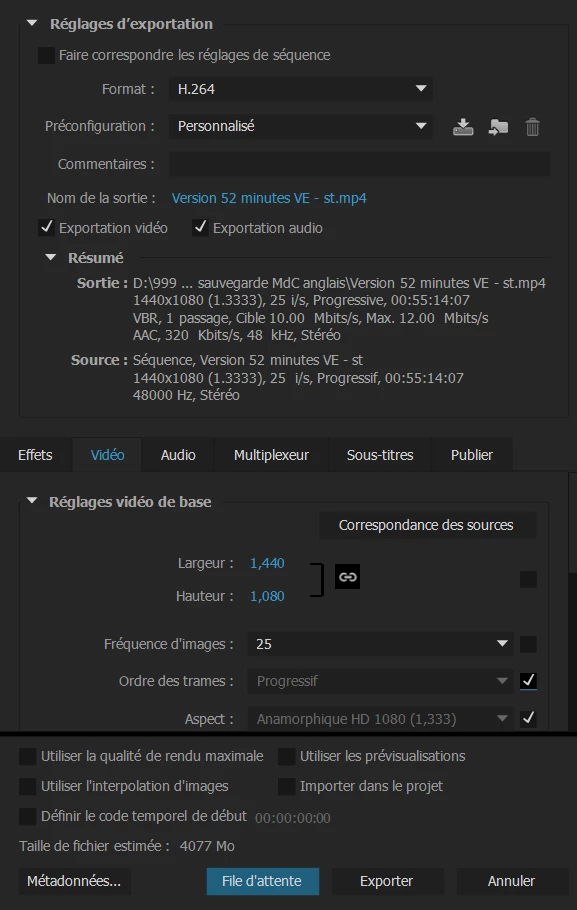
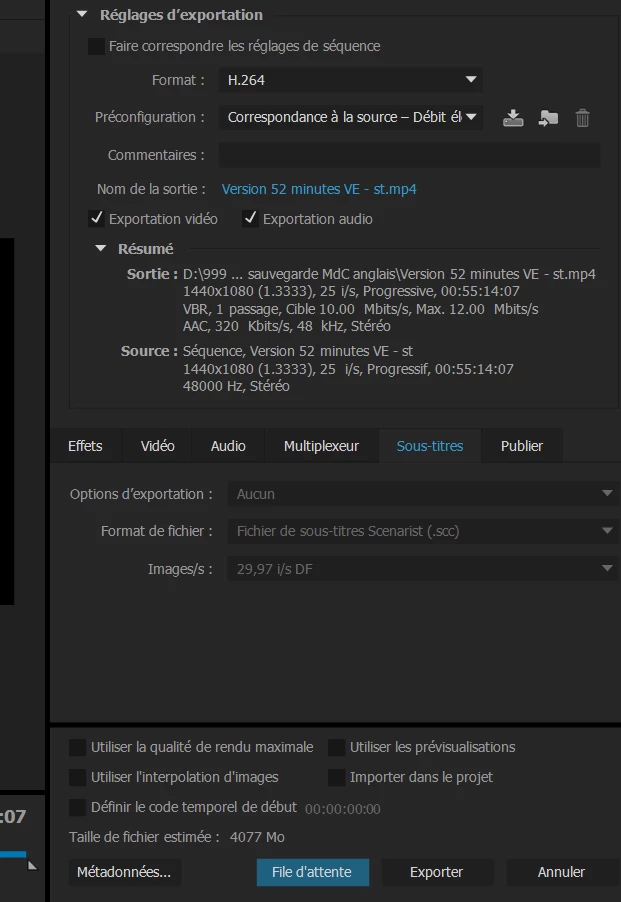
As you can see on the second screenshot everything is grey, I can't choose any options.
Is it because the "titles" are not made to be exported as subtitles ? Or did I miss something ?
Sorry if I'm not clear, English is not my mother tongue and I work on a French premiere 
Have a good day,
Cindy
 AdChoices