Participant
December 9, 2017
Answered

I can't import 4K video from GoPro Hero 6 to Premiere Pro

  • December 9, 2017
  • 4 replies
  • 21153 views

I just got my new GoPro Hero 6, and I was really excited about 4k videos and high frame rate. But I had some problem when I was trying to edit my shoots in Premiere Pro.

I imported the video files into the Premiere Pro, but the program only showed it as an audio file only.

It works when I am recording in 1080p (60 fps, 120 fps, 240fps) or 2.7k (30 fps, 60fps). (Or lower.)

But it doesn't work (only shows audio file) when I am recording in 2.7k (120fps) or 4k (with any frame rate).

And the same in After Effects.

Is there any way to fix it.

It is so frustrating.

Thanks for any help!

This topic has been closed for replies.
Correct answer R Neil Haugen

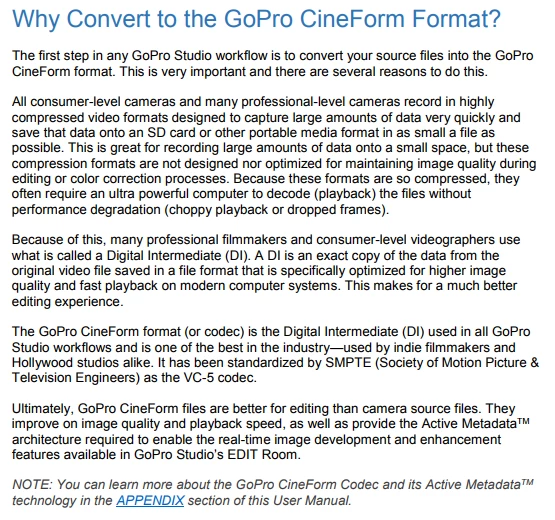
GoPro had a section of the manual for their GoPro Studio app on why the codec they use in camera (while admirably suited for getting a LOT of data reduced and recorded quickly) is horrid for editing, and should be replaced during editing with Cineform transcodes ...

Neil

4 replies

R Neil Haugen
Legend
November 9, 2019

MediaEncoder should be able to transcode the GoPro clips. You can setup watch folders with specific settings, so say if you drag/drop clips into those folders with MediaEncoder "open" ... it will automatically start processing that media according to the specification you set up for that watched folder.


And Me is set to be able to run when Premiere isn't taking resources but immediately back down when it needs "horses". Or of course, to do something like this overnight.


Neil

Everyone's mileage always varies ...
Participant
February 16, 2020

I've just bought Premiere 2020 to edit H.265 1080p 119,88 fps files. Which preset from Media Encoder should I choose to get proper 1080p 119,88 fps file for editing in Premiere?

Ann Bens
Community Expert
Community Expert
March 1, 2020

You dont use AME for footage with variable framerate. Audio will be auto of sync.

Use Handbrake instead and convert to constant framerate.

Ann Bens
Community Expert
Community Expert
December 9, 2017

GoPro Studio is no longer available.

You have to google for a download site that offers the program.

Can you upload a short clip that does not work for you.

R Neil Haugen
Legend
December 10, 2017

I wasn't suggesting the OP use the program ... just quoting GoPro's excellent advice to transcode. Which Media Encoder can do quite well overnight, of course. And the suggestion the OP provide a short clip that's troublesome for some of us to test is excellent.

Neil

Everyone's mileage always varies ...
Ann Bens
Community Expert
Community Expert
December 10, 2017

Media Encoder wont work as OP cannot import all media.

R Neil Haugen
R Neil HaugenCorrect answer
Legend
December 9, 2017

GoPro had a section of the manual for their GoPro Studio app on why the codec they use in camera (while admirably suited for getting a LOT of data reduced and recorded quickly) is horrid for editing, and should be replaced during editing with Cineform transcodes ...

Neil

Everyone's mileage always varies ...
John T Smith
Community Expert
Community Expert
December 9, 2017

I don't use gopro, but I have read several messages that converting to cineform will allow editing