This topic has been closed for replies.

3 replies

Participant
January 30, 2018

My screen resolution is 1366*768 scale 100%.

Between the lines, white and pink (blue in your case) I have no the button options like you.

R Neil Haugen
Legend
January 30, 2018

Operation of PrPro's UI on that rig will be challenging. My ol' Lenovo has the same screen res, and I can't see the bottom of that dialog either. So ... yea, rather limited, sadly.

Neil

Everyone's mileage always varies ...
Participant
January 27, 2018

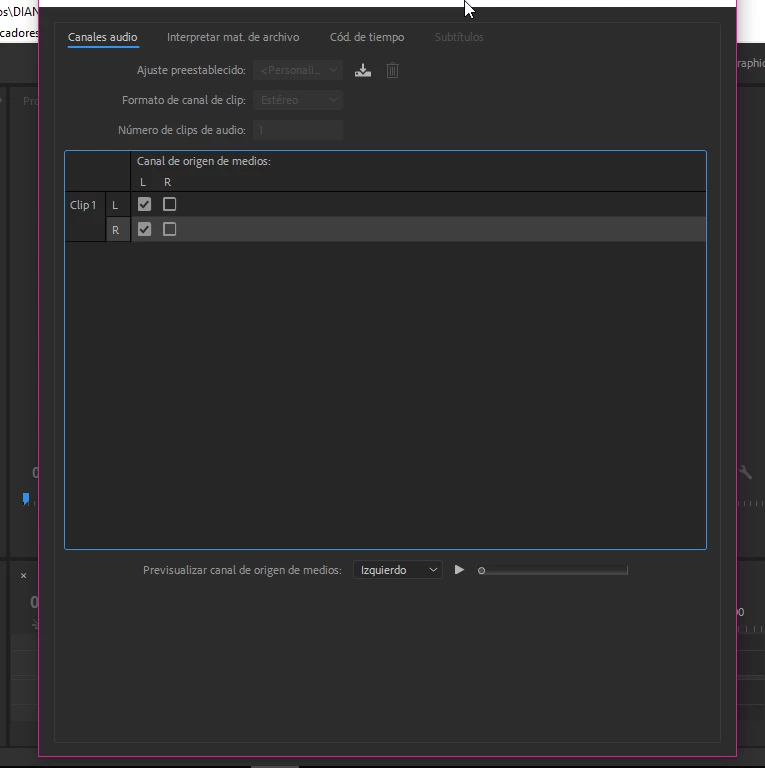
I have no problems with other windows... only that. And the main problem is that the OK button doesn't appear and I can't modify the audio channel.

R Neil Haugen
Legend
January 27, 2018

It doesn't look like the bottom of that dialog is showing. Which as you see in mine, is a LOT of near empty space. So ... so you see a blue outline across the bottom of that dialog box?

If not, it's because you're not seeing the whole box.

If so, we're back to the pixels displayed vertically in your monitor. Just check them?

Neil

Everyone's mileage always varies ...
R Neil Haugen
Legend
January 27, 2018

What's your screen resolution? That looks like you're not seeing the whole dialog, typically caused by too low a vertical screen resolution or by having the UI scaled to something other than 100% ... here's the whole dialog box.

Minimum vertical screen resolution for PrPro is 800.

Neil

Everyone's mileage always varies ...