
Participant
March 11, 2021
Question

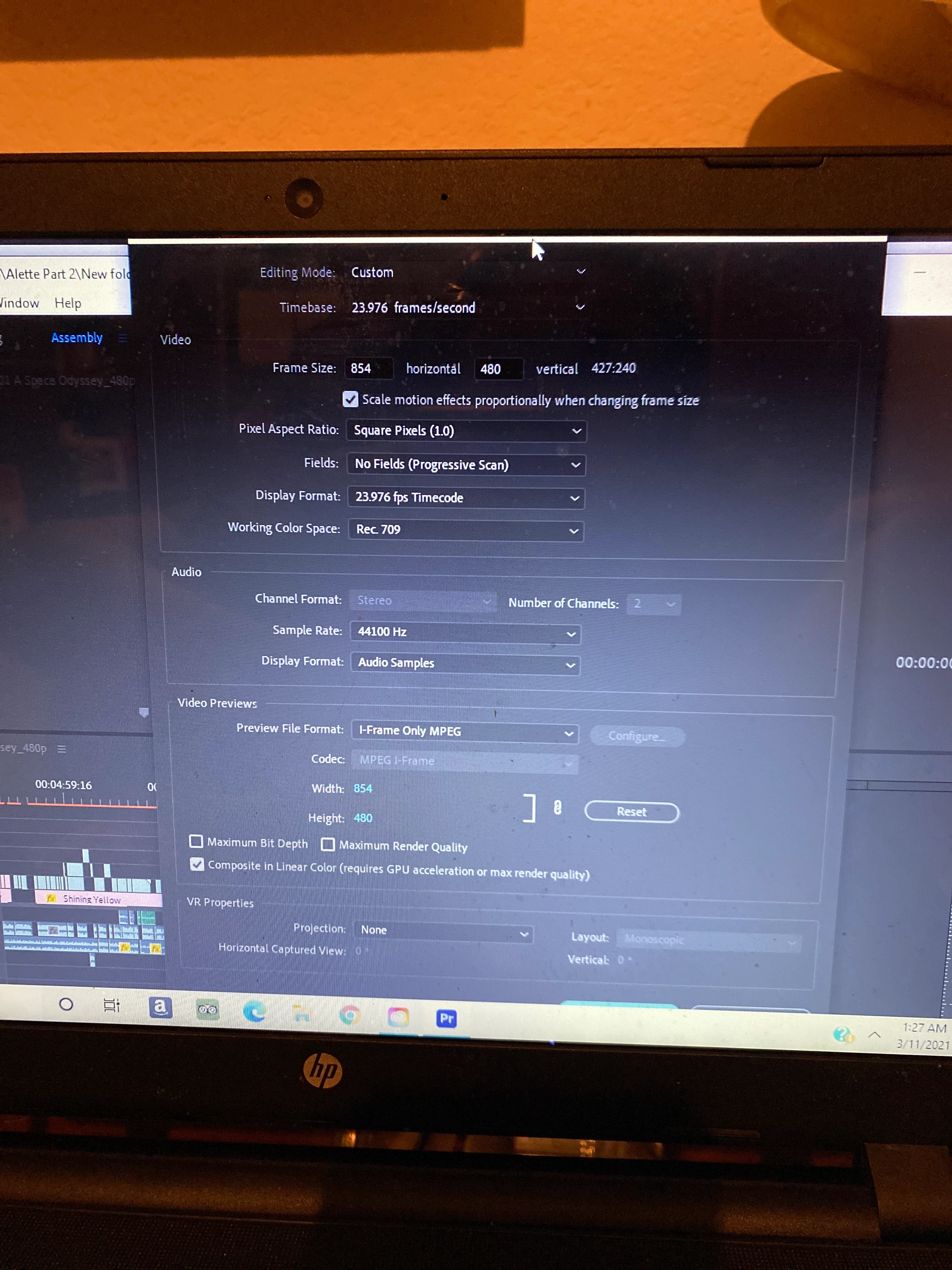
I can’t press “Ok” when adjusting sequence settings.

  • March 11, 2021
  • 2 replies
  • 1102 views

When I pull up the tab to adjust sequence settings, the bottom of the tab is blocked off, and I can't move the tab unless I grab the top, and even then I don't have enough room, as when I release the cursor it just goes back to the center. How do I adjust the settings box so I can actually press "Ok"?
This topic has been closed for replies.

2 replies

Participant
September 2, 2023

Hey, did you end up solving the issue and if so how?? Please tell me if you can because I am having the same issue right now. 

Stan Jones
Community Expert
Community Expert
September 2, 2023

@Isabel27971185k009,


See Ann's suggestion. In the screenshot, you can see that the OK and Cancel buttons are just below the screen area.


Is that what you are seeing?


Stan


Participant
September 2, 2023

Hi Stan that is currently what I'm seeing, and I did see Ann's suggestion and tried minimizing the taskbar but couldn't. I actually double tapped on the setting that I wanted and it worked so I kinda just went with that but if you could offer a different way I'm all ears.

Ann Bens
Community Expert
Community Expert
March 11, 2021

Get a larger screen.

You could minimize the taskbar.

Minimum resolution for Premiere is 1280x800.