
Participant
March 7, 2024
Answered

I can't see the project pannel

  • March 7, 2024
  • 2 replies
  • 122 views

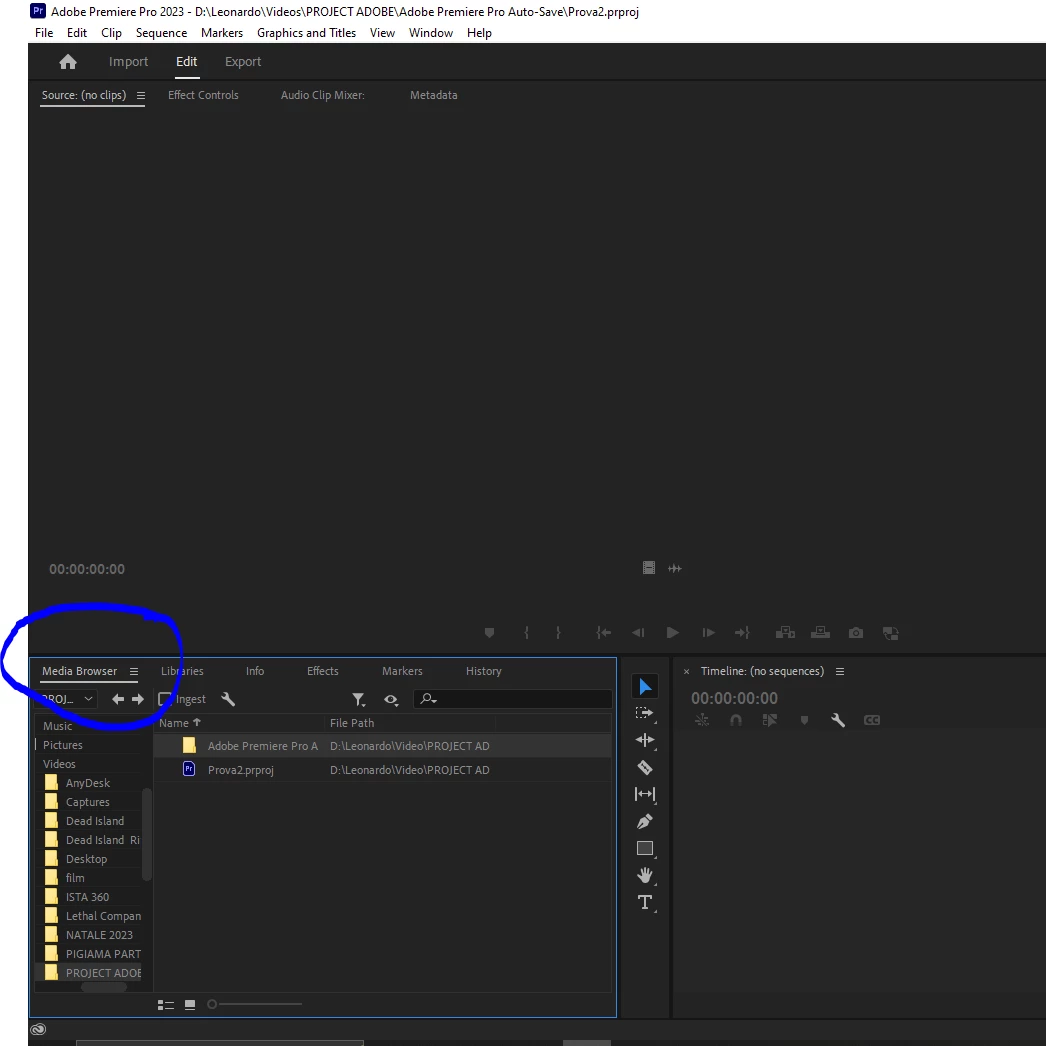
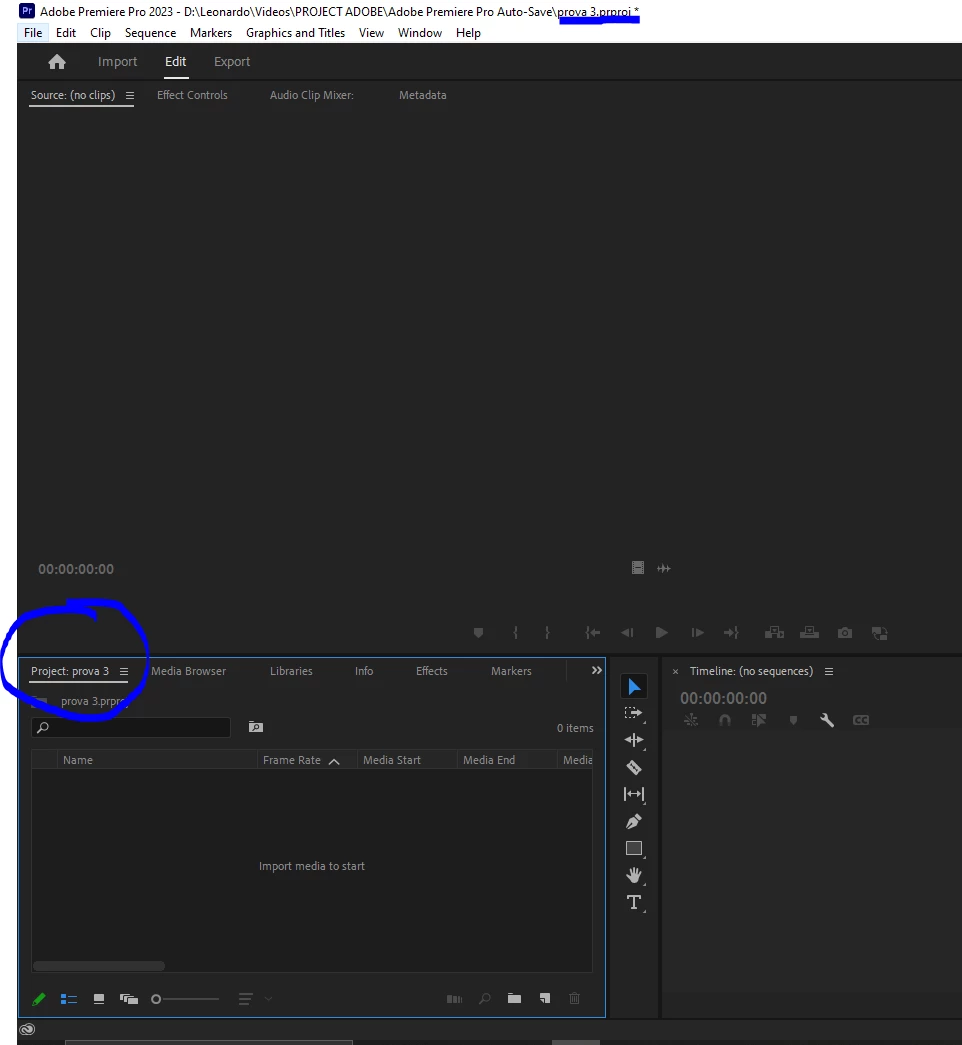
I have the latest version of Adobe, I'm new to the software and I'm learning to use it. I don't understand why when I create a project in an empty folder, when I open it, in the project panel, I don't see the section in front of "media browser" where the "project name" is and you can create bin folders. But if I create another project inside the same folder, in the second project I see the section in front of "media browser" with the name of the project and where I can create the bin folders. I don't understand why, thanks for the help


this is the first project
this is the second, as you can see, in the second exist
 

This topic has been closed for replies.
Correct answer Leonardo35921301gjf6

I figured it out. I went to Window > Workspaces > Revert to Saved Layout. That took care of the problem. Now, I can see my project’s Project panel again. but THIS is not ok anyway, WE should not do this, should work without this 

2 replies

Bruce Bullis
Community Manager
Community Manager
March 7, 2024

Glad you sorted it out!

Leonardo35921301gjf6AuthorCorrect answer
Participant
March 7, 2024

I figured it out. I went to Window > Workspaces > Revert to Saved Layout. That took care of the problem. Now, I can see my project’s Project panel again. but THIS is not ok anyway, WE should not do this, should work without this