
Inspiring
August 24, 2021
Answered

I cannot change my audio from stereo to dual mono, please help!

  • August 24, 2021
  • 2 replies
  • 8912 views

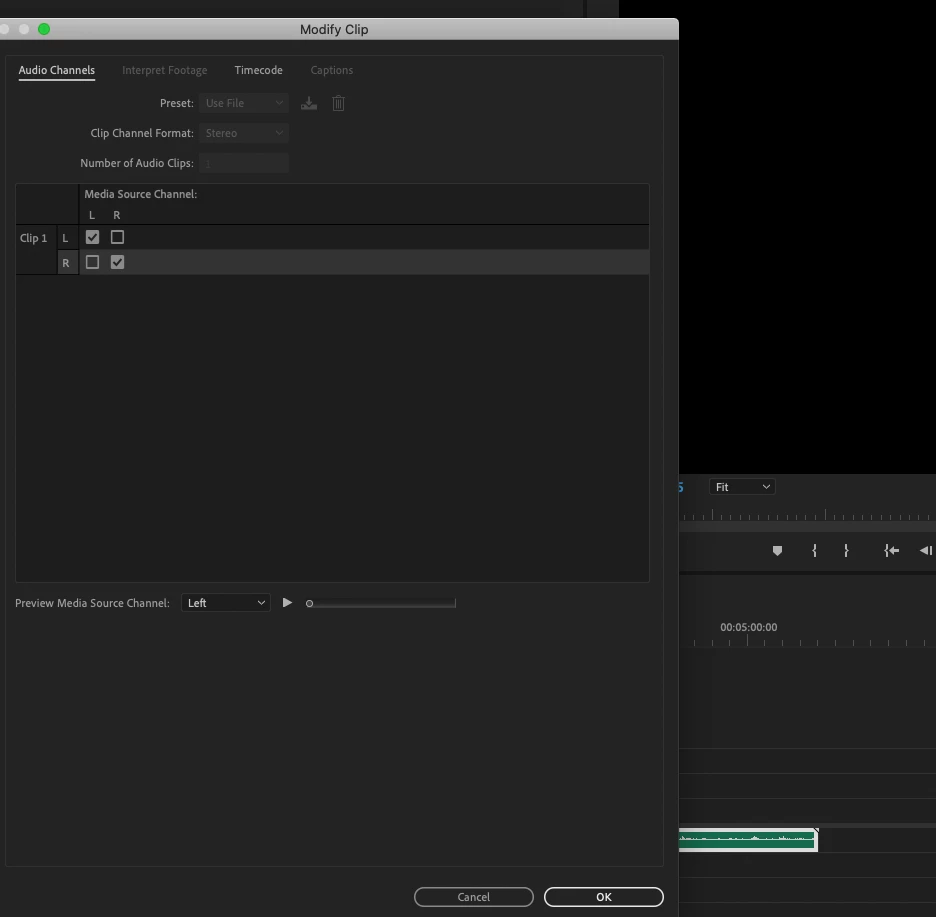
I have an audio file that heavily plays out of the left channel. I can select my file in the timeline panel > and select 'audio channels' > but when the 'modify clip' tab opens I cannot change the 'Preset'.

Another user who was having this issue was told to move the 'Essential Sound' folder onto the desktop. I tried this, but nothing changed.


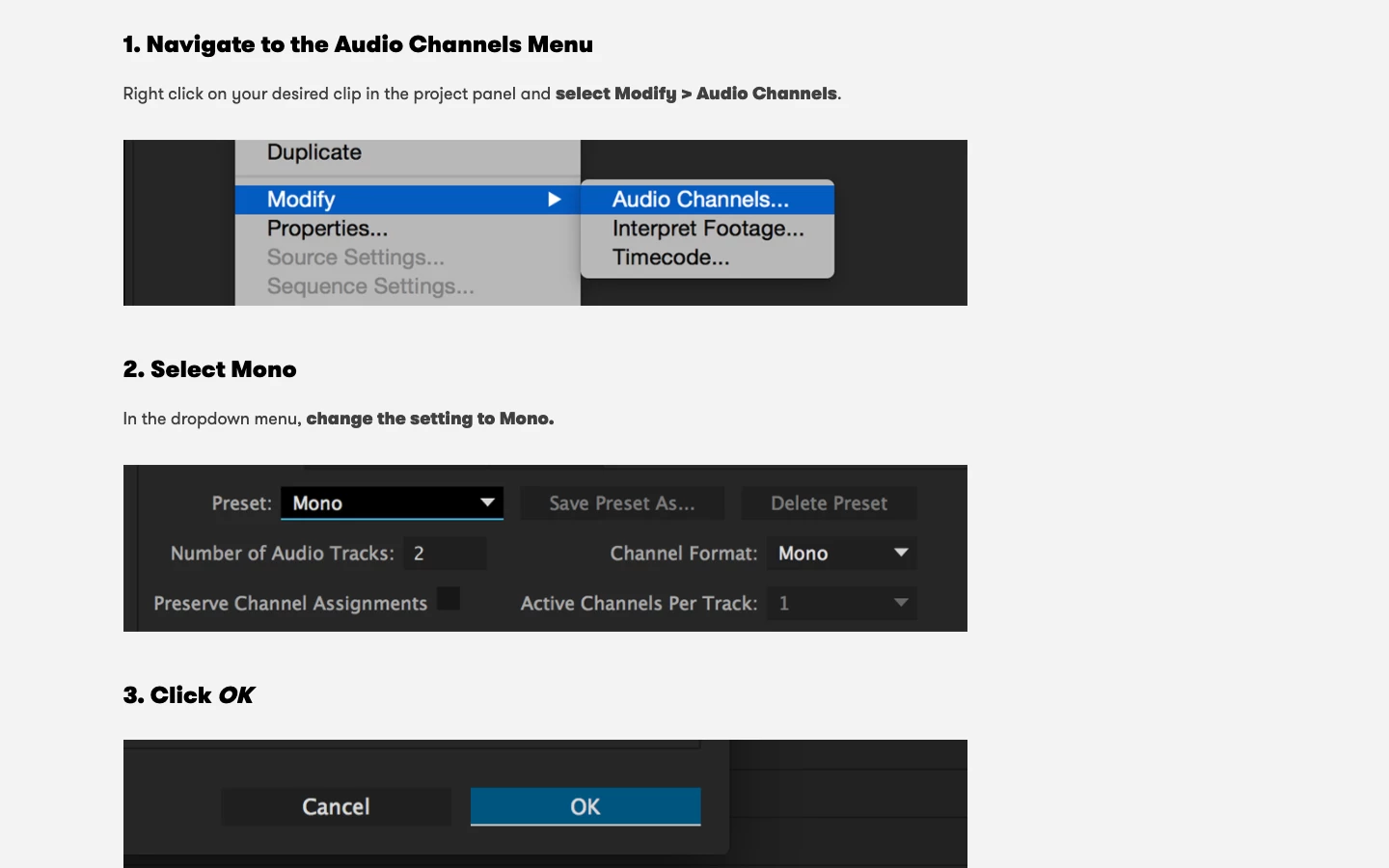
I have attached two photos. One is of intrustions on how to change the audio to mono and the other is from my premier screen. You'll notice in the instructions they are able to select the preset, however mine is grayed over and non-selectable.


I am very new to premier pro so I wouldn't be surprised if I was just making an obvious mistake, but any help would be greatly appriciated.
This topic has been closed for replies.
Correct answer Charlotte5FBA

Hi! It was a stupid mistake after all! I should have selected the audio in the PROJECT PANEL not the timeline one, face palm moment

2 replies

Participant
February 8, 2022

I might be a bit too late but I can't seem to find the option in the project panel to even change it to mono. Where did you click on to fix this?


Participant
February 15, 2023

Right click on footage in project bin > Modify > Audio Channels...

erikm39082251
Participant
February 23, 2023

Did something change in the last update that would effect this? I used to be able to right click on the audio clip on my timeline and bring up the audio channel box but it no longer pops up when I do this...the box for "audio gain" pops up but not the box for "audio channels". 


Charlotte5FBAAuthorCorrect answer
Inspiring
August 24, 2021

Hi! It was a stupid mistake after all! I should have selected the audio in the PROJECT PANEL not the timeline one, face palm moment