
Participant
Nov 20, 2026 6:13 PM UTC
Question

I cannot collect project files using Project Manager in Premiere Pro 27
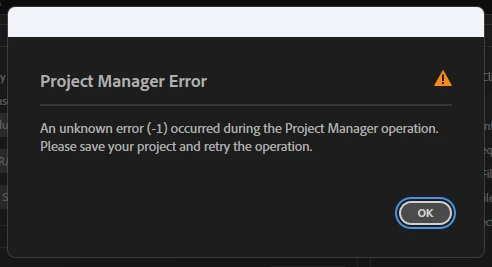
Everytime i am having this error i even saved as the project, deleted media cache files, deleted renders still i am facing the same issue and i urgently need to send the files to my client please help me with this. I cannot search each files and sending them its a huge project.

    2 replies

    Community Expert
    Nov 20, 2026 10:25 PM UTC

    Please describe your work-flow. Are you selecting a sequence in the Project Panel before using Project Manager?

    Translate
    CORCTON34033231
    Community Expert
    Community Expert
    Nov 20, 2026 9:05 PM UTC

    Hi Darshan — that “unknown error (-1)” message is generic, so it doesn't by itself say which file is stopping Project Manager. A few details will help pin it down:


    1. Which option are you using in Project Manager — “Collect Files and Copy to New Location” or “Consolidate and Transcode”? And are you including all sequences, or just one?

    2. Is any media offline or missing in the Project panel (check for offline items), or stored on an external / network drive that might disconnect during the copy?

    3. Does the project contain nested sequences, Multicam sequences, or Motion Graphics templates?


    One way to isolate it: make a duplicate copy of the project (File > Save a Copy), then in Project Manager select only one sequence at a time. If one sequence collects fine and another fails with the same error, the problem file is in the failing sequence, and you can then split that sequence's clips the same way.


    Please also share your exact Premiere Pro version (Help > About, e.g. 27.x) and your OS — and let us know what you find with the one-sequence test.

    Translate