
Participant
March 13, 2021
Answered

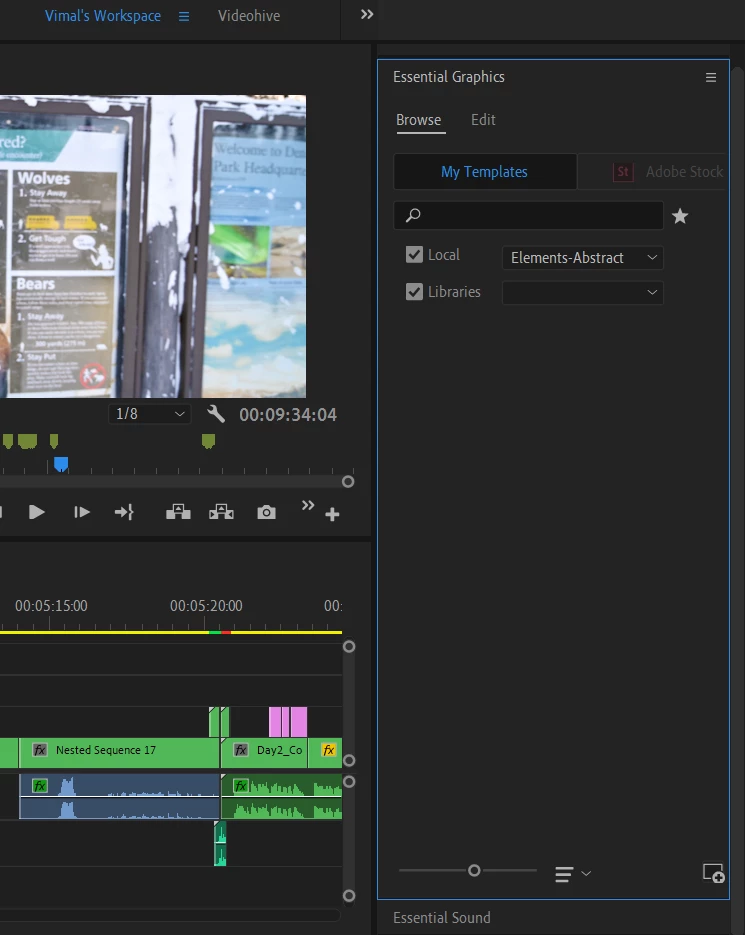
I dont see any of my MOGRT on the Essential Graphics added as "Manage Additional Folders"

  • March 13, 2021
  • 2 replies
  • 1142 views

I dont see any of my MOGRTs on the Essential Graphics which were added as "Manage Additional Folders". I was using them for last one year easily and without any issue. I tried adding few folders after which the complete section is blank as shown below. Not sure if i flipped something, tried everything but i just cant bring them back. Please help.
 

This topic has been closed for replies.
Correct answer Vimalhbk

I think i fixed it....or may be this can be a workaround.


What i did was, I reinstalled my premiere pro by removing all preferences and issue was still there. Then i saw my layout, Presets were all Intact, Then  I took a backup of folder in "Documents\Adobe\Premiere Pro\13.0\Profile-XXXX". Deleted everything in it and Reopened Premier pro. It reset everything on premier pro. I just copied and replaced only my "Effect Presets and Custom Items" file from backup. Atleast now i can see the MOGRTs when i add them. Only thing is i need to add my workspace layout and all the MOGRTs back again.


Possibly something to do with old layout.

2 replies

R Neil Haugen
Legend
March 15, 2021

Wow. Mine are there. I wonder what the ... hay? ... is going on here?


@DaciaSaenz  ... any ideas?


Neil

Everyone's mileage always varies ...
VimalhbkAuthorCorrect answer
Participant
March 17, 2021

I think i fixed it....or may be this can be a workaround.


What i did was, I reinstalled my premiere pro by removing all preferences and issue was still there. Then i saw my layout, Presets were all Intact, Then  I took a backup of folder in "Documents\Adobe\Premiere Pro\13.0\Profile-XXXX". Deleted everything in it and Reopened Premier pro. It reset everything on premier pro. I just copied and replaced only my "Effect Presets and Custom Items" file from backup. Atleast now i can see the MOGRTs when i add them. Only thing is i need to add my workspace layout and all the MOGRTs back again.


Possibly something to do with old layout.

R Neil Haugen
Legend
March 13, 2021

Have you tried using the + icon on the bottom right while the local folders are selected? Perhaps re-importing them would solve this.


Neil

Everyone's mileage always varies ...
VimalhbkAuthor
Participant
March 13, 2021

Yes... nothing happens... no overwrite message nothing....