
I need an accurate API to find the in and out point frames of the activated sequence.
In, out frame information, I checked the API, but something seems different, so I need to check if this API information is correct. The attached picture is the activated 29.97 drop sequence.
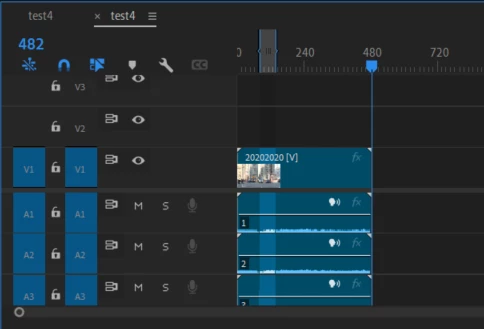
The timeline time view was set to frames.
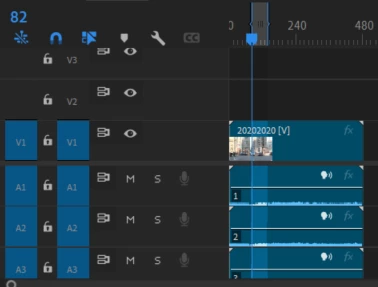
The picture is the value moved by using the go to in context menu.
in point
out point
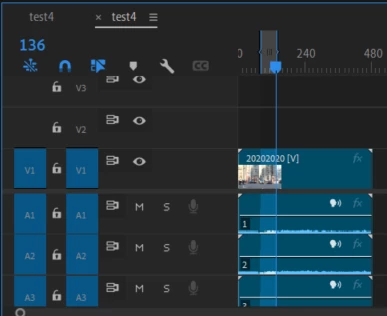
I checked this and called it from the API.
var activeSeq = app.project.activeSequence;
var in_point_time = activeSeq.getInPointAsTime();
var out_point_time = activeSeq.getOutPointAsTime();

var inFrame = inTime.ticks/activeSeq.timebase;
var outFrame = out_point_time.ticks/activeSeq.timebase;
The results are as follows.
in frame: 82
out frame: 137
Just in case, I tried the logic of processing it with getFormatted.. As expected, it seems to have a 1 frame difference.
When checking with the end value, it was confirmed to be the same.
var durationTime = new Time();
durationTime.ticks = activeSeq.end;
var timeAsText = durationTime.getFormatted(currentSeqSettings.videoFrameRate, app.project.activeSequence.videoDisplayFormat);
timeasText : 482
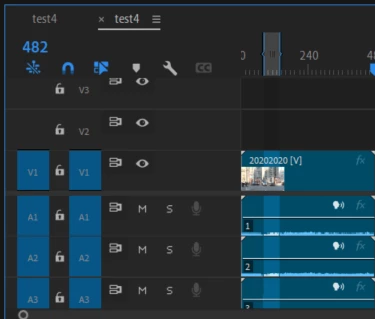
Of course, when using getFormatted, the in and out values are the same as above 82,137
How can I get the exact value? Or should out always subtract 1 frame?


 AdChoices