
Participant
February 2, 2020
Question

I Need Help with image not fitting the screen

  • February 2, 2020
  • 3 replies
  • 1738 views

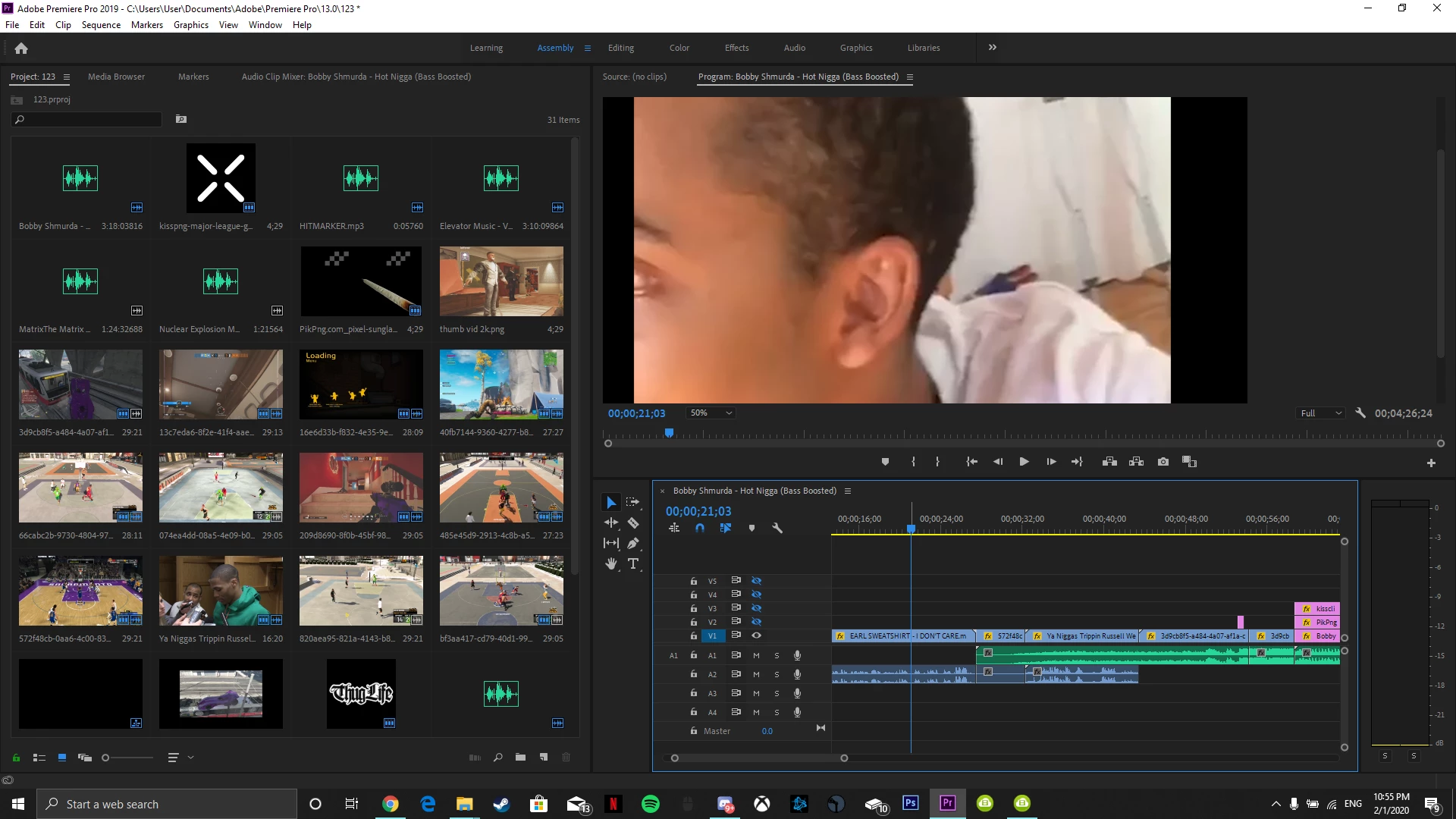
My clips in adobe premiere don't take up the whole screen and are not centered. I tried to fix them manually with effect controls but that didn't work and it went back to the way it was. I would really appreciate it if someone could help.
 

[Title edited for question clarity and future forum search... Mod]

This topic has been closed for replies.

3 replies

jasontcox
Inspiring
February 2, 2020

In addition to what the others said, it'd also be help to see the Motion effect properties for this clip in the Effect Controls panel. Because the clip looks off center in your screen shot, you may ALSO have moved its position in addition to it not being set to the same properties as the sequence. If youre BRAND new to editing and this program, @chusbanker 's suggestion is helpful to make sure your sequence settings match your clips.

chusbaker
Participating Frequently
February 2, 2020

Hi Parham123,

it seems that the sequence settings are different to your clip settings. Try this:

right click a clip in the project window and select the option New Sequence from Clip.


lucilef45660569
Participant
December 22, 2023

Also, in the top bar click Sequence > Sequence settings... 
Then in General > Video > Frame Size: change the values of horizontal and vertical according to your image size (ex.: my image is 6016 by 4016, so the value are respectively 6016 (horizontal)  4016 (vertical) )

Community Expert
February 2, 2020

You’ve changed a setting which keeps your image sized in the screen. Please change the button under your image from 50% to “Fit.”