Participant
February 23, 2019
Question

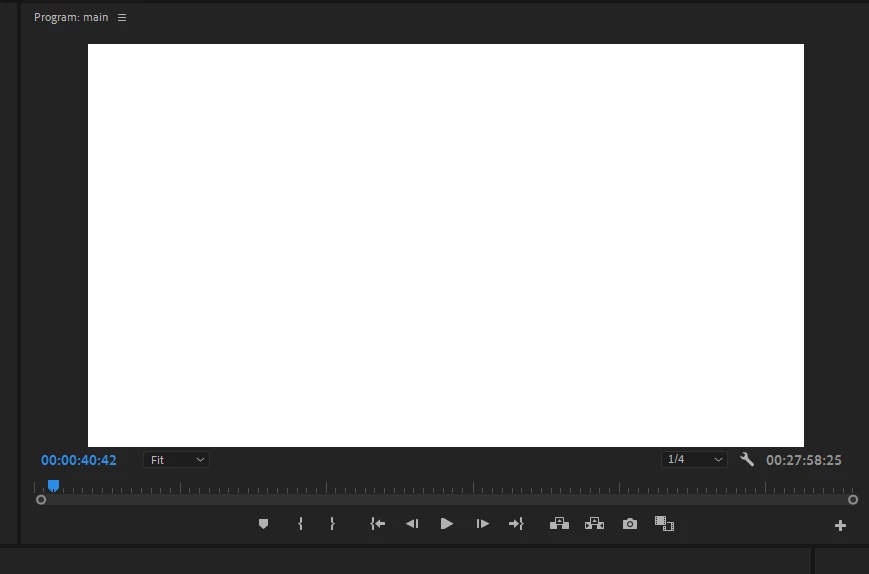
I see a white screen when paused

  • February 23, 2019
  • 6 replies
  • 4911 views

Hello, when I'm editing, just a few minutes ago, my preview block just showed a white screen when paused, however when I play it, the edited video plays fine,

I attached a picture

Thanks
This topic has been closed for replies.

6 replies

Participating Frequently
July 26, 2024

I have the same thing going on now, and none of these solutions have worked for me. I don't understand. 

Participating Frequently
July 26, 2024

It appears to be fine when I disconnect the external monitor. Not ideal, but at least I move forward. 

Participant
September 14, 2019

I found a solution, go to the settings of the playback and change the "pused video resolution" to 1/2 or less.

This happens when your system can't handle the HD files properly.


Community Manager
February 27, 2019

Hi there,

Please try to clean the cache files (FAQ: How to clean (delete or trash) media cache files? ) and check if it's working properly. If you are still facing the issue, try to switch the Renderer to Mercury Playback Engine Software Only (FAQ: How to change the Video Renderer in Premiere Pro? ) and check if you are getting the correct preview.

Let us know if it helps.

Thanks,

Sumeet

Shivangi_Gupta
Community Manager
Community Manager
February 27, 2019

Hi ICreativeCrum,

Sorry for the trouble. In addition to the suggestions shared by Jim Simon , please check if you have selected for Alpha View under Settings for the Program Monitor settings. If yes, make it Composite Video. You can refer to the screenshots attached below:

I hope it helps.

Thanks,

Shivangi

Legend
February 23, 2019

Couple things that I would do:

1. Don't use 1/4 res playback.  Keep this at Full

2. Use Cineform proxies to improve playback performance.

Work offline using proxy media |

3. Use a 24" 1080 monitor at a minimum.

Ann Bens
Community Expert
Community Expert
February 23, 2019

What are your computer specs, OS and Premiere build.

What kind of footage is used?

Please be specific.