I want to upload subtitles with style on YouTube
Hello, I have a question about premiere subtitles and YouTube subtitles.
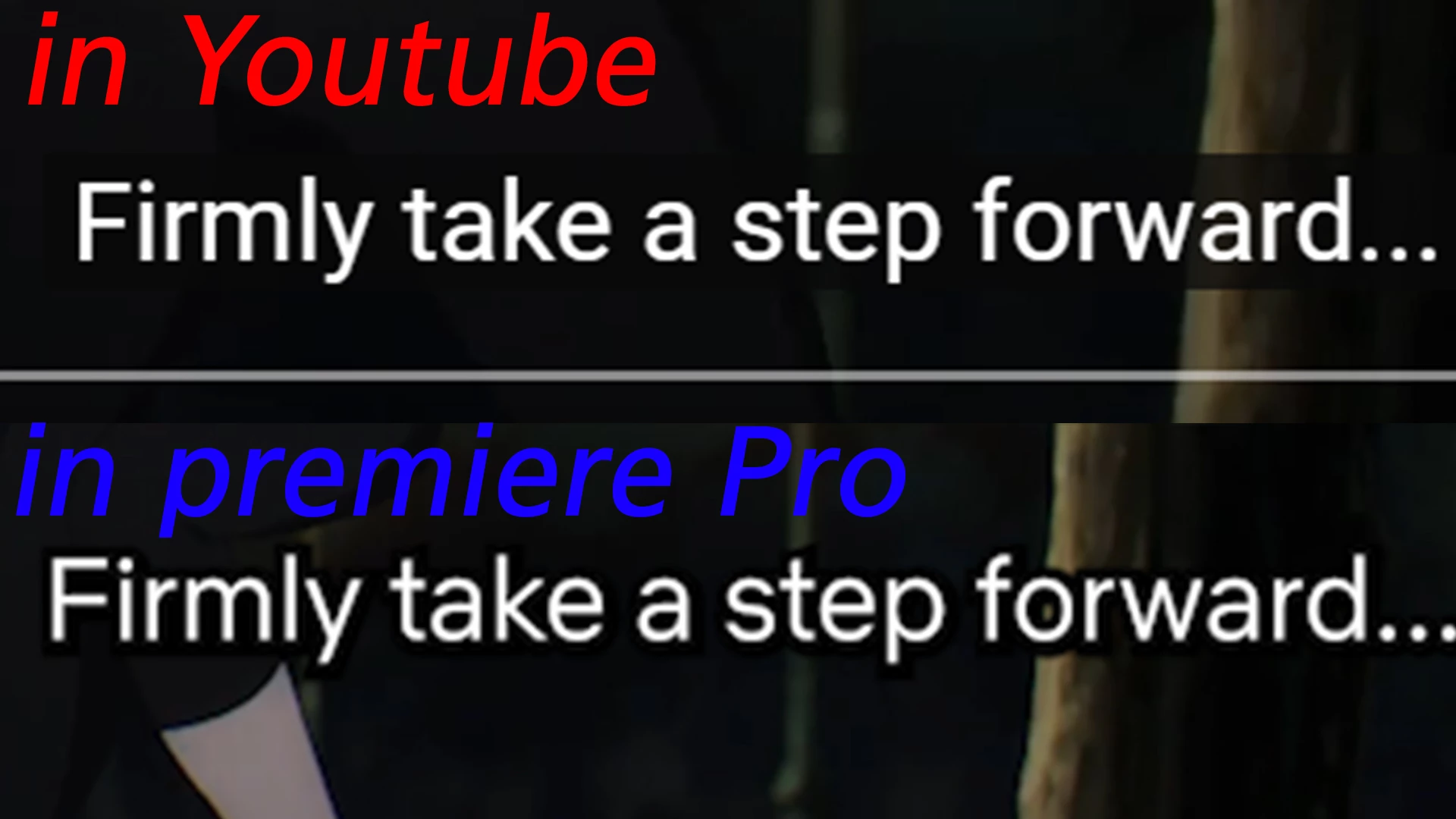
The image above is the subtitle I uploaded to YouTube.
The image below is the Font Style I edited in Premiere.
The style seems to have disappeared since I uploaded it in srt file format.
I want to make it like the subtitles in the image below

I tried exporting captions in various file formats.(".srt", ".stl", ".csv",".xml",".mcc",".scc")
But none of the subtitles had any style left.
So, I searched for subtitle formats supported by YouTube.
Then there are file extensions that can be styled and positioned.
".vtt", ".ttml", ".dfxp", ".scc", ".stl", ".tds", ".cin", ".asc", ".cap"
Can I create subtitle file formats in Premiere or other apps included in Adobe Cloud?
Or can I leave the style in a file with srt extension?
If the above questions are not answered, how can I make a styled subtitle file in Premiere?
 AdChoices