Participating Frequently
August 19, 2019
Resuelto

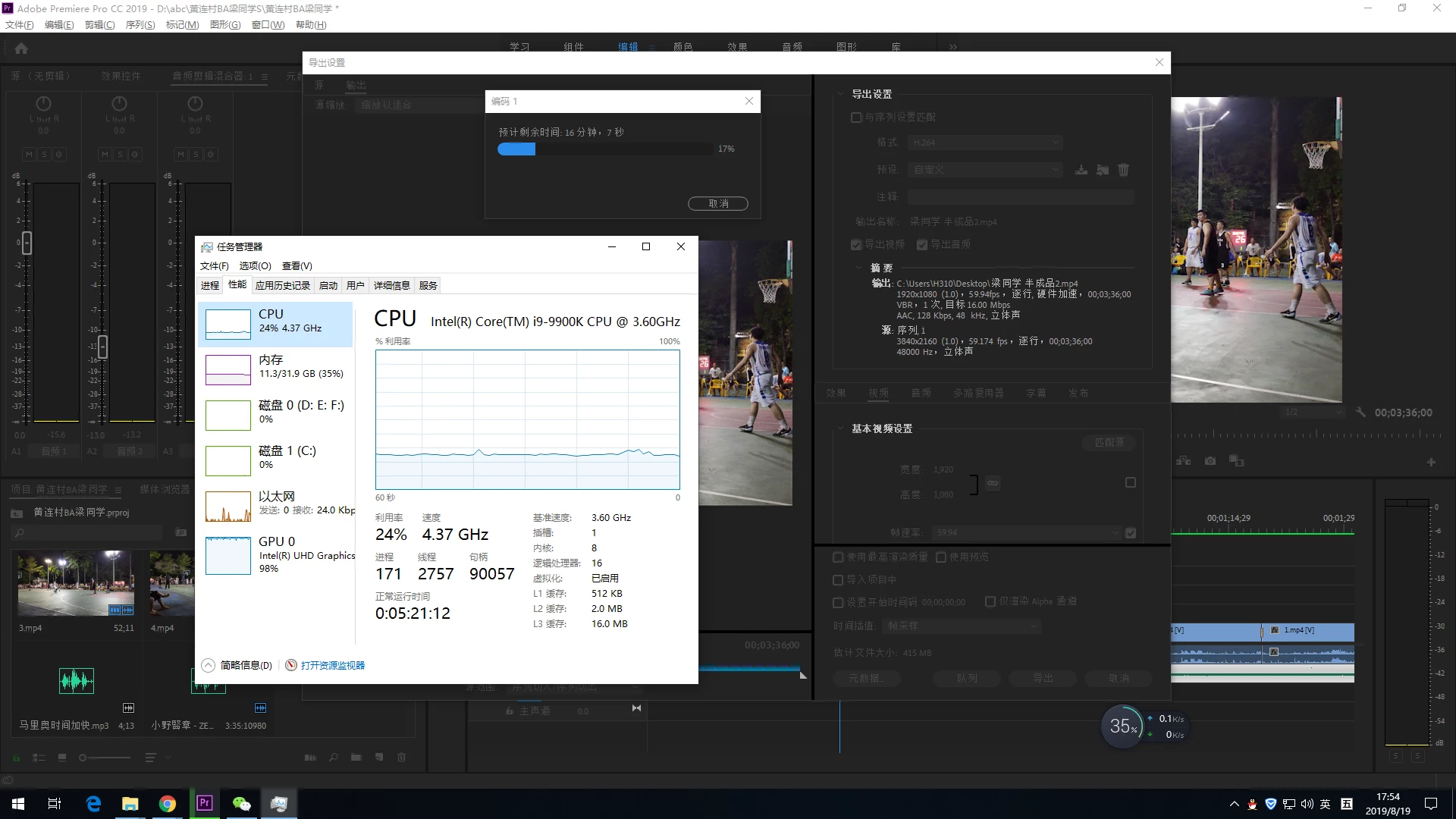
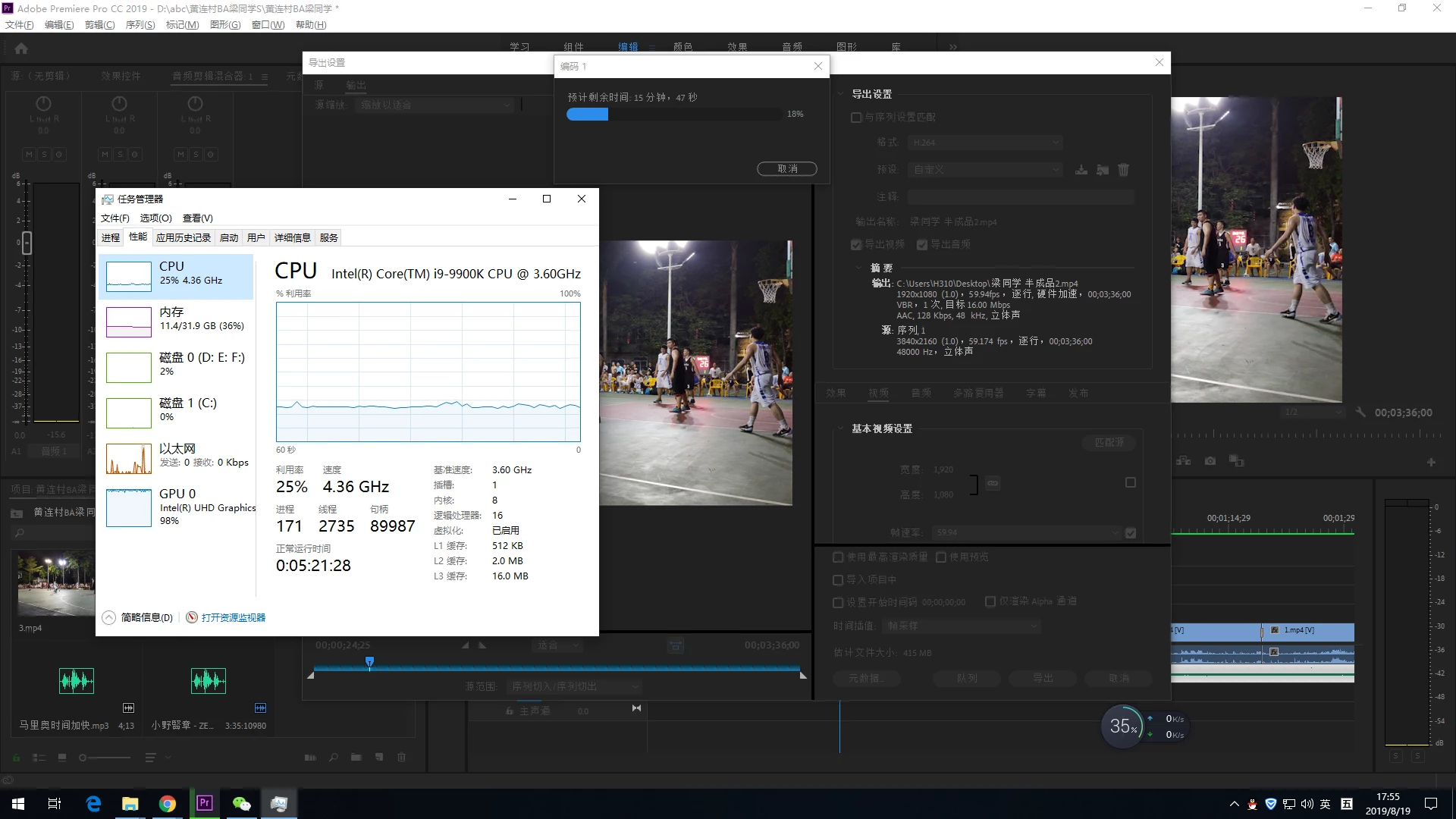
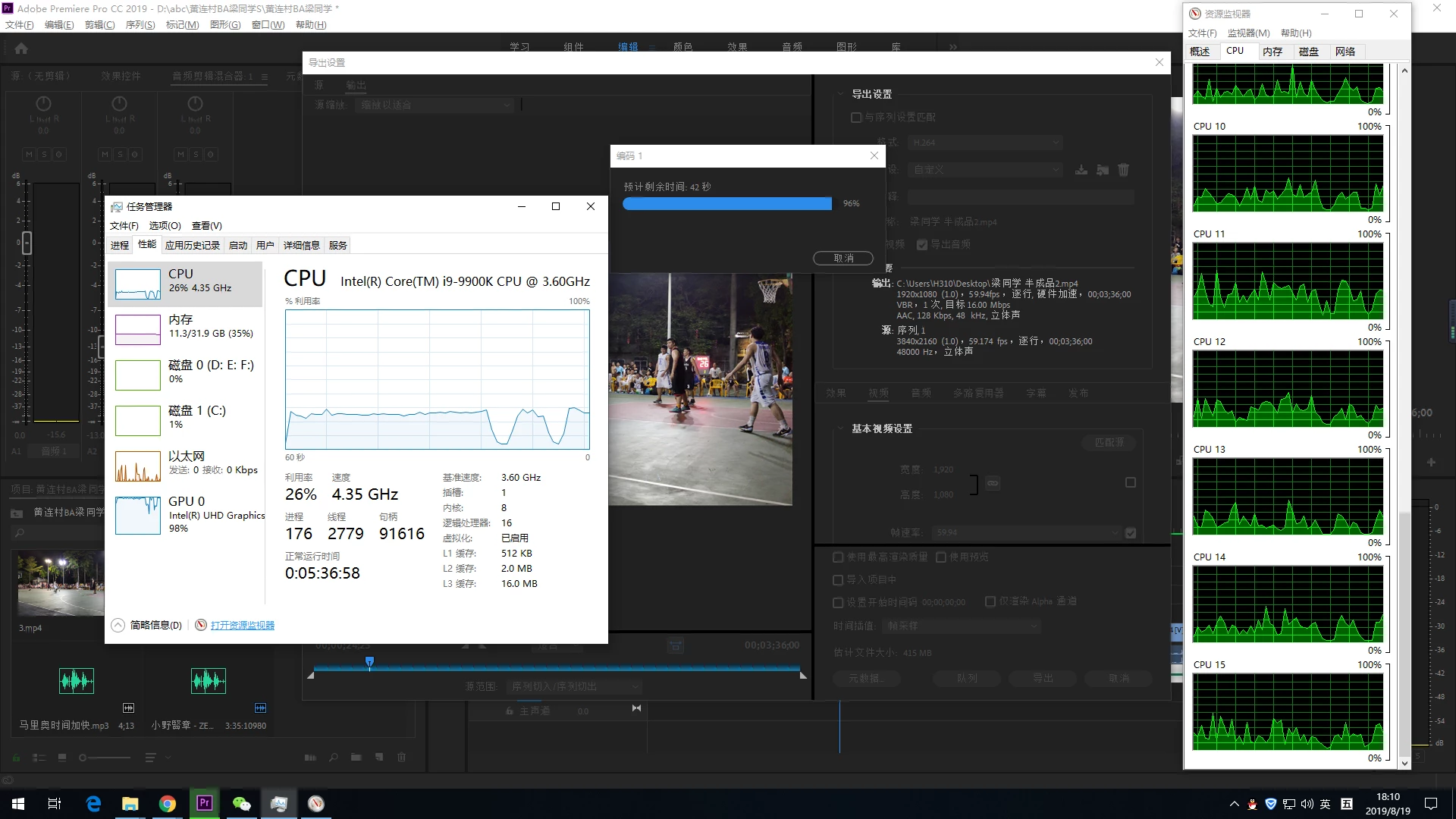
I9 9900K 4k video output 1080P, It takes 20 minutes

  • August 19, 2019
  • 3 respuestas
  • 1992 visualizaciones

HI,everybody ,my computer 4k video output 1080P, It takes 20 minutes

How to solve this problem?

Thank you very much everybody

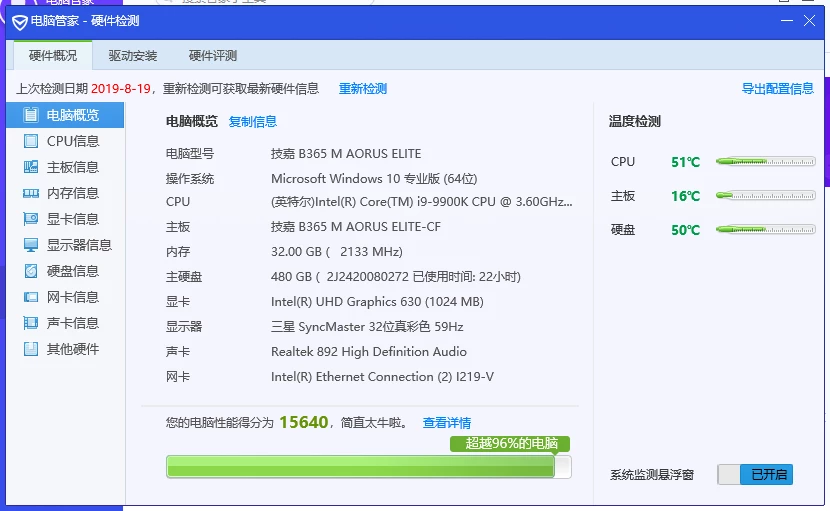
the configuration is as follows

PR CC 2019
    Este tema ha sido cerrado para respuestas.
    Mejor respuesta de SAFEHARBOR11

    I see two potential issues.

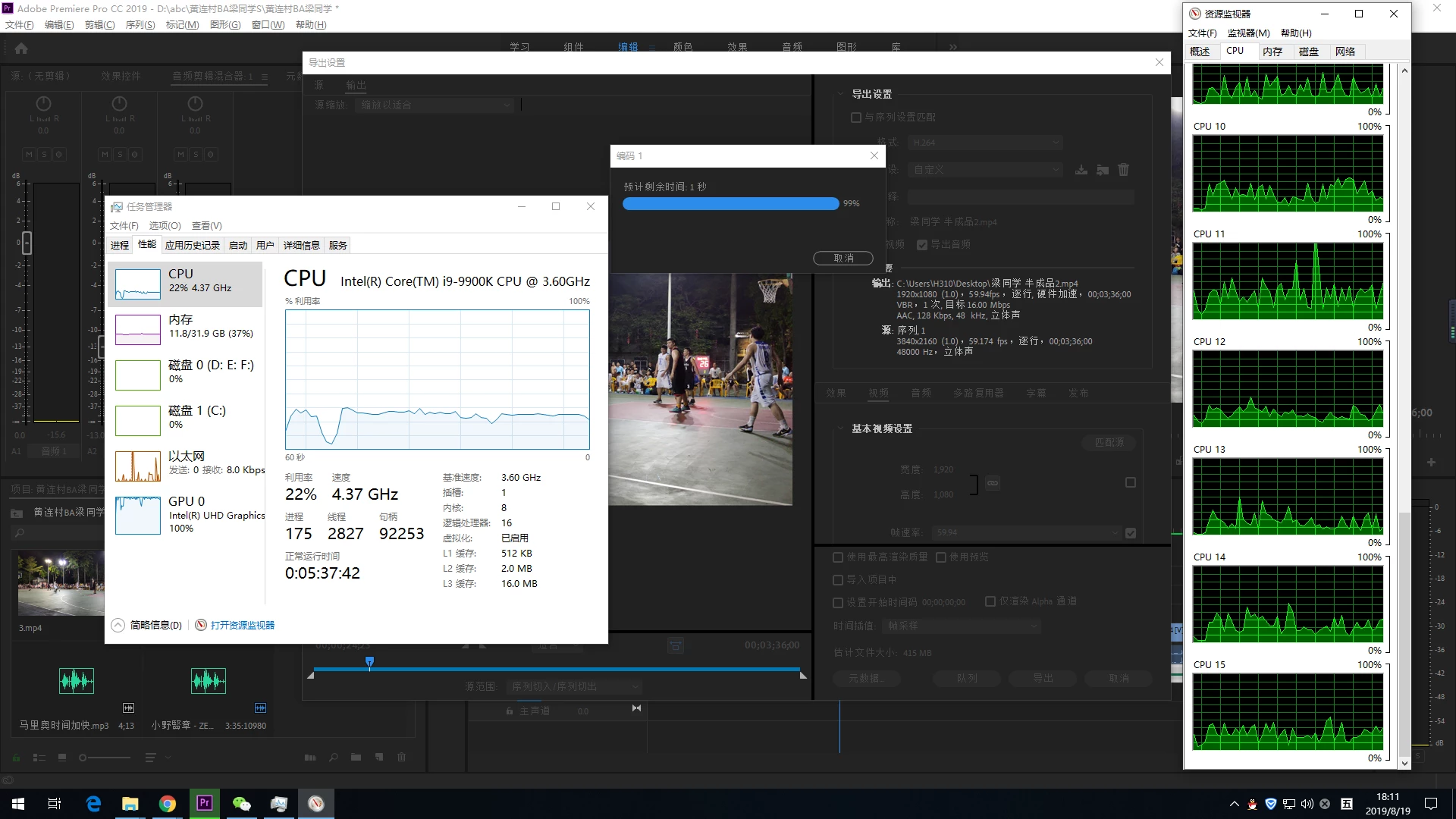
    One is the Intel graphics. For certain things, Premiere can provide GPU acceleration, but you need a compatible graphics card installed, such as an RTX 2060, 2070, or 2080 for example. Scaling is GPU accelerated, so the proper GPU will speed up the 4K to HD output.

    Next is the frame rate shown for the 4K source, which is 59.174 rather than correct 59.94 that the export shows. The 59.174 frame rate of source suggests that it is perhaps a VARIABLE FRAME RATE clip, and that may increase the export time. Often better to convert source clip to CONSTANT frame rate before editing, like using the Handbrake application (free) do so then edit using the new clip.

    Thanks

    Jeff

    3 respuestas

    Participating Frequently
    August 19, 2019

    你好,我的英语不是很好,希望你能通过翻译看到。

    我刚刚把帧速率调回50,输出的时间是短了。

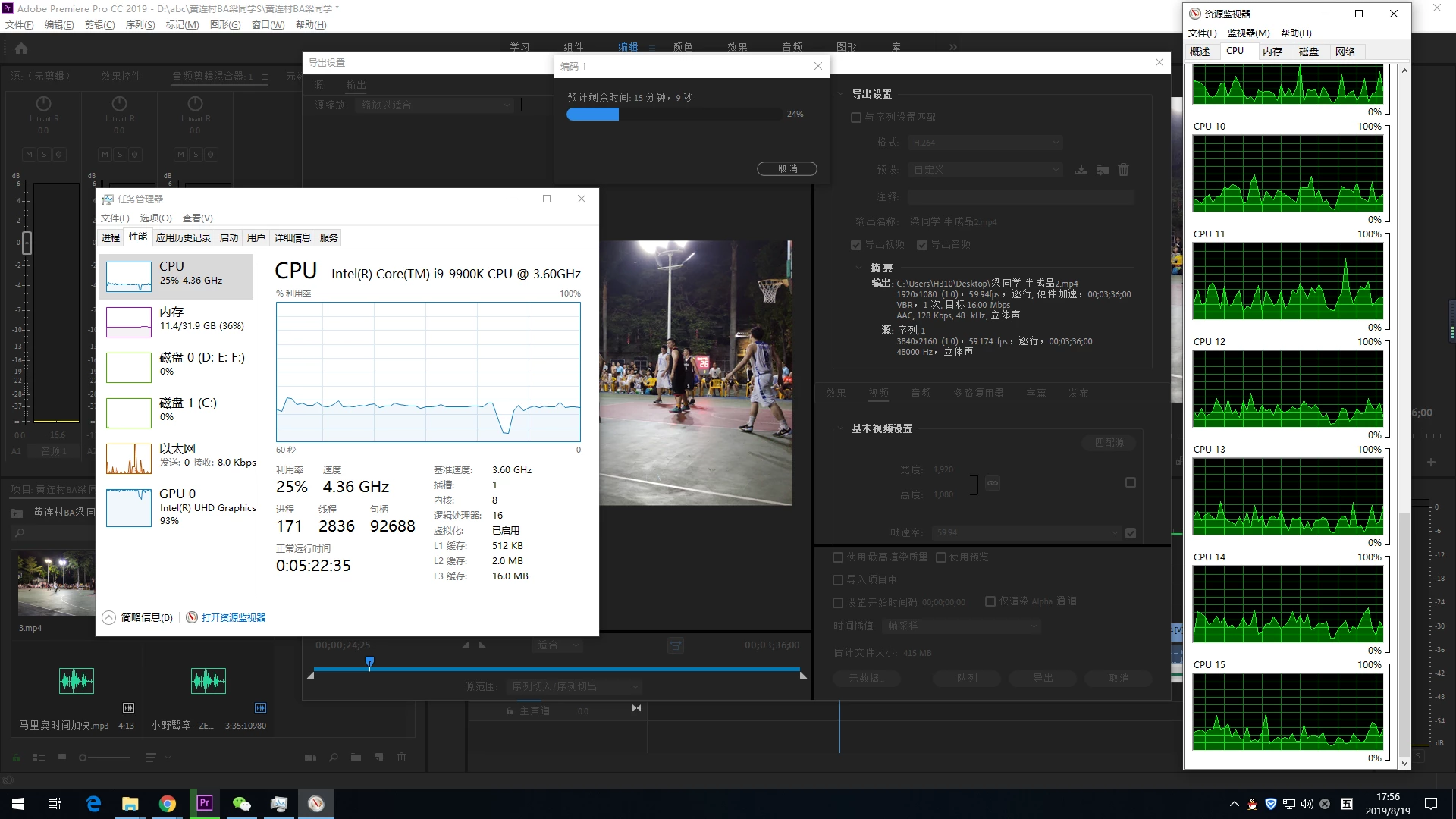
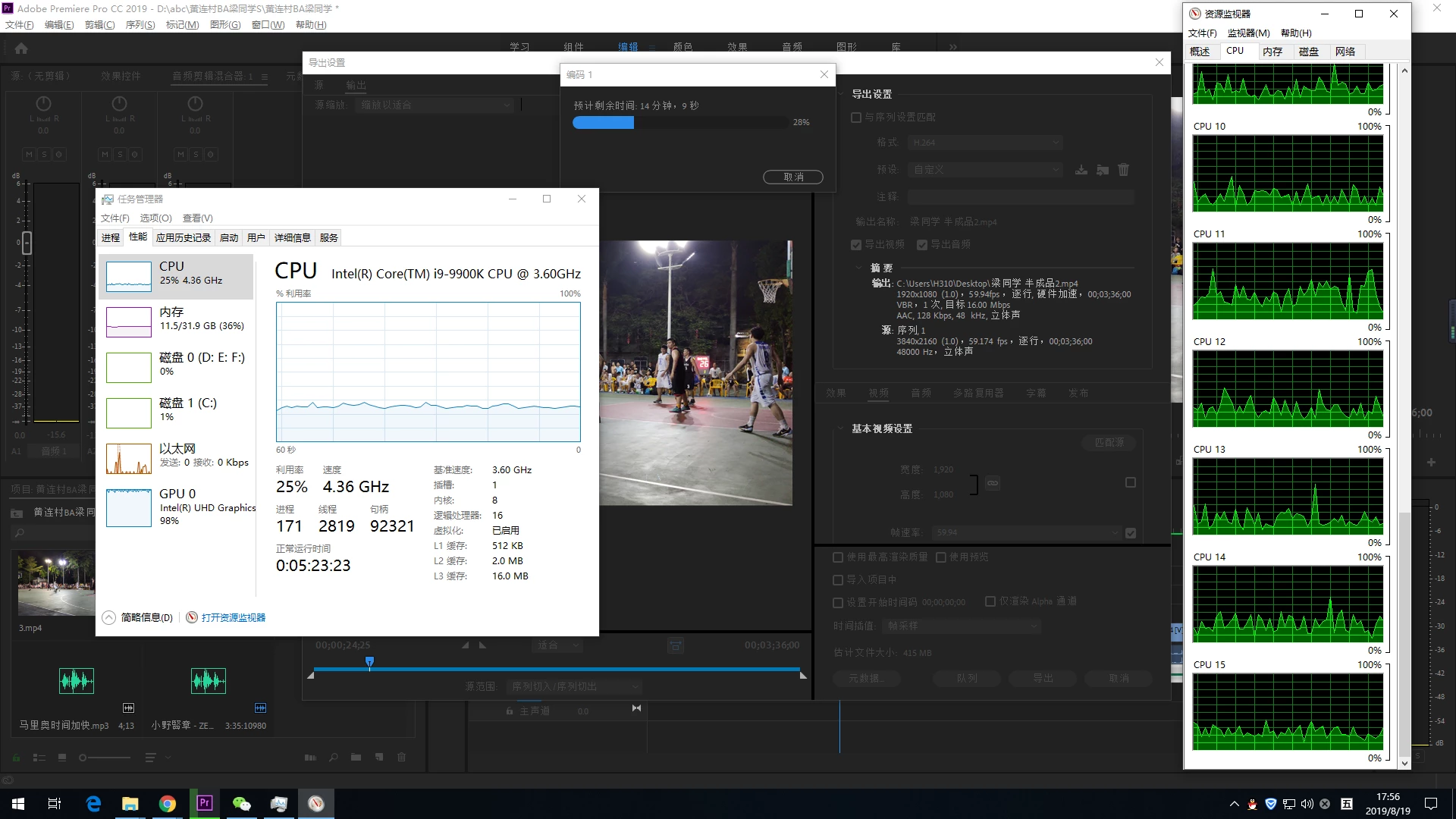
    还有我想问一下,为什么CPU的占用率这么低?我之前用过的I7,占用率长期达到100%

    出在我用了I9,反而比I7 的输出时间长了

    SAFEHARBOR11Respuesta
    Participating Frequently
    August 19, 2019

    I see two potential issues.

    One is the Intel graphics. For certain things, Premiere can provide GPU acceleration, but you need a compatible graphics card installed, such as an RTX 2060, 2070, or 2080 for example. Scaling is GPU accelerated, so the proper GPU will speed up the 4K to HD output.

    Next is the frame rate shown for the 4K source, which is 59.174 rather than correct 59.94 that the export shows. The 59.174 frame rate of source suggests that it is perhaps a VARIABLE FRAME RATE clip, and that may increase the export time. Often better to convert source clip to CONSTANT frame rate before editing, like using the Handbrake application (free) do so then edit using the new clip.

    Thanks

    Jeff

    Participating Frequently
    August 20, 2019

    HI,how to solve the low CPU occupancy rate

    Legend
    August 20, 2019

    Simple. As noted above, get a (higher-end) discrete GPU for that PC. That integrated Intel UHD Graphics is preventing your CPU from coming anywhere close to its full utilization in some of your renders because it is itself overburdened with its share of the rendering duties to begin with. Think of a car with a monster-sized powerful engine but only an automatic transmission from an inexpensive compact sedan. That's exactly what your current PC hardware configuration is like.

    EDIT: I forgot to tell you that your video source material is of the .mp4 - and I am assuming that your source material is H.264 or H.265. In this case, then, that integrated Intel UHD Graphics is also hardware-decoding that video as you are doing the rendering. No wonder why that iGPU is overburdened.

    Averdahl
    Community Expert
    Community Expert
    August 19, 2019
    How to solve this problem?

    Install a graphics card such as Nvidia RTX 2080. Even a card from the GTX 10-series will have a major impact. Make sure to pick a card with much VRAM as possible since you are working with 4K. The more VRAM the better.

    When you downscale from 4K to 1080 the graphics card does the heavy lifting as you can see in the Task Manager. Thats why you need a dedicated GPU. The GPU integrated in the CPU are great for surfing the web, but falls short when downscaling footage.

    Participating Frequently
    August 19, 2019

    你好,谢谢你的解答,因为我的英语不好。所以我用回中文,希望你可以读到

    2080价钱太贵了。我打算买1080TI,因为他有 3584 CUAD CORES

    我看过一些评测,CUAD决定 Premiere 的输出时间快慢,

    Averdahl
    Community Expert
    Community Expert
    August 19, 2019

    你好,谢谢你的解答,因为我的英语不好。所以我用回中文,希望你可以读到

    2080价钱太贵了。我打算买1080TI,因为他有 3584 CUAD CORES

    我看过一些评测,CUAD决定 Premiere 的输出时间快慢,

    The 1080Ti would work great!