
Participant
June 8, 2023
質問

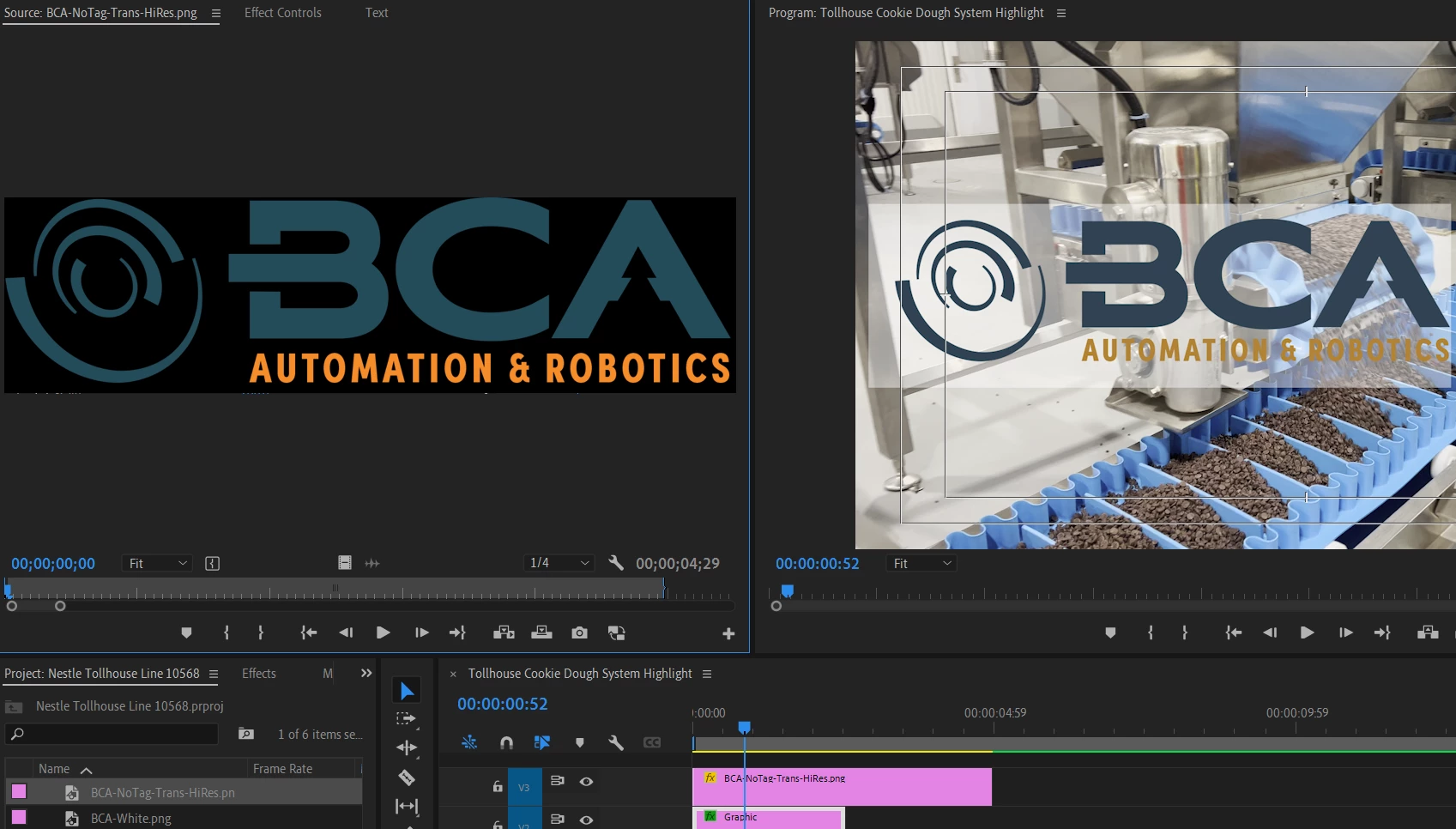
Image is dimmer in Timeline vs Source Monitor

  • June 8, 2023
  • 返信数 7.
  • 389 ビュー

I am trying to use a PNG as part of an intro image. It looks normal and vibrant when I look at in the Source Monitor, but when I drag it to the Timeline it becomes noticeably dimmer/darker. I tried to Interpret the image with Color Space Overrride but that is greyed-out. I can access that when it comes to the actual video footage. What am I doing wrong?
このトピックへの返信は締め切られました。

返信数 7

Participant
June 12, 2023

I actually used a different file and tried Alpha Premultiplied and it didn't work. Any other suggestions?

Participant
June 12, 2023

I just tried but the Aplha Channel section is grayed-out. Do you know how I can make it selectable?

Kevin J. Monahan Jr.
Legend
June 10, 2023

Hi @Zack30383393e0p7.

Sorry for this weird anomaly. See if changing the Alpha Channel type to "Pre-multiplied" helps.


Thanks,
Kevin

Kevin Monahan - Sr. Community and Engagement Strategist – Adobe Pro Video and Audio
Participant
June 9, 2023

Just did. Does this tell you anything?

R Neil Haugen
Legend
June 9, 2023

In the bin in the Project panel, right-click the file, select Properties.

Everyone's mileage always varies ...
Participant
June 9, 2023

Hi Neil and thanks for responding! I don't actually as I just started this new job and this file was already created. How would I find that out and what would I do once I do?

R Neil Haugen
Legend
June 8, 2023

Do you know what color space that png was built in? That would be crucial here. And still images and color space controls are still somewhat non-obvious at times. 


Neil

Everyone's mileage always varies ...