Inspiring
March 3, 2017
Answered

Image Matte Key not working as expected

  • March 3, 2017
  • 1 reply
  • 1306 views

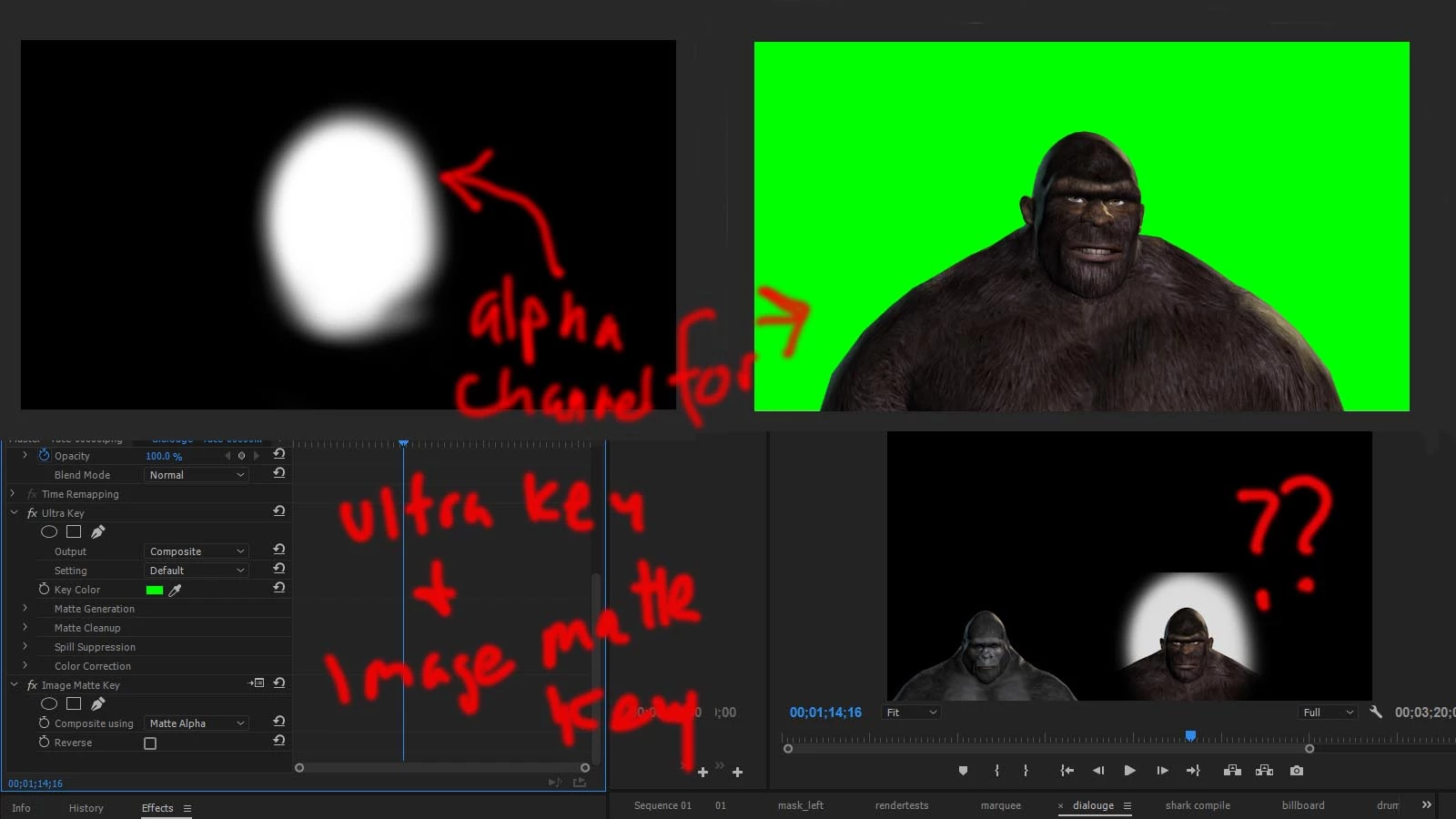
I've used Image Matte Key so many times in the past and now it is not working as expected. My understanding of Image Matte Key is that I upload an image file with an alpha channel that will mask whatever the alpha channel masks. In the particular image sequence that I am masking I have an Ultra Key added as well.

The first problem is that the Image Matte Key wipes out my Ultra Key and leaves an unexpected white-ish background.

The second problem is that the area the Image Matte masks is proportionately bigger than the alpha channel that I created in Photoshop.

In Premiere I have two 1080 x 608 image sequences right next to each other within a 1920 x 1080 project. 
    This topic has been closed for replies.
    Correct answer Intercostal

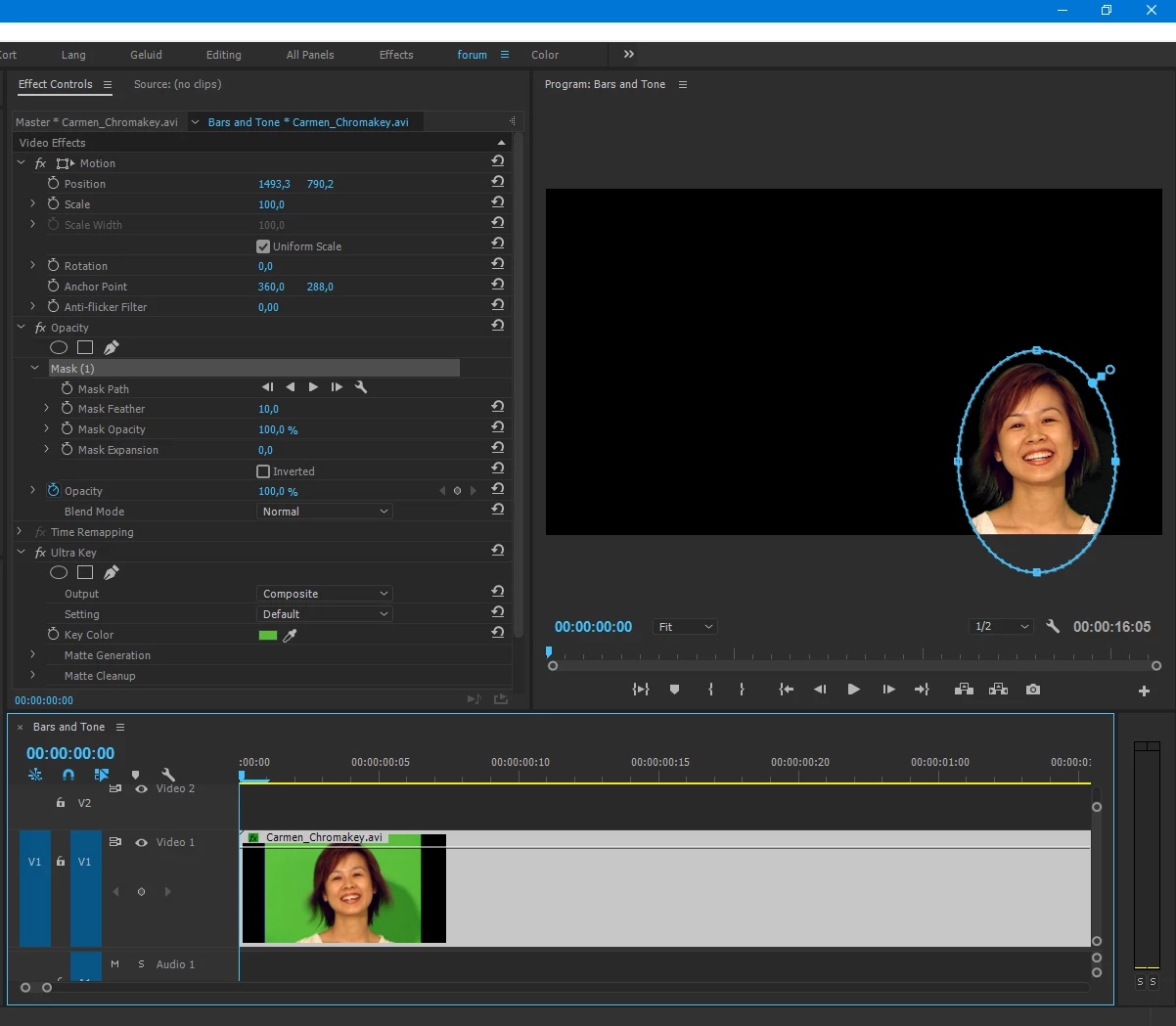
    Or something like this:


    Thanks, I ended up using the opacity mask.

    1 reply

    Ann Bens
    Community Expert
    Community Expert
    March 3, 2017

    After keying nest the clip then apply image matte.

    make the image matte the same size as the sequence.

    Would it not be easier just to use a mask from opacity.

    Inspiring
    March 3, 2017

    I'm getting the same problem. The steps below are how I interpreted your suggestions:

    1. Create a new sequence with the image to be nested and apply an Ultra Key to that sequence

    2. Nest that new sequence within the sequence I had been working on and apply an Image Matte to that new sequence within the old sequence.

    What am I doing wrong?

    I'm looking into opacity masks but am trying to figure out the problem with this Image Matte first.

    Ann Bens
    Community Expert
    Community Expert
    March 3, 2017

    Can you upload the gorilla.