Participant
May 13, 2020
Answered

Image sequence rotation

  • May 13, 2020
  • 1 reply
  • 2128 views

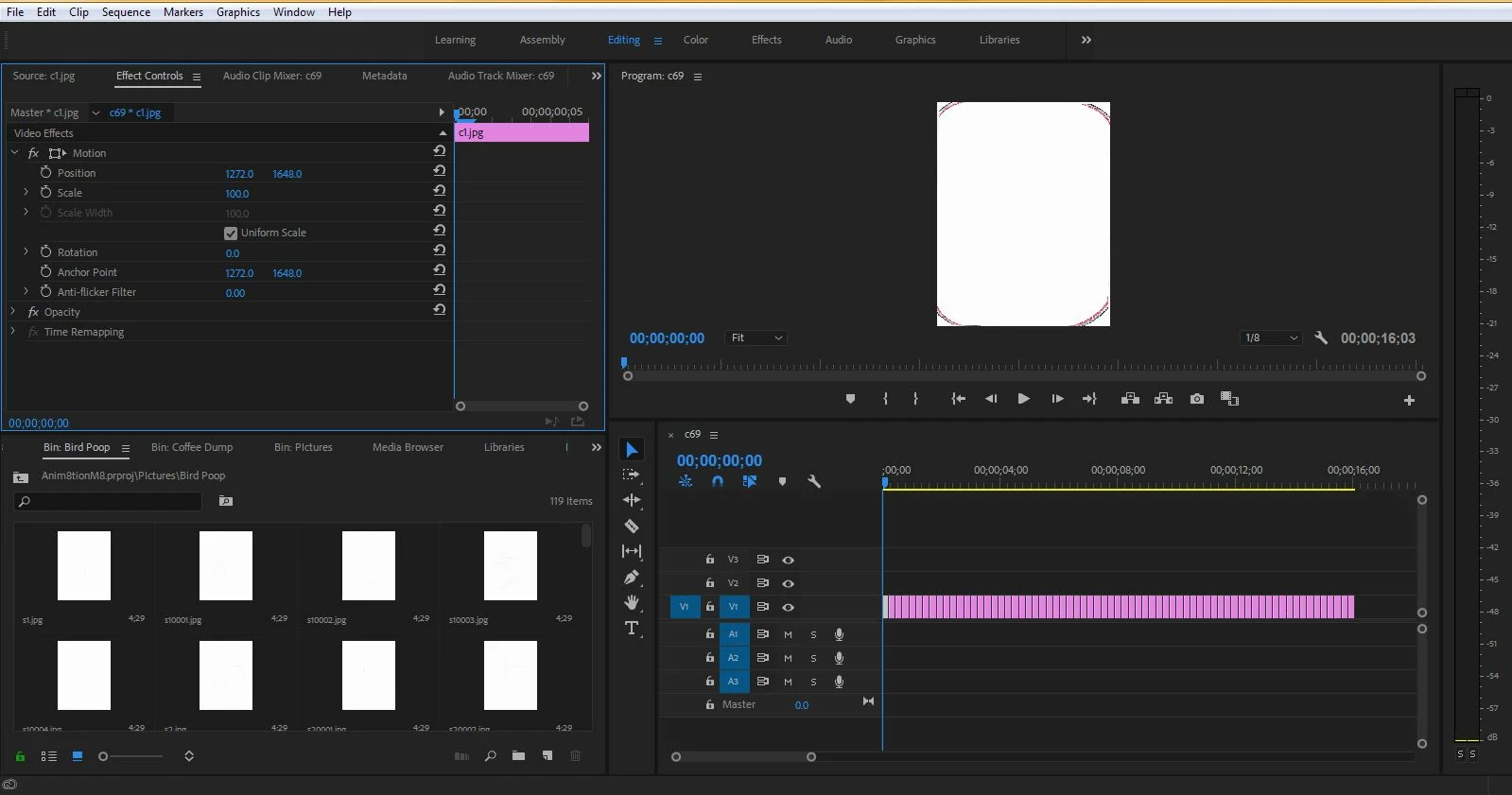
Hey, I'm trying to rotate an image sequence for an animation that I made in class, but all the tutorials and posts here aren't fitting into my situation. The rotating and switching the aspect ratio puts the image all skewed on the screen. Thanks if anyone can help!

This topic has been closed for replies.
Correct answer Meg The Dog

And you are using each one of the images as an individual source, edited individually to the timeline instead of ingesting them as an image sequence?


Make a new, empty sequence File > New > Sequence

Click ok to whatever sequence settings are offered to you.

Drag the first image of the image sequence to the timeline. You will be asked if you want to Change the sequence to match the clips settings. Click on the Change Sequence Settings button.

Load the remaining clips to the timeline. You should now have a sequence with all your images that needs to be rotated 90 degrees.

Make another new, empty sequence File > New > Sequence.

This time, when the Sequence Settings Pane appears click on the Settings tab and set the pixel dimensions to 3296 x 2544 and set the frame rate you want.  Click OK.

Go to Preferences > Media and set Default Media Scaling to none. Click OK.

Drag into the empty timeline the sequence that you had just previously made (the one with all the images but in the vertical orientation). It should appear in the timeline as a solid green bar. When you are offered to match sequence settings, click on keep  existing settings.

Click on the nested sequence that you have in your timeline, then once selected, go to the Effect Controls panel and rotate the image.

You should now have a sequence with the images in the correct orientation.


MtD
1 reply

Inspiring
May 13, 2020

It is not clear from your post and screen shot what it is you are trying to achieve.

What format, pixel dimensions and aspect ratio do you want your sequence to be?

Are the original source files formatted correctly (in the correct aspect ration and pixel dimensions as your intended sequence)?


MtD


Participant
May 13, 2020

Hey, so the original pictures are 2544x3296 pixels. I'm just trying to flip it from verticle to horizontal and all the posts I've found say to rotate it in the effect controls and swap the position numbers. This ends up putting the image off-center. I'm quite new to premiere pro, and still unsure how to do everything right. I hope this clears everything that I'm trying to do up! Thank you for responding!

Ann Bens
Community Expert
Community Expert
May 13, 2020

Best it to start over but if your images are vertikal so will your matching sequence be unless the image are horizontal but show as vertical.

You did not make an image sequence but rather filled a sequence with a bunch of stills.

An image sequence is one clip generated from a number of stills on import.