
Import a clip or video with embedded closed captions [SOLUTION]
Hello Adobe Creative Thinkers,
I constantly receive questions on how to submit files to movie theatres, broadcast stations, etc...
This CC question, though, is coming up quite a bit, so I thought to share the solution here.
When importing a file in Premiere and you want to keep the CC (as an example, you are optimizing/embedding/editing a commercial spot for an advertiser that sent you a complete file)...the solution requires two steps::
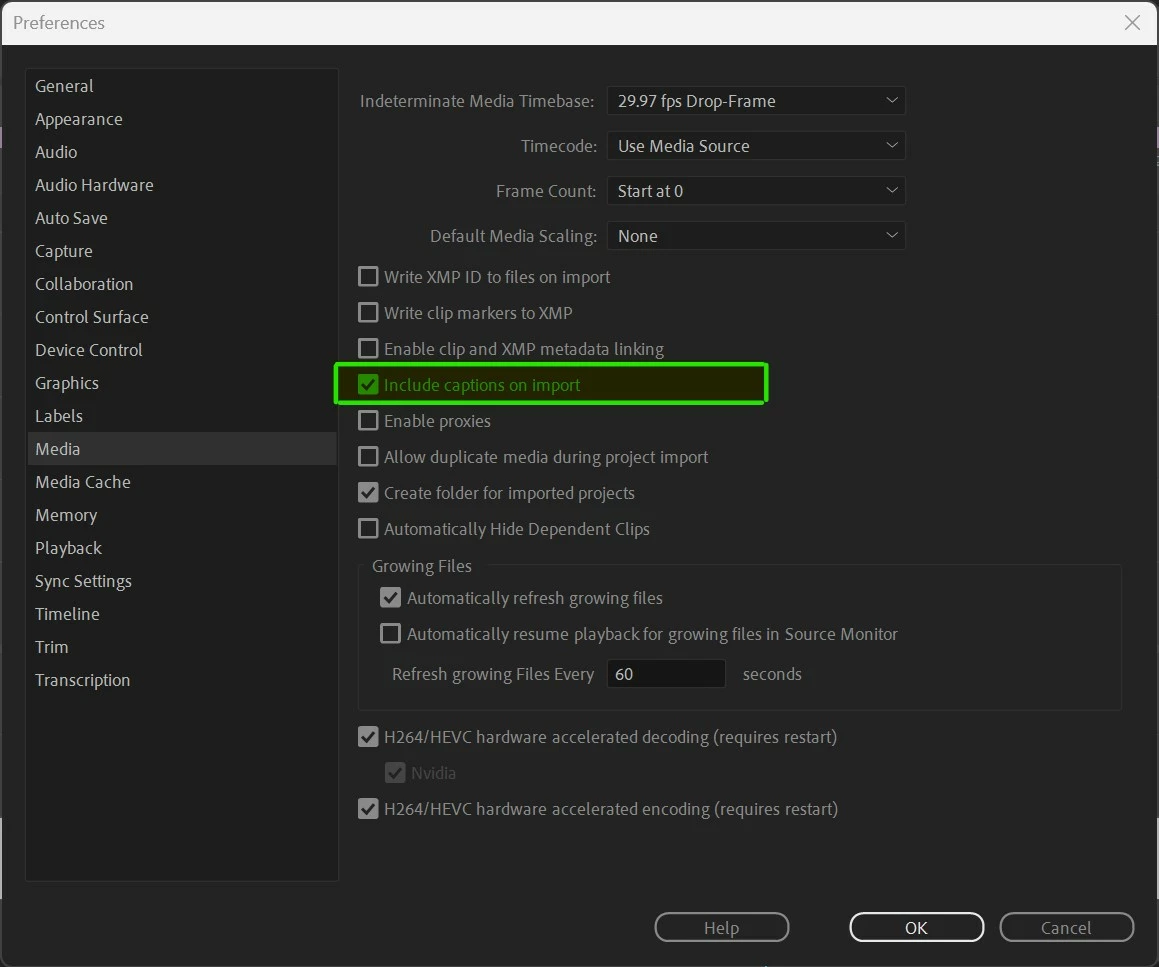
1) Make sure that your preferences are set to keep the CC
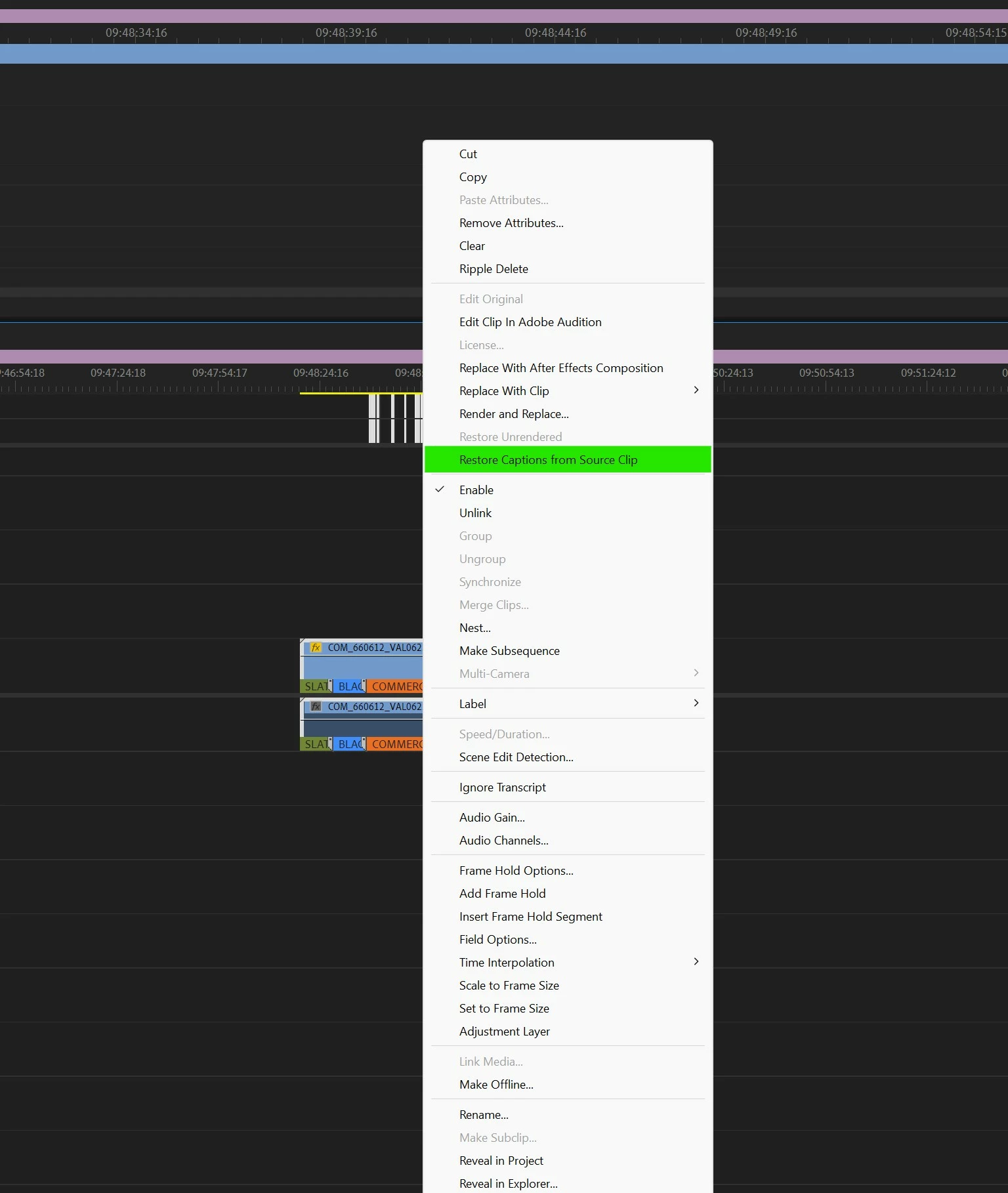
2) Right-click on the clip once imported in the timeline and click [restore captions from source clip]
For broadcast, you need 2 CC tracks with these standards*:
1) 608
2) 708
(*) Note that each broadcasting station or distributor will require its version of audio and standards.
Let me know if you want me to create a video on the export settings.
I hope this helps!
Sergio
 AdChoices