
Import growing MXF
Hi,
I'm trying to import a MXF growing file in Premiere Pro CC 2017 (Mac version) but i'm not able to edit it and view correctly in source monitor.
I've tried to import it both via Media browser than via simple import.
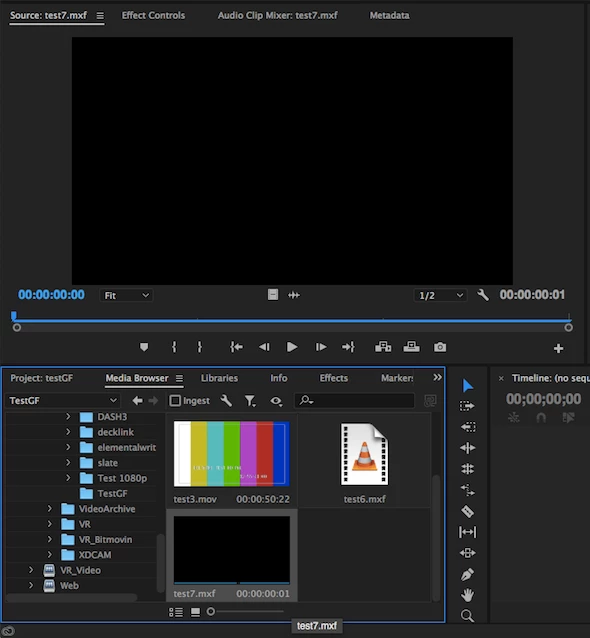
During the writing of the file, I can see only 1 black frame (instead of colorbars which i'm using as input for my growing MXF) on source monitor (as you can see in the picture):
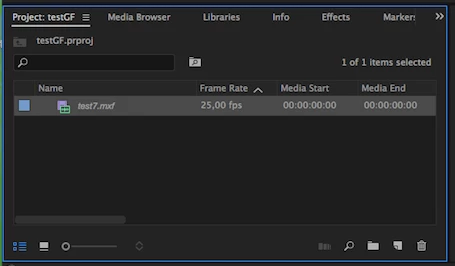
On project view, I noticed that the only difference is about the name of file which is written in italic (instead of normal style):
When the encoding of the file is finished, I'm able to see it on project view and source monitor with the correct content and duration.
Here below the properties of the MXF:
Type: MXF
File Size: 1,10 GB
Image Size: 1920 x 1080
Frame Rate: 25,00
Source Audio Format: 48000 Hz - 24 bit - Stereo
Project Audio Format: 48000 Hz - 32 bit floating point - Stereo
Total Duration: 00:02:59:22
Pixel Aspect Ratio: 1,0
MXF File details:
Wrapper type: MXF OP1a (type: SingleItem SinglePackage MultiTrack Stream Internal)
MPEG-2 422 Long-GOP
Could you please help me to understand how can I import correctly a MXF growing file? Maybe changing some setting on codec or wrapper?
Thank you very much.
Silvia
 AdChoices