Participant
February 7, 2020
Question

Import (Not Responding)

  • February 7, 2020
  • 2 replies
  • 293 views

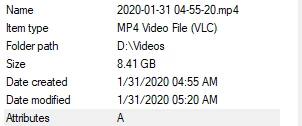
Hi, I'm having constant issues with Adobe Premiere not importing most of my videos.


I record on OBS with these specs:
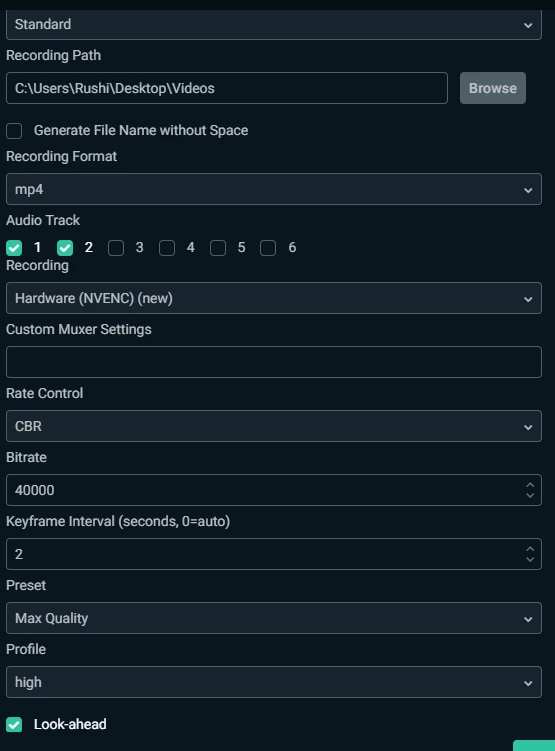


Processor: Core i7-8700 CPU @ 3.20 GHz

Installed Ram: 16 GB

Operating System: Windows 10 64 Bit

Graphics Card: NVIDIA GeForce RTX 2070


When i try to import any of my videos to the timeline Premiere just freezes and if i click adobe it just says "Not Responding" and I end up having to close it everytime. I've left it a couple of times to just load but IF it does load, the playback is very choppy and thats not how the original video is. I've tried uninstalling and reinstalling adobe, clearing cache and looking up what others do but haven't been able to find quite the solution. I also tried to use a third party program (HandBrake) to change the VBR to Constant, but unfortunately I sacrificed some of the video quality as well. It's very non efficient to have to do all this just because i really can't get through the importing stage of adobe premiere. 

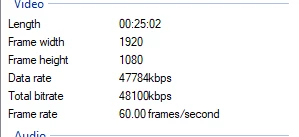
These are the specs all the videos are usually under:


Any advice would be extremely appreciated 🙂

This topic has been closed for replies.

2 replies

Legend
February 7, 2020

And here's a better post than mine explaining things in more detail.

https://community.adobe.com/t5/premiere-pro/faq-issues-with-screen-recorded-footage-in-premiere-pro/td-p/10874355?page=1


I know we're all busy, but a quick scan of the adobe premiere forum for the latest posts each day, makes me a much better editor...

Legend
February 7, 2020

I'm pretty sure OBS does NOT record with a constant frame rate.  Although Adobe is working on improving this functionality, until they do, try using handbrake to convert from a variable frame rate to a constant frame rate.   

https://handbrake.fr › downloads

I'd suggest you target the closest  standard video frame rate such as 29.97 fps, 23.976, or 25 although 30 and 24 will probably work also.  

If you have any questions about handbrake workflow, do some googling or search here.  You might consider changing the pixel dimensions and setting the quality slider as high as possible.


And generally,