
Participant
June 26, 2025
Answered

Imported clips to Premiere Pro 2025 have static (white noise) in audio tracks

  • June 26, 2025
  • 3 replies
  • 1274 views

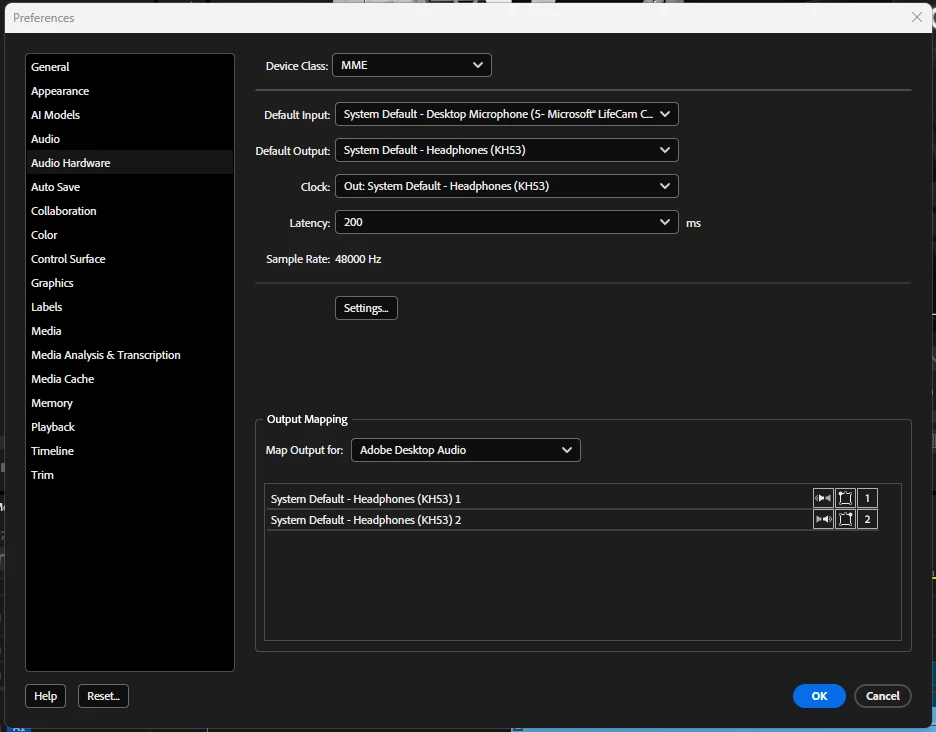
I shot video using a Sony NXCM HXR-NX3 camera. It plays back perfectly in Windows Media Player. When imported into Adobe Premiere Pro 2025, the audio tracks are nothing but a constant level of static (white noise). I've never had this problem before. It does this in both 2025 and Beta. Attached is a screen shot of my audio hardware settings. Any help is greatly appreciated. 
Correct answer Sumeet Kumar Choubey

Hi everyone,


This issue has been fixed in the latest release of Premiere Pro (v25.4), which can be installed through Creative Cloud Desktop app.


Thanks,

Sumeet

3 replies

Sumeet Kumar ChoubeyCommunity ManagerCorrect answer
Community Manager
August 29, 2025

Hi everyone,


This issue has been fixed in the latest release of Premiere Pro (v25.4), which can be installed through Creative Cloud Desktop app.


Thanks,

Sumeet

danm32376722
Known Participant
July 24, 2025

Same issue here. Reverting I guess.

Community Manager
July 24, 2025

Hi there,


Sorry about the poor experience. We've made progress & are working on getting a fix for this issue out in an upcoming release as soon as possible. We'll update this thread as soon as we have more details. For the time being, you may use Pr v25.2 as a workaround.


Thanks for your patience!

Sumeet

R Neil Haugen
Legend
June 26, 2025

This is widely discussed in the forum at this time, many posts on such things with Sony meda. Which is most often mts, it seems.


The suggestion from staffers is to revert to 25.2 for now, as they are working on a fix to be released in the next patch update.

Everyone's mileage always varies ...
Participant
June 26, 2025

OK, thanks for the guidance!