chadiwack
Known Participant
May 29, 2020
Question

Imported titles from After Effects have a weird aura in Premiere

  • May 29, 2020
  • 8 replies
  • 2924 views

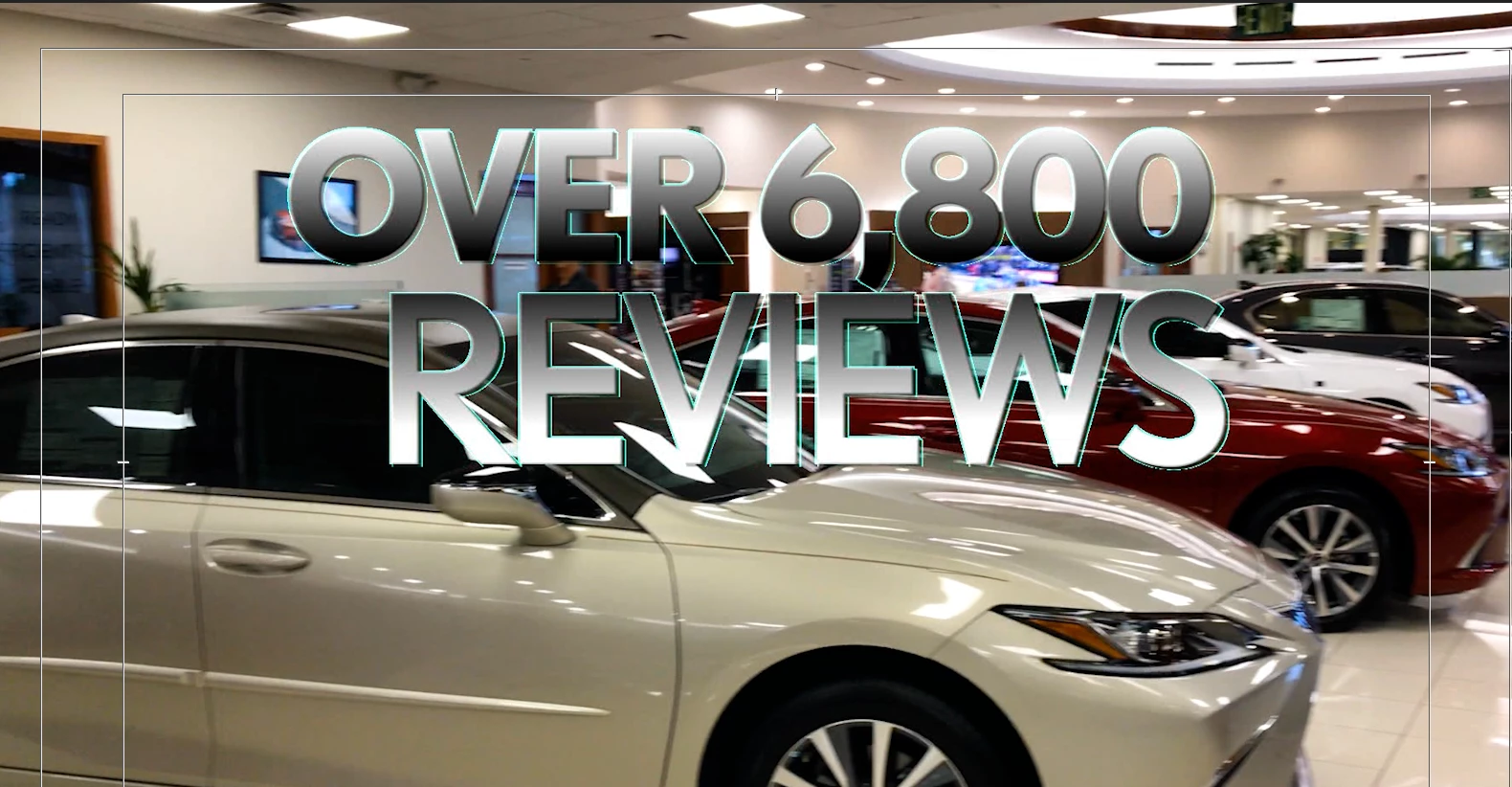
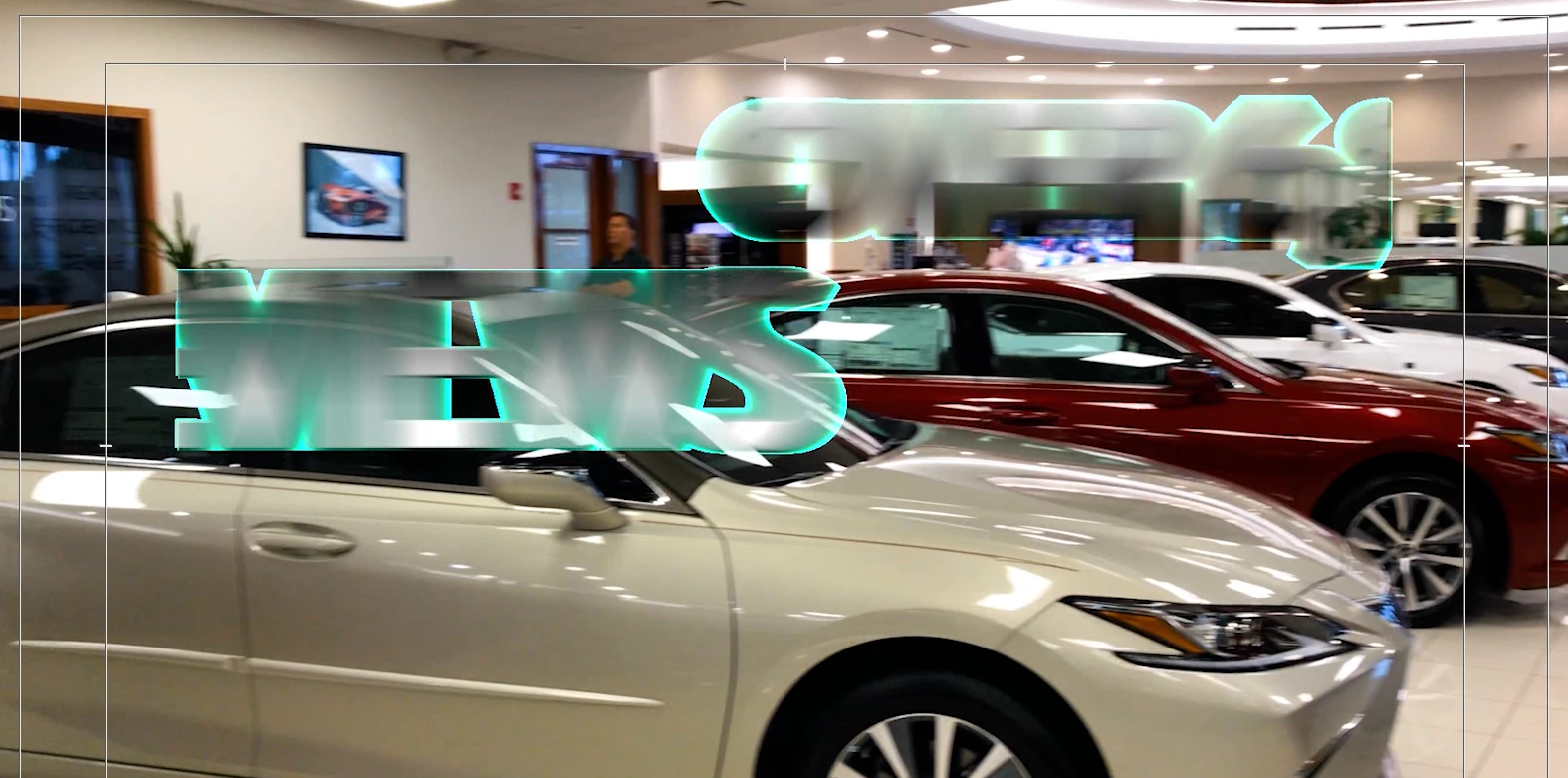
When I import a title I created in After Effects into PREMIERE it has a weird dropshadow color added


I created a simple title in After Effects. I exported the title with an Alpha Channel from After Effects.

If I play it on my computer it looks fine. However after I import it into Premiere... it suddenly has this weird blue glow dropshadow pixely color around it. It wasn't doing this yesterday and now today it's suddenly appeared.

I'm running the latest Apple Mac Pro and with an AMD Radeon VII graphics card.


Any help as to why it's doing this would be appreciated. I'm also running Premiere 14.0.4
This topic has been closed for replies.

8 replies

Participant
July 17, 2023

I'm having the same issue. Appears to be a problem with the drop shadow effect. If you find a workaround please let me know! 

Averdahl
Community Expert
Community Expert
June 1, 2020

I see that you use an unusual resolution and the Animation codec. Just guessing here, but Animation is ancient and still good, but in your case i would try to render out using the CineForm codec as per the screen dump below.


chadiwack
chadiwackAuthor
Known Participant
June 1, 2020

why use the GoPro Cineform over the Animation?

R Neil Haugen
Legend
June 1, 2020

Cineform is a much newer codec, is very good at handling alpha channels, and Premiere works very well with it. As far as I understand this, those would be the reasons for using it. Quick to test, just do it, see if it works better.


Neil

Everyone's mileage always varies ...
chadiwack
chadiwackAuthor
Known Participant
June 1, 2020

Good morning everyone, I booted up Premiere this morning to continue working on a commercial and my titles that I fixed re-exported on Friday have the same problem AGAIN... can someone please tell me why my titles are creating this weird pixelly aura. It's beginning to get really frustrating and is hampering my work.

Ann Bens
Community Expert
Community Expert
June 1, 2020

I am sure it has something to do with the alpha channel.

chadiwack
chadiwackAuthor
Known Participant
June 1, 2020

Very grateful for your quick reply Ann, I'm lol seriously at a loss. I need to export with an Apha Channel to use this on this Lexus spot. After I opened the original After Effects project on Friday and simply re-exported new versions of the same thing they looked fine and were normal after importing into Premiere. Seem inbetween closing out of Premiere and reopening this morning, they decided to do this weird thing again. As far as I know, they only way to import created titles from after effects with a transparency is to export using RGB + Alpha from After Effects. Unless I'm unaware of a different means.

MyerPj
Community Expert
Community Expert
May 29, 2020

Just use File/Import or right-click on the project (header, to right of search box) and select Import, then select the project and it will show you a list of Comps, pick the one you want and done.

chadiwack
chadiwackAuthor
Known Participant
May 29, 2020

Thank you. I ended up just recreating my titles in After Effects and re exporting them. I think the issue came from either the Drop Shadow or the Stroke I used in After Effects and it going a little Haywire within Premiere. 

MyerPj
Community Expert
Community Expert
May 29, 2020

Did you try importing the Comp directly. That way you don't have to use an Alpha channel.

chadiwack
chadiwackAuthor
Known Participant
May 29, 2020

Not sure how to do that. I did re-render another version out of After Effects and imported that into Premiere and it looks fine. I'd rather not recreate a bunch of new versions. Not sure why it suddenly did this. Really weird.

Ann Bens
Community Expert
Community Expert
May 29, 2020

Might need to interprete the alpha channel of the clip in Pr.

chadiwack
chadiwackAuthor
Known Participant
May 29, 2020

How do I do that please. 🙂

Community Expert
May 29, 2020

Try turning off 'composite in linear colour' in the sequence settings. 

chadiwack
chadiwackAuthor
Known Participant
May 29, 2020

That didn't work but thanks for the response.

Community Expert
May 29, 2020

Please try rendering. Press return with the timeline selected.

chadiwack
chadiwackAuthor
Known Participant
May 29, 2020

Thank you for the quick response. I have rendered it out, numerous times. I have exported it again all have the same problem. I also deleted render files and re-rendered it and the problem still persists. It wasn't a problem yesterday. They looked fine. No weird blue glow. It looks pixelated. When I open the original file in After Effects and render it's fine. This only happens when I import it into Premiere, as of today.