Participant
August 20, 2023
Answered

Importer Reported Generic Error from External SSD

  • August 20, 2023
  • 1 reply
  • 484 views
Hi guys, new to the group. Just started my journey into learning PP. I started a project on PC and all files are on an external SSD. This was recommended for college, as I can take my project to college from home which both use PCs.
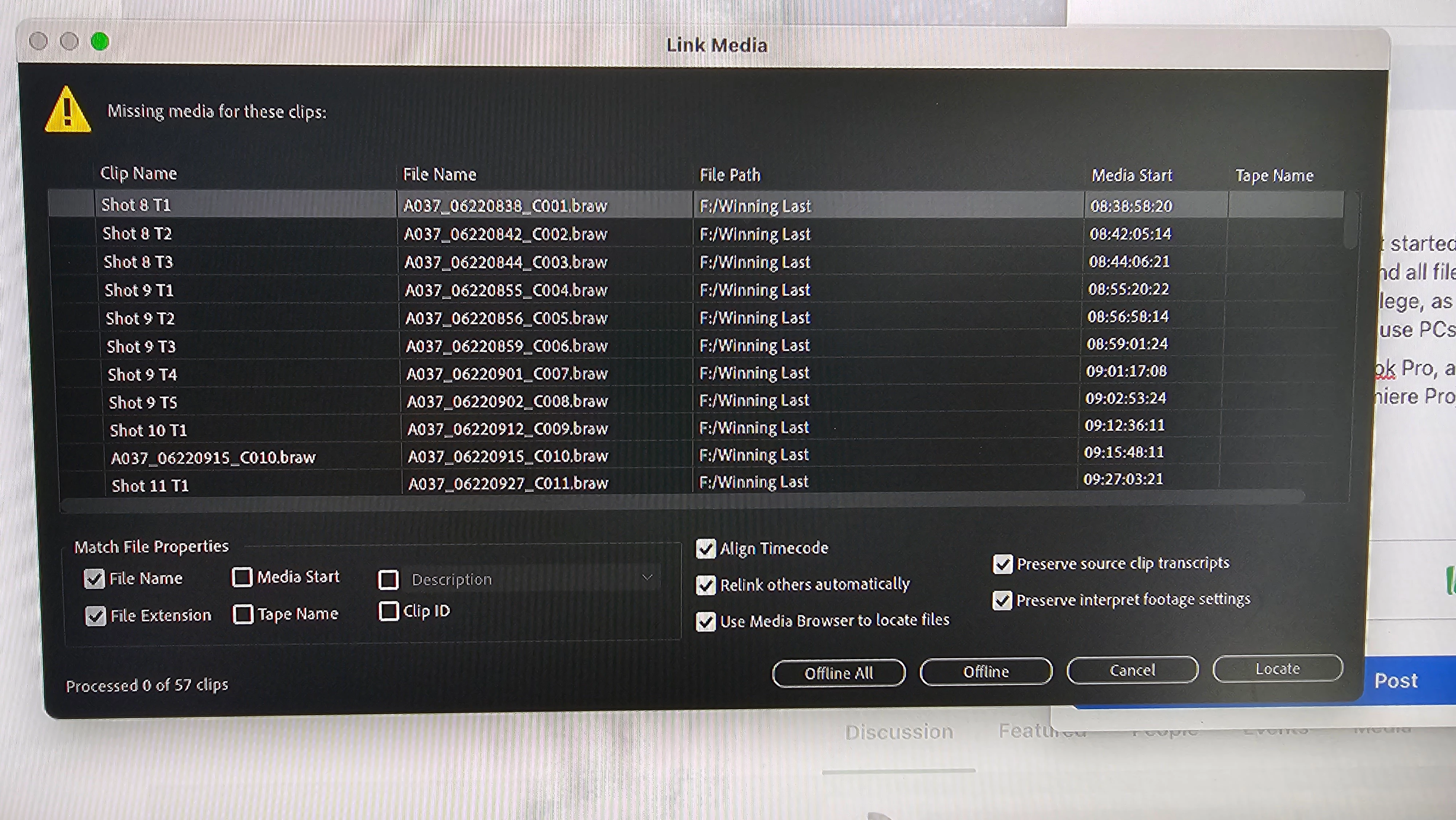
I have just purchased a 14" Macbook Pro, and have PP installed on it, upon trying to load up the Premiere Project off the SSD. 
 
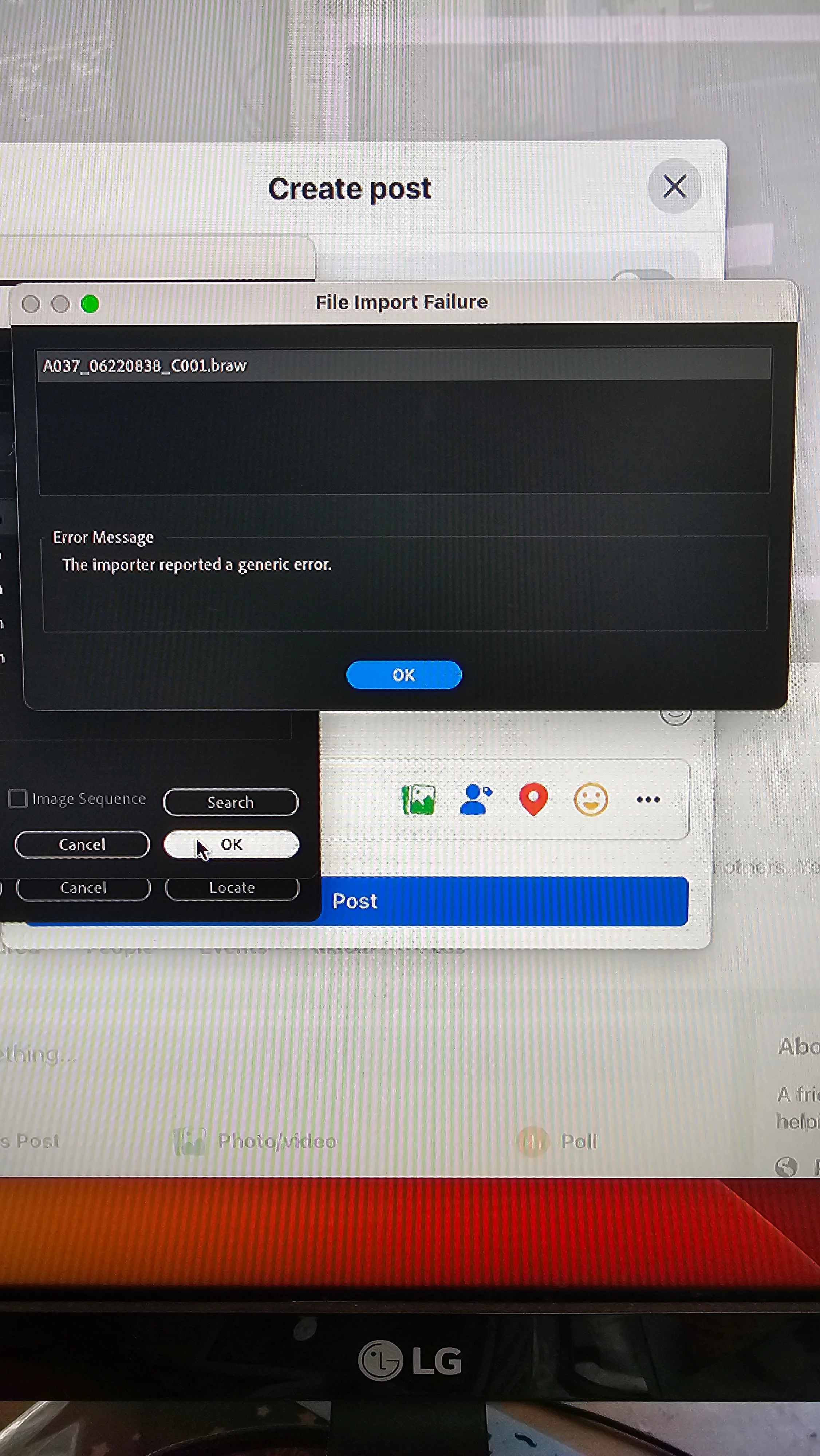
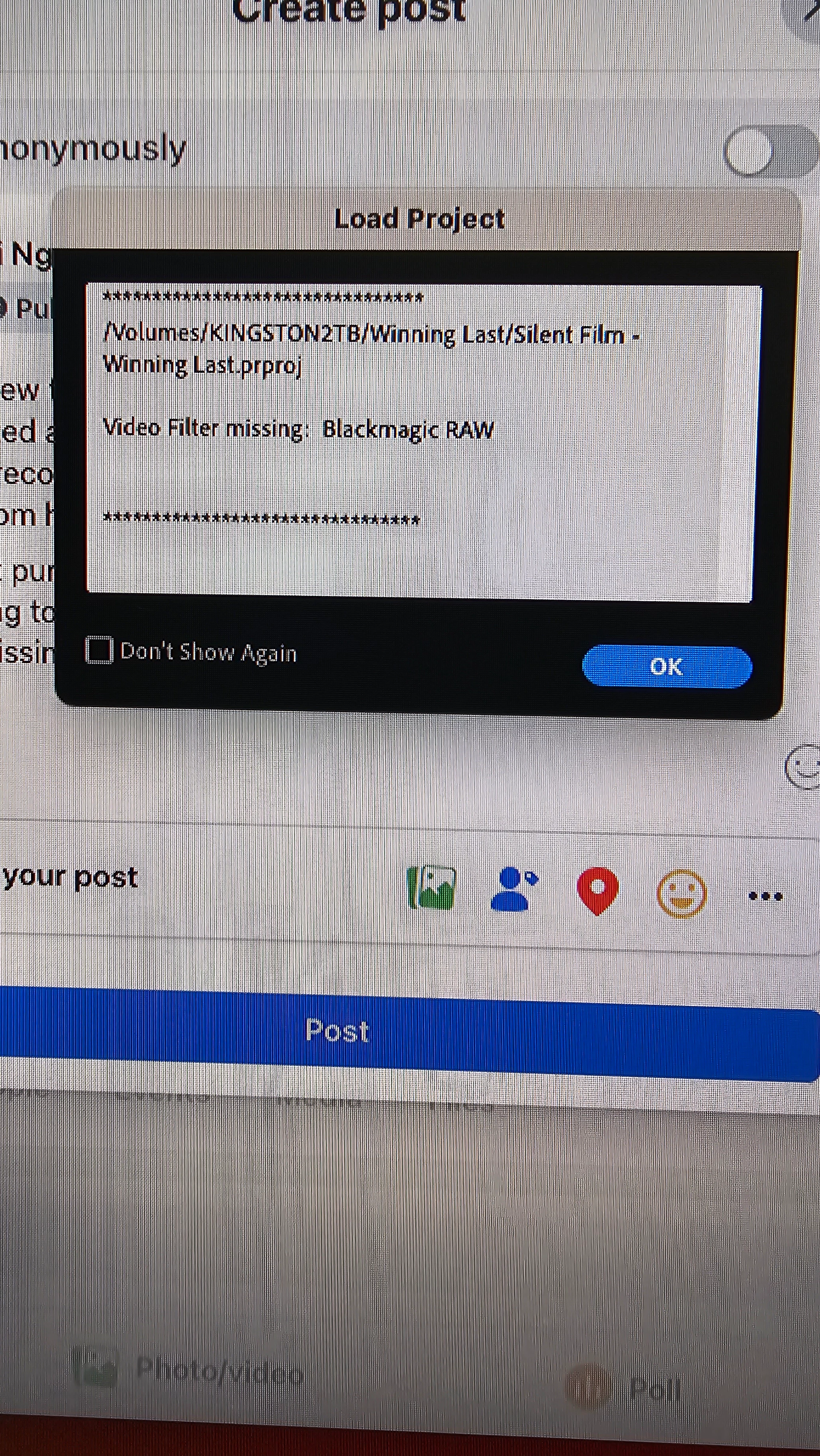
I have 2 errors needing help with.
 
I first get Video Filter missing: Blackmagic Raw popup. I have Davinci Resolved also installed, and raw media player. Footage was filmed on Blackmagic Pocket Camera.
I locate and point to the file thats missing on the SSD and then get a Importer Reported a generic error.
I've tried renaming folders, and files as some youtube hacks have described but no go. Ive tried copying files from Project Manager as well to the Macbook's internal drive and still same problems. Any help would be much appreciated.
 
This topic has been closed for replies.
Correct answer John V Knowles

You need to download and install the Blackmagic Raw plugin from the Blackmagic Design website. It doesn't matter that you have Resolve installed already; you need the separate BM Raw plugin in order to import the clips into Premiere.

1 reply

John V KnowlesCommunity ExpertCorrect answer
Community Expert
August 20, 2023

You need to download and install the Blackmagic Raw plugin from the Blackmagic Design website. It doesn't matter that you have Resolve installed already; you need the separate BM Raw plugin in order to import the clips into Premiere.

-------------------------------------------------------------------------JVK | Editor/Designer/Software Instructor. Pr, Ae, Ch, Ps, Ai, Id
Participant
August 20, 2023

Amazing, thankyou so much!!  This fixed it!  This noob has been stressing for last  several days about it.  I can continue to work on my Project now.