
Participant
November 12, 2021
Answered

Importing AE composition to Premiere Pro stuck on loading

  • November 12, 2021
  • 1 reply
  • 2344 views

Whenever I try to file>import or Adobe Dynamic Link> Import After Effects Composition on Premiere Pro its just stuck on connecting to project loading (screenshot attached)
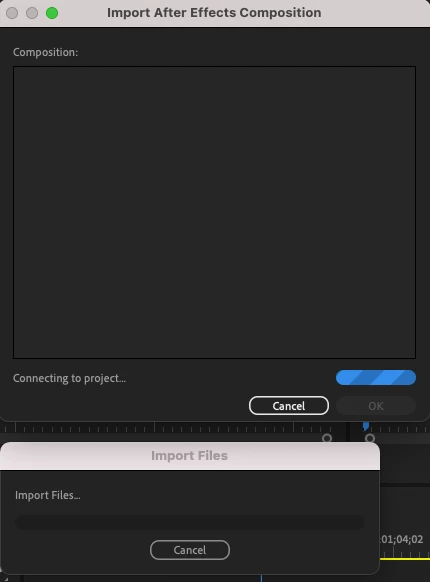
...I made sure that I have the apps up to date and they are. Does anyone know how to rectify this issue? I'm using a Macbook Pro 2019.

Correct answer defaultlvl7aibakfst

 I managed to solve it. I had to manually drag my AE comp (when two applications are opened) to the Premiere Pro project panel in order to import the AE comps. I'm not sure why its works but its the only way for me.

1 reply

defaultlvl7aibakfstAuthorCorrect answer
Participant
November 12, 2021

 I managed to solve it. I had to manually drag my AE comp (when two applications are opened) to the Premiere Pro project panel in order to import the AE comps. I'm not sure why its works but its the only way for me.

Participant
September 20, 2022

Bloody life saver!!!