
Participant
March 16, 2022
Answered

importing from preview to sequence changes color

  • March 16, 2022
  • 1 reply
  • 243 views

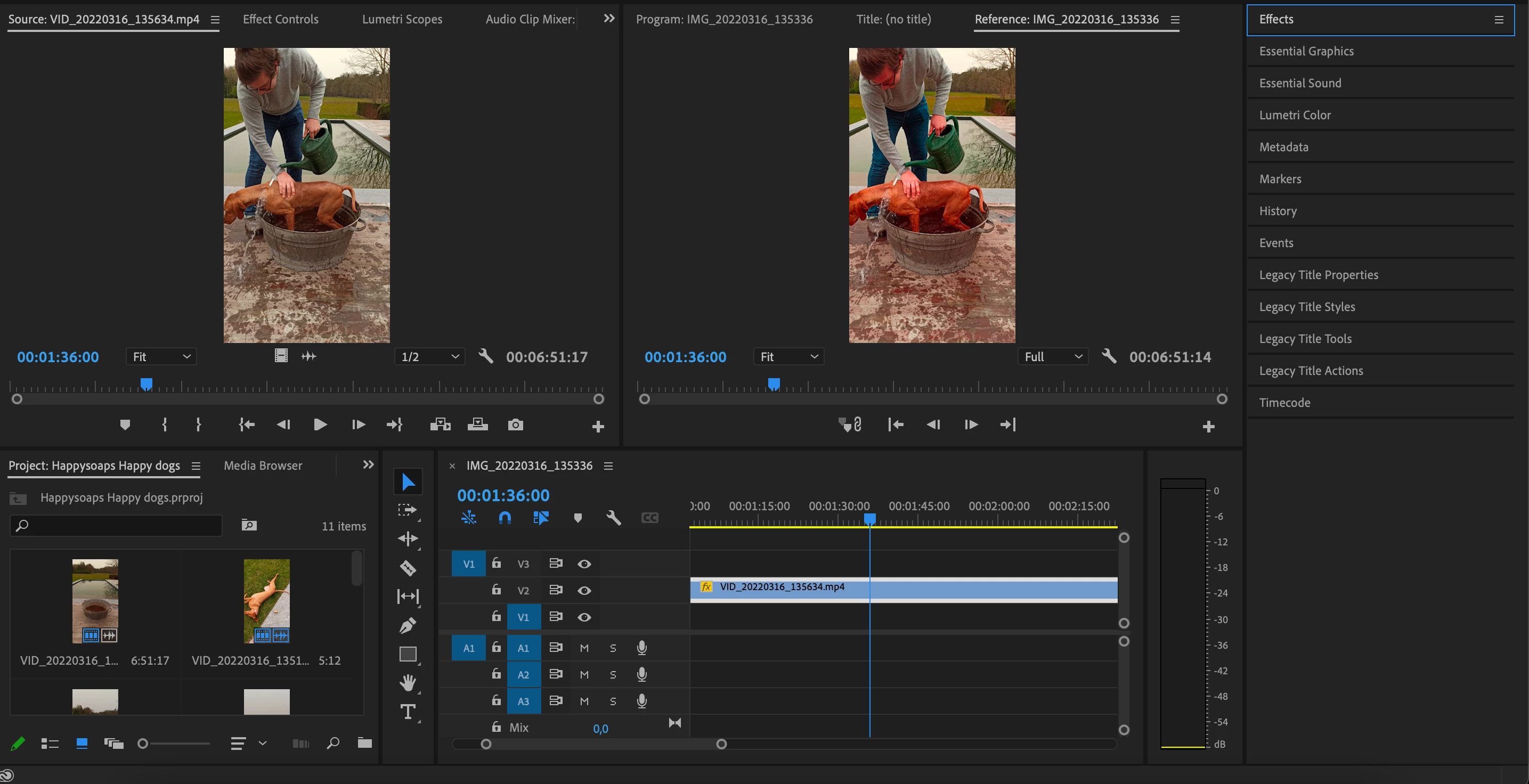
I can't seem to find the solution to this problem. When I import my footage in premiere pro, my preview mode stays normal, however when I put my footage in my actual sequence it completely changes the colors. As you can see my dog looks way more red in the sequence screen opposed to the preview screen.
Any solutions? It's with all my clips, not just this one.
This topic has been closed for replies.
Correct answer Kevin-Monahan

Dear Nikolas21817624ecin,

Very sorry for this anomaly. Are you shooting on an iPhone? Is the footage HLG? If so, I think we can help.


To find out, may I suggest inspecting the clip's properties, which should show you the correct info. Right-click and choose Properties. Please share a screenshot of that and your Sequence > Sequence Settings, and we can give you more information that may help. The issue is described in the following FAQ. I hope it helps: https://community.adobe.com/t5/premiere-pro-discussions/faq-how-to-fix-saturated-over-exposed-hlg-clips-in-premiere-pro-v-22/td-p/12489252


Thanks,
Kevin

1 reply

Kevin-Monahan
Community Manager
Kevin-MonahanCommunity ManagerCorrect answer
Community Manager
March 16, 2022

Dear Nikolas21817624ecin,

Very sorry for this anomaly. Are you shooting on an iPhone? Is the footage HLG? If so, I think we can help.


To find out, may I suggest inspecting the clip's properties, which should show you the correct info. Right-click and choose Properties. Please share a screenshot of that and your Sequence > Sequence Settings, and we can give you more information that may help. The issue is described in the following FAQ. I hope it helps: https://community.adobe.com/t5/premiere-pro-discussions/faq-how-to-fix-saturated-over-exposed-hlg-clips-in-premiere-pro-v-22/td-p/12489252


Thanks,
Kevin

Kevin Monahan - Sr. Community and Engagement Strategist – Adobe Pro Video and Audio
NS 23473Author
Participant
March 17, 2022

Thanks, that FAQ helped it.