
Question
Importing .mov render from DaVinci Resolve into Premiere changes colour correction
Hi All.
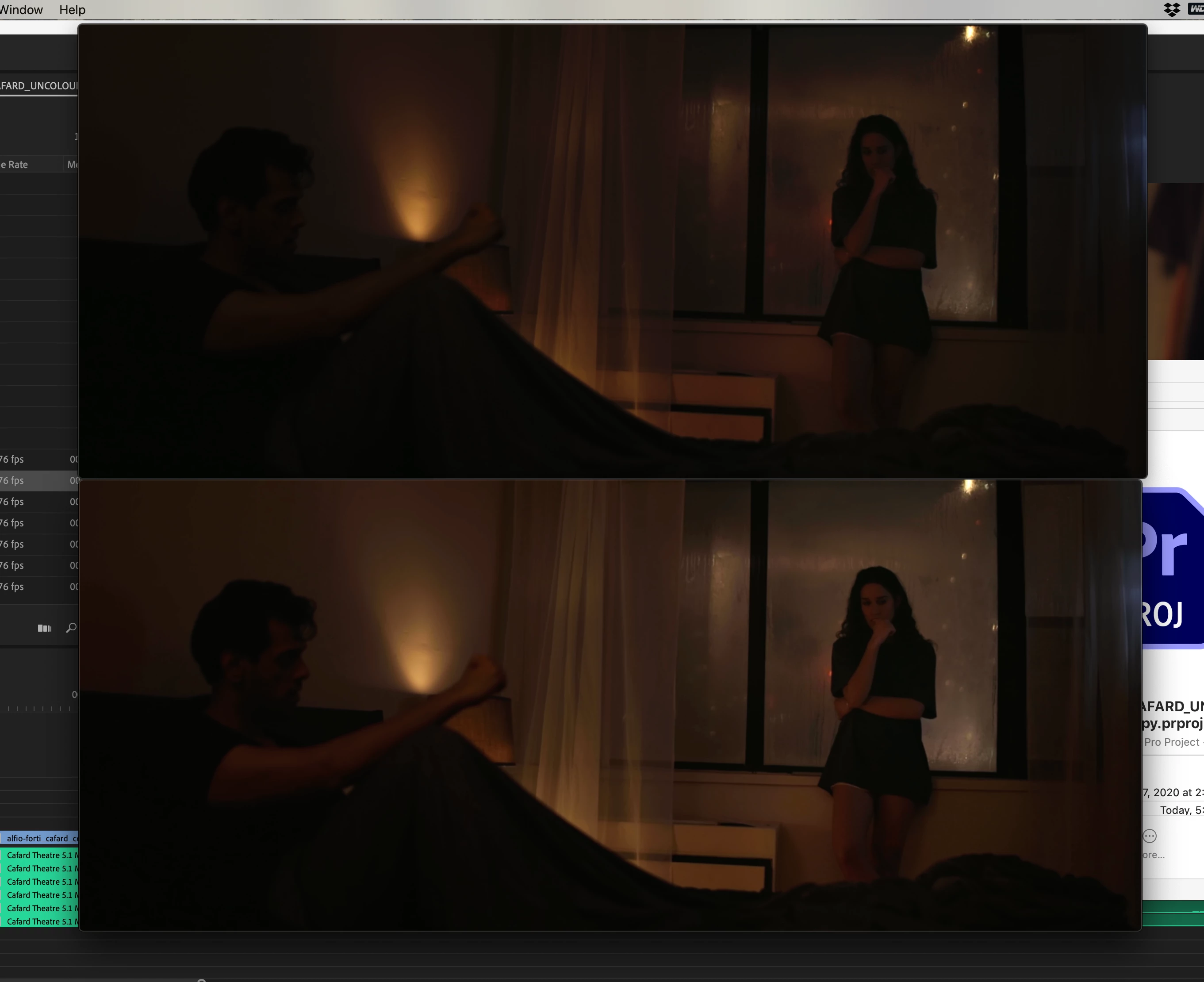
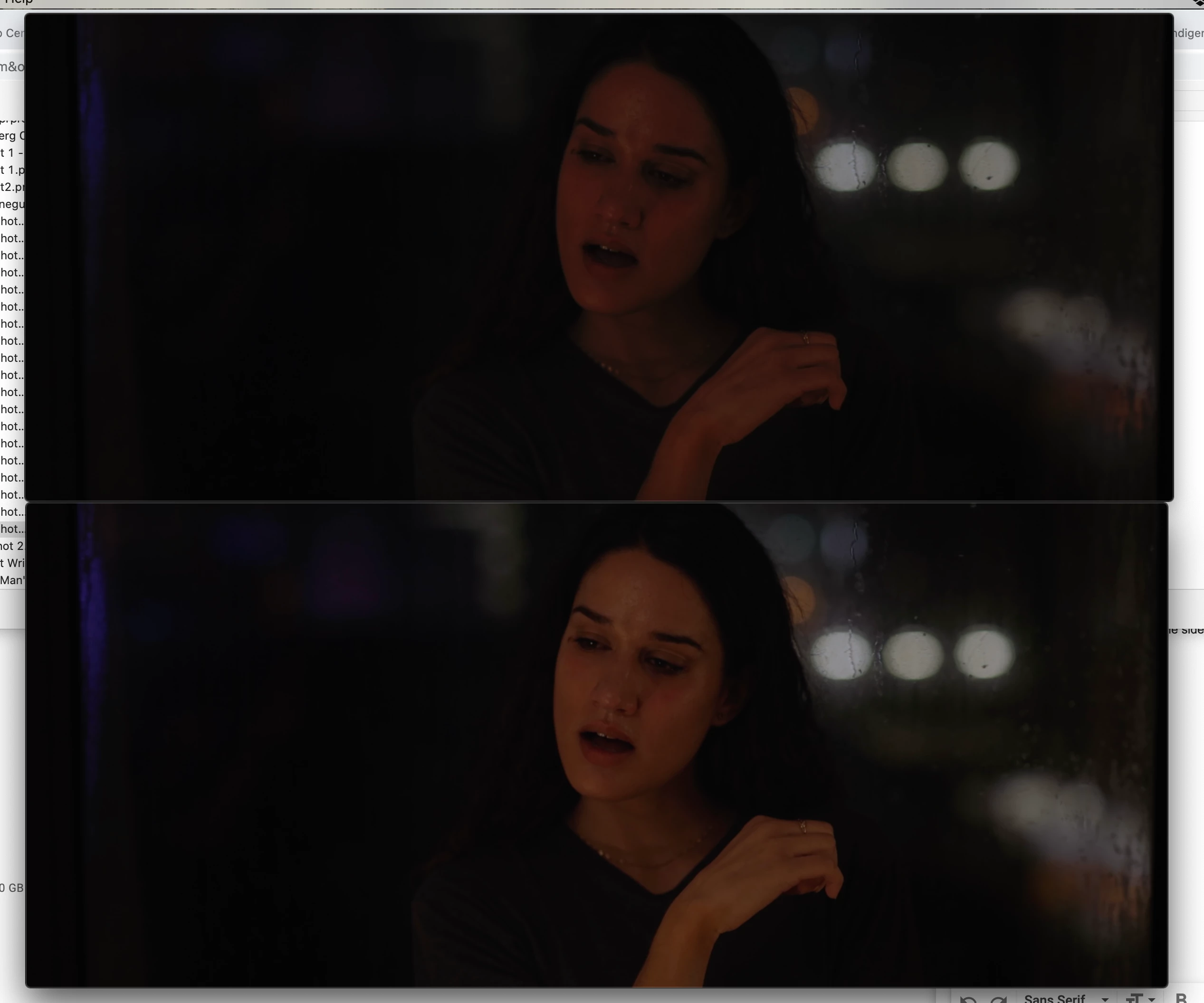
I recently completed a short film. I sent it to a repuatable company to colour correct/ grade and they exported a large 23GB master file for me and it looks fantastic. However, when I import the file into Premiere and playback the master file, the colour correction/ grade changes. The overall look is a bit more saturated and doesn't have the same detail or tone as the master. Even when I export it to a smaller file size (I need to export a smaller file for Vimeo to send out to film festivals) is affecting the film's colour grade/ correction,
I'm really confused. Any help for this out there?
(Screen Shots: Top is MASTER, Bottom is SMALL FILE EXPORT)
Thank you
 AdChoices