


Participant
January 17, 2020
Answered

Importing WAV results in incorrect timecode and "media start" offset

  • January 17, 2020
  • 4 replies
  • 6103 views

Hi,


I'm a developer for a company that built an Adobe extension for audio files. We have noticed a problem recently when we attempt to import WAV files into Premiere Pro. 


When we import a WAV file, the metadata for "Media Start" is incorrectly set. The audio file should simply start at 0:00:00, but there is an offset, in this case of 12 seconds as you can see from the photo:
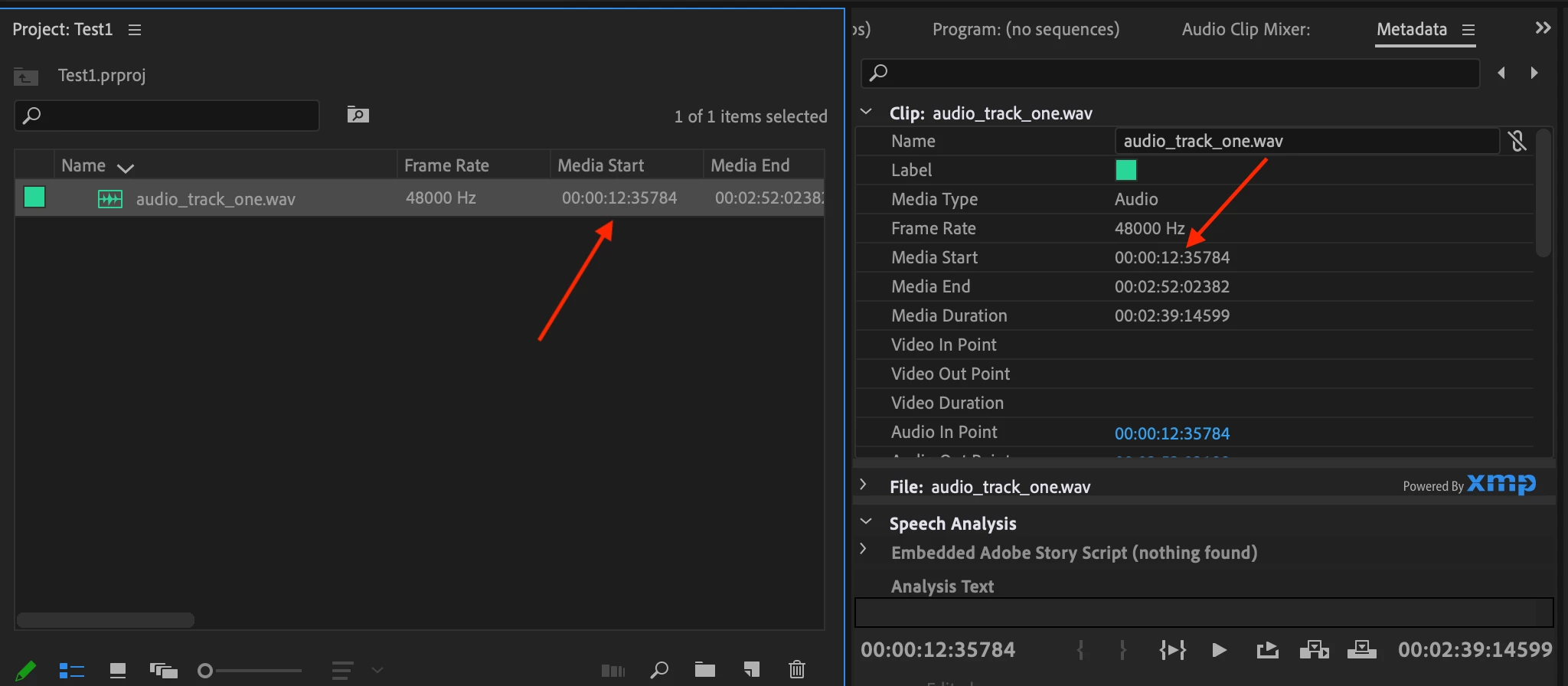
 

The audiofile plays just fine, there is no 12 second delay, but the incorrect metadata is causing problems when we try and swap between MP3 and WAV versions (which our extension does frequently).


When importing the same song that has been converted to MP3, there is no incorrect offset as you can see here:
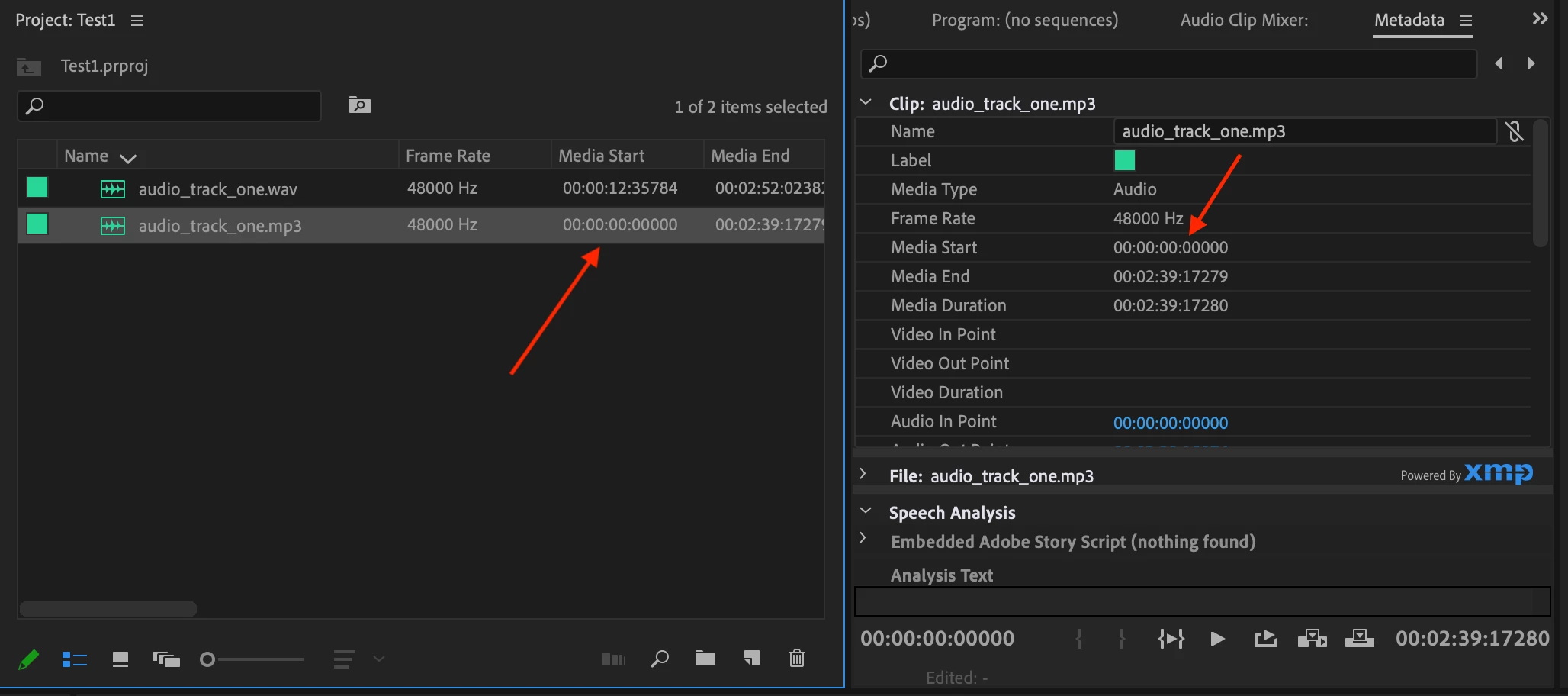


Here is the problem: when our extension swaps the MP3 version for the lossless WAV (essentially using the "replace footage" functionality), the metadata offset messes things up as you can see here:
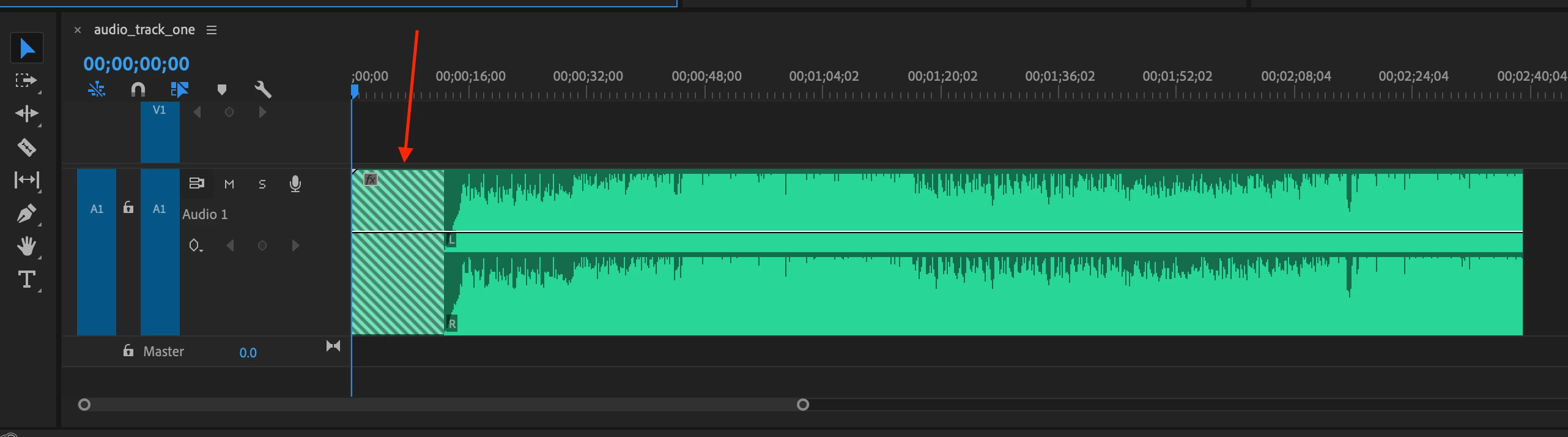


So my question is: why would Premiere set "Media Start" to 12 seconds instead of 0:00:00 for the WAV file?


We have tried other WAVs from our library and there continues to be a weird offset, thought the actual size of the offset varies. These are simple WAV bounces from Pro Tools, so I cannot imagine we are editing the metadata in any way.


Any help is greatly appreciated, thanks!

This topic has been closed for replies.
Correct answer mstegner

The WAV file is actually a Broadcast Wave file, with start offset information in the metadata.  Premiere reads the B-Wav metadata and is doing exactly what is designed to do.  You need to either stop writing B-Wave metadata into the audio file on creation or adjust the timecode via right click,  “Modify>Timecode>Timecode…”.  Look for a setting in what ever application or device you are using to create the wave file.


When converting the file to MP3, the offset metadata is stripped out and Premiere reads it as starting at zero.  That is why you don’t see it in the MP3.


This can be seen in the Metadata display under “Metadata Panel>BWF Broadcast Audio Extension>Time Reference…”

4 replies

Community Manager
August 14, 2020

If you need to change a lot of files that already have B-Wav metadata in it, you can probably use Audition to batch save the files, and uncheck the box for "Include markers and other metadata". 

Path 88 Productions
Known Participant
June 25, 2023

I've not used Audition.  Any tutorials showing how this processs would be done?  I have a bunch of .wav files I'd like to remove B-Wav metadata.


mstegnerCommunity ManagerCorrect answer
Community Manager
August 14, 2020

The WAV file is actually a Broadcast Wave file, with start offset information in the metadata.  Premiere reads the B-Wav metadata and is doing exactly what is designed to do.  You need to either stop writing B-Wave metadata into the audio file on creation or adjust the timecode via right click,  “Modify>Timecode>Timecode…”.  Look for a setting in what ever application or device you are using to create the wave file.


When converting the file to MP3, the offset metadata is stripped out and Premiere reads it as starting at zero.  That is why you don’t see it in the MP3.


This can be seen in the Metadata display under “Metadata Panel>BWF Broadcast Audio Extension>Time Reference…”

Path 88 Productions
Known Participant
June 25, 2023
 
quote

Premiere reads the B-Wav metadata and is doing exactly what is designed to do.


Forgive my ignorance, but what possible benefit does meta data offer by doing "Exactly what it designed to do" in this instance?  Seems like it's creating problems.   Who in their right mind want offset timecode?


Also, can I strip out the infor that's part of Metadata Panel>BWF Broadcast Audio Extension>Time Reference without damaging the accurate timecode information that I'd still like to, and need to, use? 

R Neil Haugen
Legend
June 25, 2023

No, Premiere is using the data as that metadata was intended to be used. Which, for those expecting that behavior, exactly as expected.


That it is not what you are setup to use simply indicates a lack of understanding on how to use a pretty technical bit of setup. And that's not a slight on you at all, just something that none of us understands until we've worked with it a bit.


There's a ton of little details like this in video/audio post work. Many little minefields all over the place. But very useful for those who know how.


Neil

Everyone's mileage always varies ...
grantwNZ
Participant
August 13, 2020

I have the same problem. Did you find a solution to this? 

Bruce Bullis
Community Manager
Community Manager
January 22, 2020

Not sure, but I suspect there's additional start time metadata in the file. I know Media Composer sees different start times in some .wav files than PPro does; not sure about ProTools' usage.