Question
Importing wrong resolution (cropping)
When I import video into Premiere CC 2018, it is set to the wrong resolution and is cropping the video.
Here is the video clip properties using VLC.
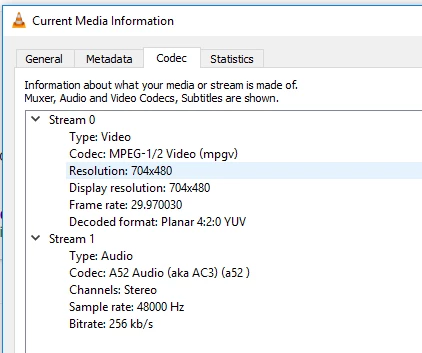
Notice the resolution is 704x480 (mpeg)
Now here is the same video properties when imported into Premiere.

Now the resolution is 540x480. The result is an image crop. For some reason its not using all the image.
I have been unable to find a solution so Im wondering if its a bug.
I have dragged the video directly in and also used the file > import method. Neither work as intended.
Appreciate the help.
 AdChoices