
Participant
October 21, 2024
Answered

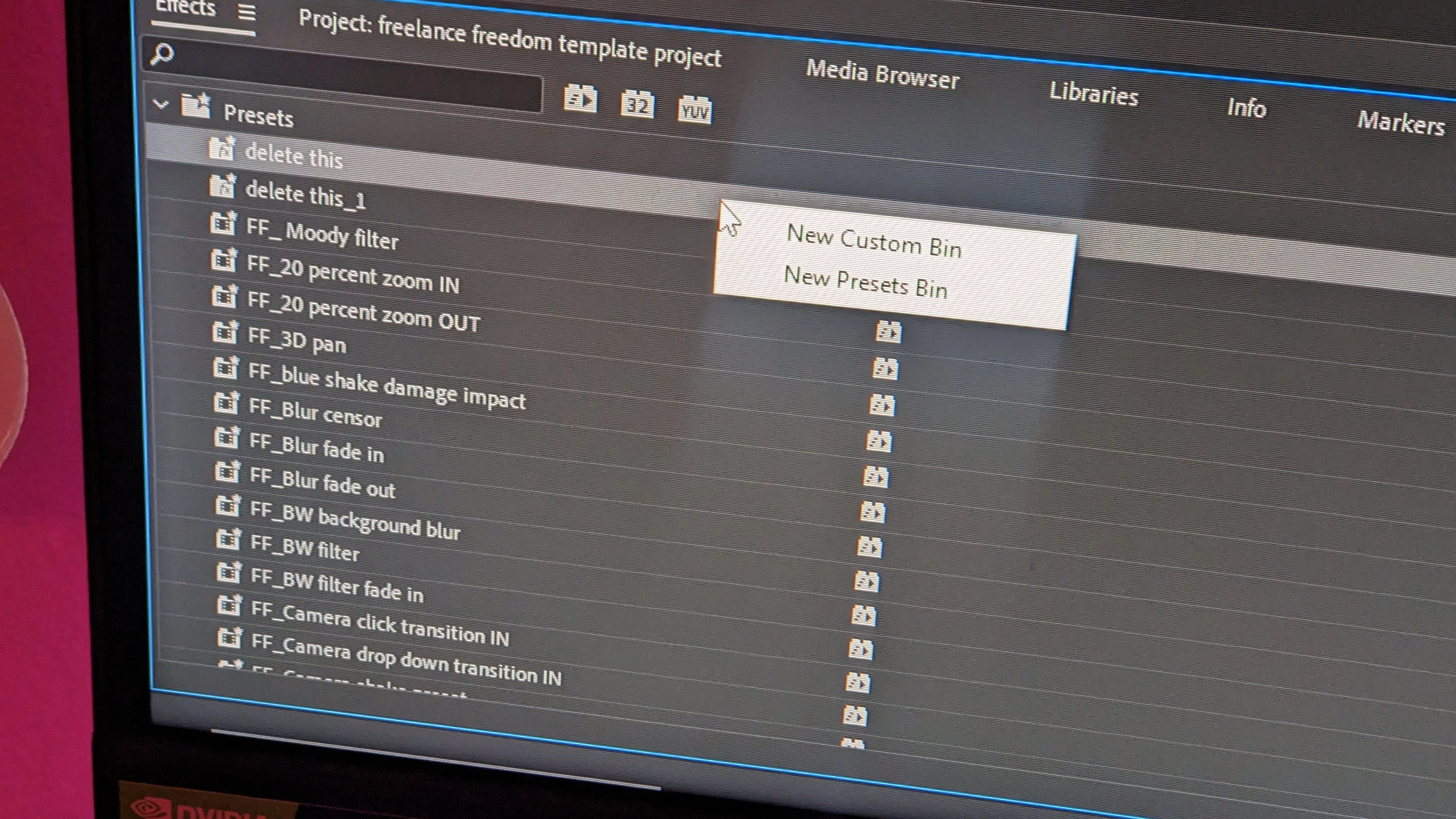
Impossible to delete these presets

  • October 21, 2024
  • 2 replies
  • 335 views

A few months ago I made these temporary presets for one project. I no longer need them but when I right click them it only shows the preset bin buttons. It seems to be impossible to delete them. I cannot move them to other folders. I have tried importing my presets on another computer but I run into the same issue.

The problem is I'm trying to make a preset pack to distribute to other editors. When I export my presets these undeletable presets show up as well. Any fixes?
This topic has been closed for replies.
Correct answer R Neil Haugen

If you simply select, then hit Delete on the keyboard, does it delete them? Not doing the right-click step?

2 replies

R Neil Haugen
Legend
October 23, 2024

How is anyone supposed to just "know" when to right-click "cut", right-click "delete", or click/delete? That varies depending on where you are in the app.


There's not any consistency.

Everyone's mileage always varies ...
R Neil Haugen
R Neil HaugenCorrect answer
Legend
October 21, 2024

If you simply select, then hit Delete on the keyboard, does it delete them? Not doing the right-click step?

Everyone's mileage always varies ...
Participant
October 23, 2024
I discovered this about an hour after posting this. I am embarrassed lol