
In Premiere 27.0 there is no way to turn off the effects thumbnials
Since updating to Premiere 27.0, the Effects panel shows a large thumbnail for every effect, and I can’t find any way to turn this off.
The thumbnails take up a lot of space. In a narrow docked panel I prefer to work on the effects names (I know what each effect does) instead of seeing distracting thumbnails. For audio effects it’s even less useful, because every thumbnail is the same speaker icon and shows nothing about the effect.
Request: please add a “Hide thumbnails” toggle to the Effects panel. A thumbnail size slider would also help.
The previews are nice for people discovering effects, but editors who already know what they need should be able to switch them off.
This breaks a basic usability principle (Nielsen’s ‘flexibility and efficiency of use’): a UI should serve both novices and experts, and here experts lost the minimalistic and clean list view with no way to opt out.
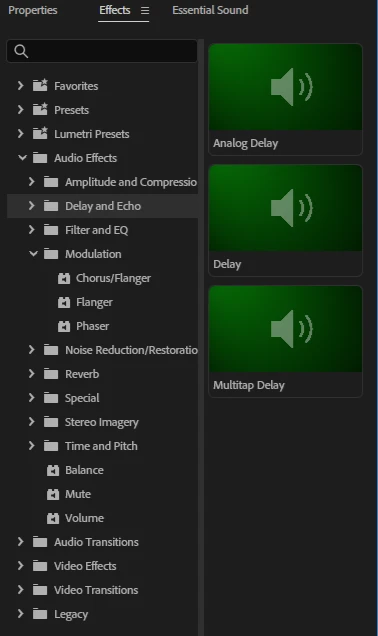
Version: Premiere 27.0, Windows 11
 AdChoices