Inspiring
February 18, 2025
Answered

In-to-Out Duration Indicator on Timeline

  • February 18, 2025
  • 2 replies
  • 347 views

Since the Work Area is turned off by default, and being lazy enough to not turn it back on, I've been using the In-Out keyboard shortcuts to mark areas for export.  I rather like that better than the work area.


But one thing the work area had going for it, is you could right click the selection and it would tell you the duration of the selection.


I'd like to be able to right click the in-out selection in the timeline scale and have the duration of the selection pop up.  Or a shift+click or alt+click to show duration.  


Or am I missing something?


Thanks.

Correct answer mattchristensen

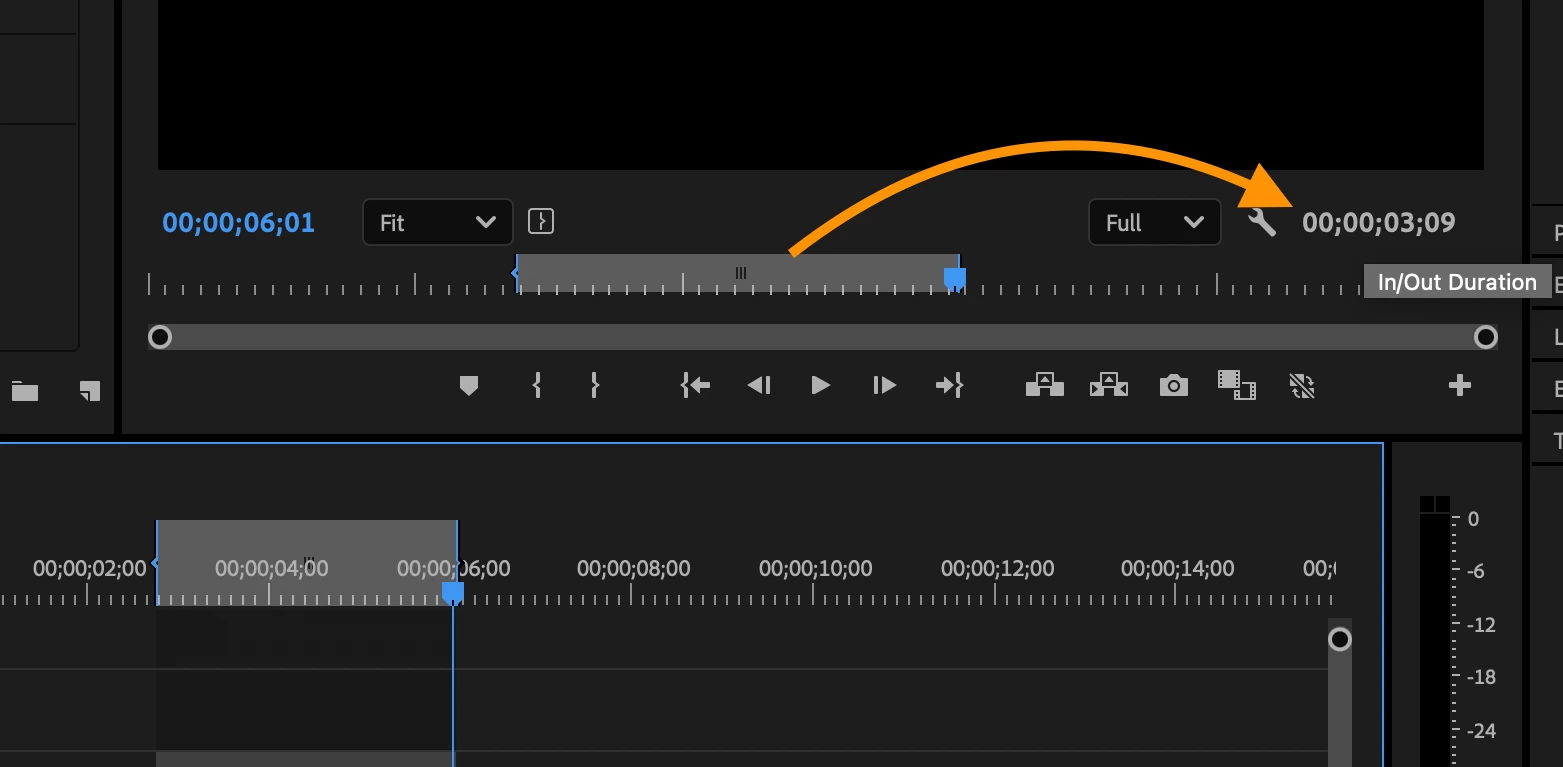
In/Out Duration is important enough that it gets a dedicated Timecode label in the Program Monitor! Look for the gray timecode area in the bottom right of the monitor (see my screenshot). That is a live-updating In/Out Duration.


Additionally, you can open the Timecode panel (Window > Timecode) and set one of the rows to be In/Out Duration and put that panel wherever you want. 

2 replies

Inspiring
February 19, 2025

Who knew!  I'll check it out.

mattchristensen
mattchristensenCorrect answer
Legend
February 18, 2025

In/Out Duration is important enough that it gets a dedicated Timecode label in the Program Monitor! Look for the gray timecode area in the bottom right of the monitor (see my screenshot). That is a live-updating In/Out Duration.


Additionally, you can open the Timecode panel (Window > Timecode) and set one of the rows to be In/Out Duration and put that panel wherever you want.