



Inconsistent clip order when dragging bins to timeline
Summary: When dragging one or multiple bins from the project panel into an already existing sequence or creating a new sequence, clips appear in a random order instead of alphabetically.
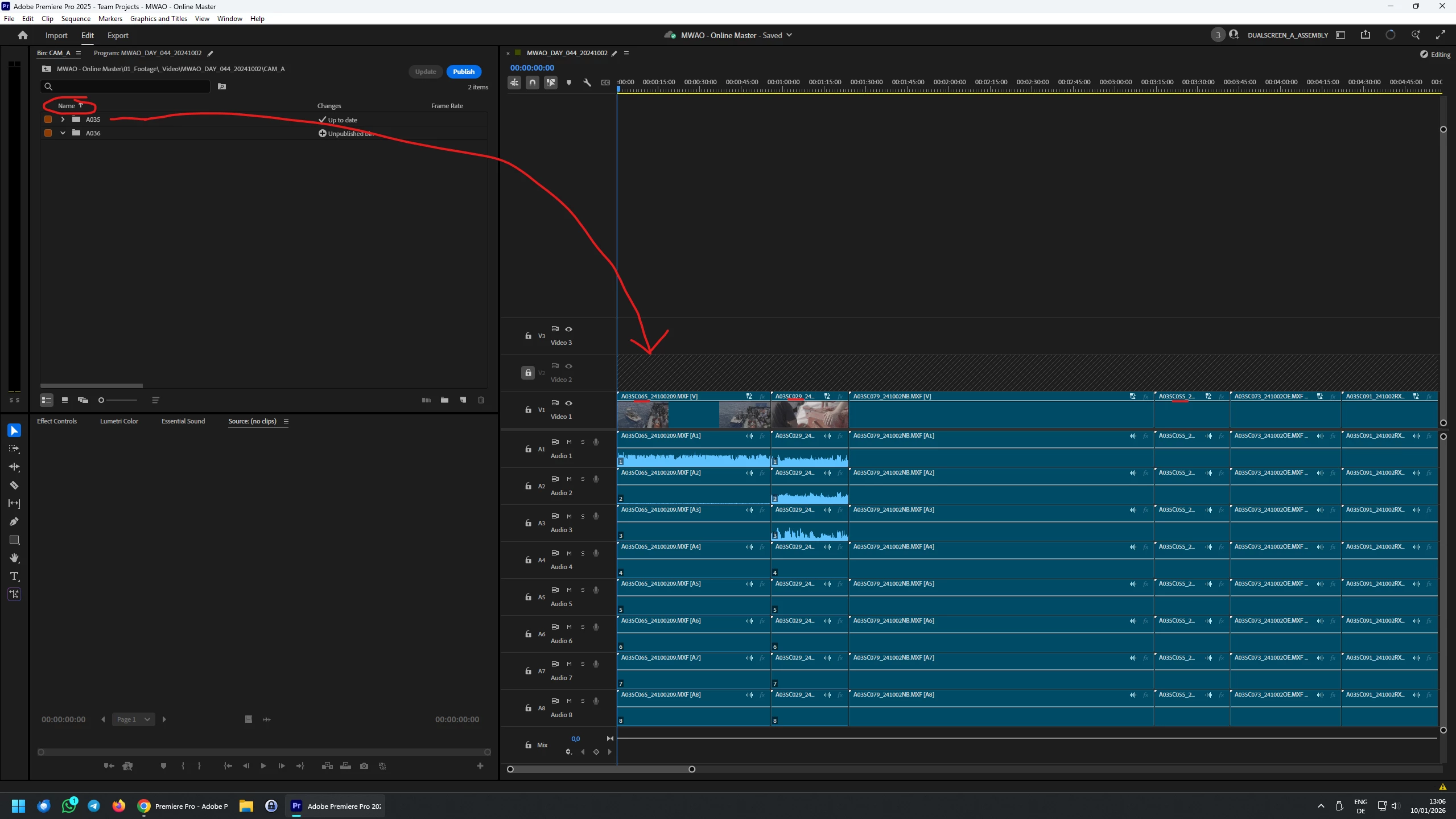
Detailed Description: Creating a daily timeline with all footage from a given shooting day / camera lined up for review / further processing. This was achieved by dragging a bin with multiple clips into an existing timeline from the project panel, where list view is selected and sorting is set to 'Name (Ascending)' in the header. Clips were expected to appear on the timeline in alphabetical order (or alternatively in accordance with sorting criteria set in the project panel). In actuality, clips appear in a random order htat does not accor with any sorting settings exposed to the user in the given configuration.* The behavior does NOT occur when opening the bin and selecting all clips using any method.
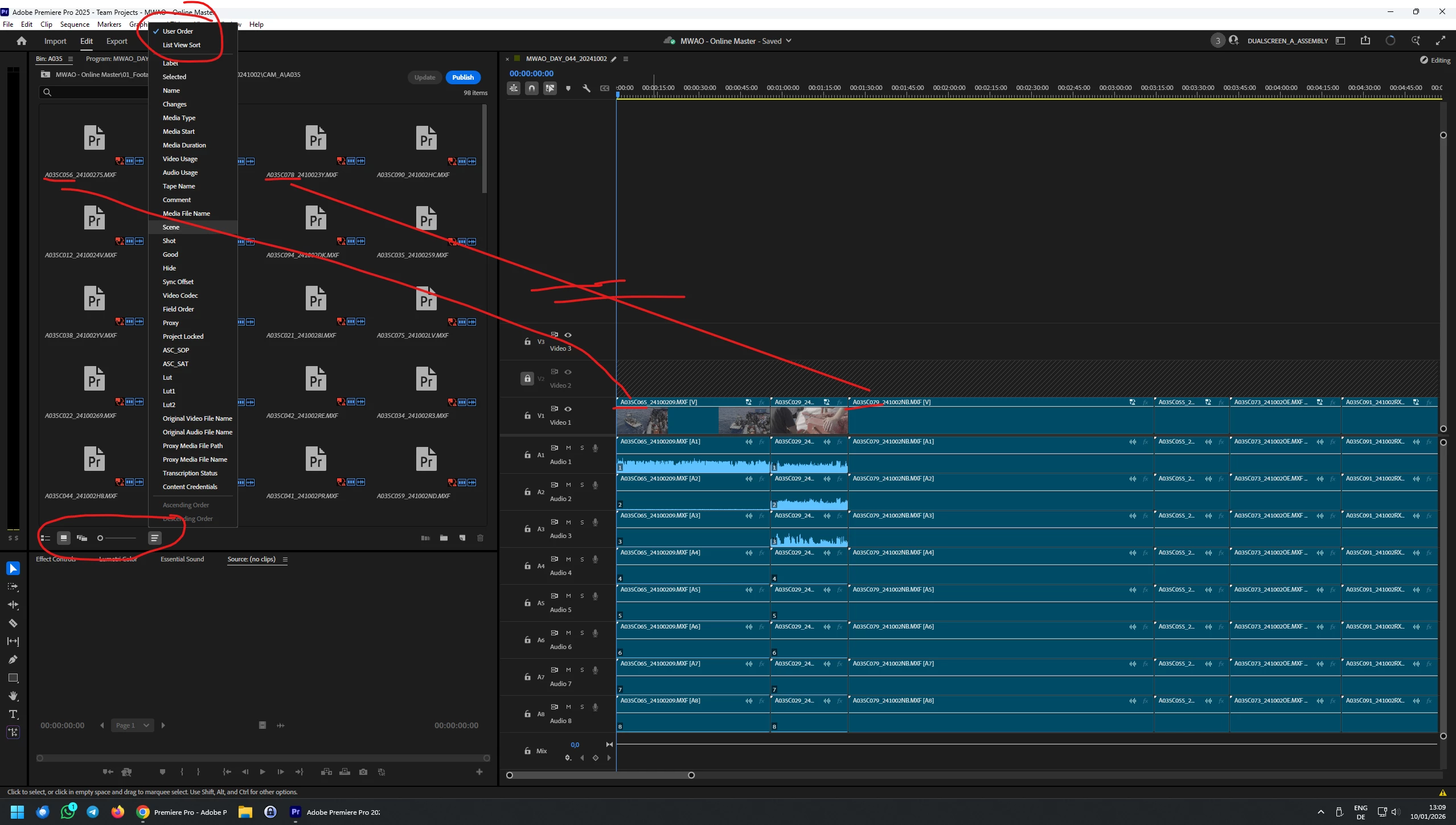
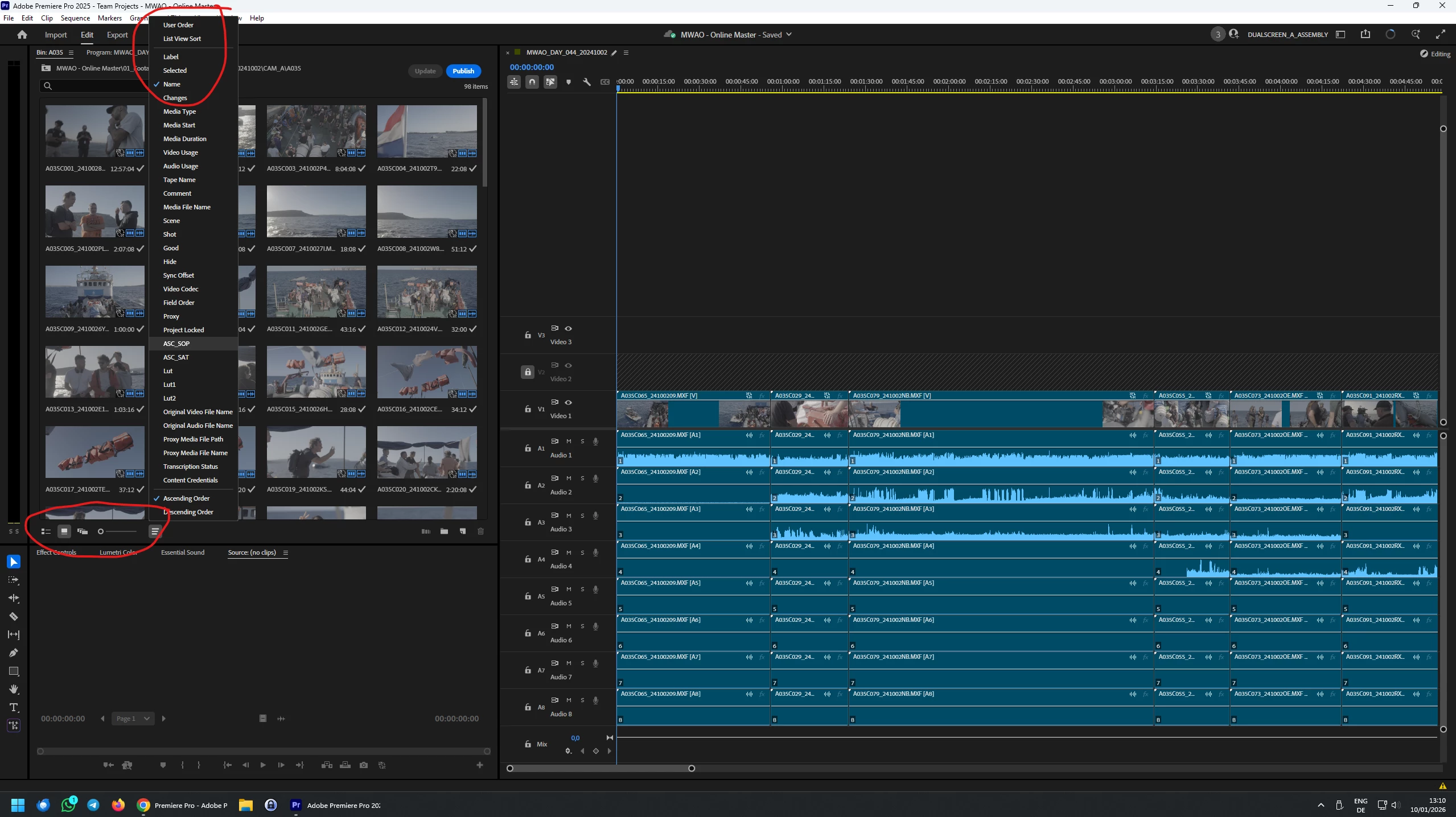
*In fact, clips also do not appear in the order that is generated when opening the bin in question in the 'Icon View' mode, where user order is selected via the 'Sort Icons' button. Changing this setting to 'Name' for the bin in question also does not change the behavior when draggin the bin.
Why is this a problem?: The errand behavior creates major overhead for projects with large numbers of bins because each bin has to be opened indivdually and clips selected to achieve the desired result. Also, because hte sorting choice is not telegraphed properly by the interface in the configuration described, it is likely the user will not notice the error immediately, which can create problems later in the pipeline.
Additional Information: See screenshots below for clarification of the procedure/issue and attempted workarounds.
1) Errand clip order when dragging a bin to the timeline.
2) Clip order on timeline does not correspond with bin, even in 'Icon View' and 'User Order' mode.
3) Problem persists, even when changing icon sorting mode.
 AdChoices