
Ingest preset not showing up in 'Create Proxies' option
Hi there,
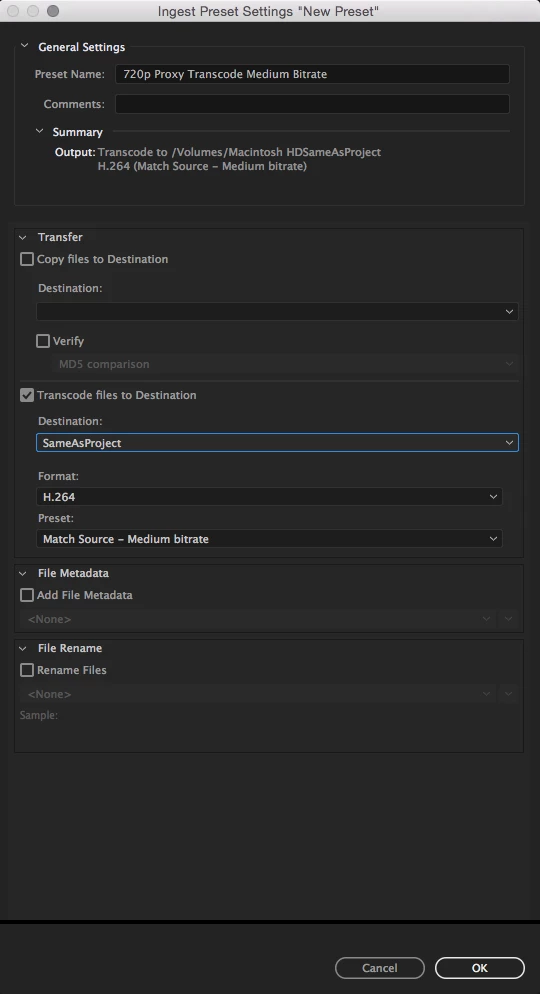
I was creating a new ingest preset in Media Encoder. According to Adobe's Knowledge Base, this is what should be happening:
NOTE: If Transcode files to Destination is enabled in the ingest preset, the preset becomes available in Premiere Pro’s Ingest Settings dialog box under the Transcode and Create Proxies options, it is not available in the Copy and Copy and Create Proxies options.
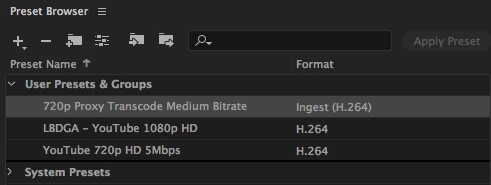
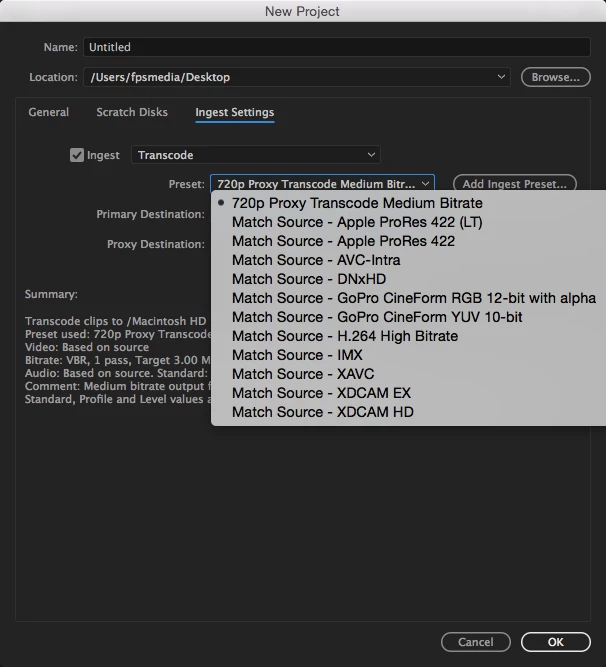
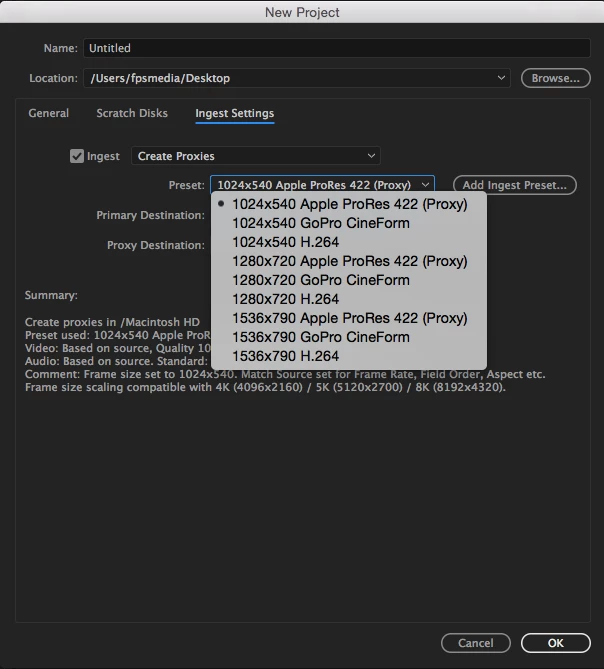
Now in reality, the preset only shows up in the Transcode option, but not the Create Proxies option (see images attached). If I manually select the preset by clicking on the ‘Add ingest preset’ button, then it goes back to the Transcode option again.
Does anyone have a solution for this? I’ve copied the preset manually into the ‘Ingest Preset’ folder in Documents and also within the application’s Settings folder where all the default presets are. No luck either.
This is so frustrating as I’m not able to use the preset I want to create proxies. I would be happy if I could change the default preset’s settings, but I can’t.
I'm using Premiere Pro & Media Encoder 2017 on Mac, but I had the same problem on my Windows machine using the 2018 versions.
Thank you for your help!
Laszlo
 AdChoices