



musaby
Known Participant
February 20, 2025
Answered

Input and Output Points Doesn't sync with my current values..

  • February 20, 2025
  • 2 replies
  • 182 views

Okay me again with a weird annoying issue.

Pretty simple yet i dont even know how to search an answer for this.


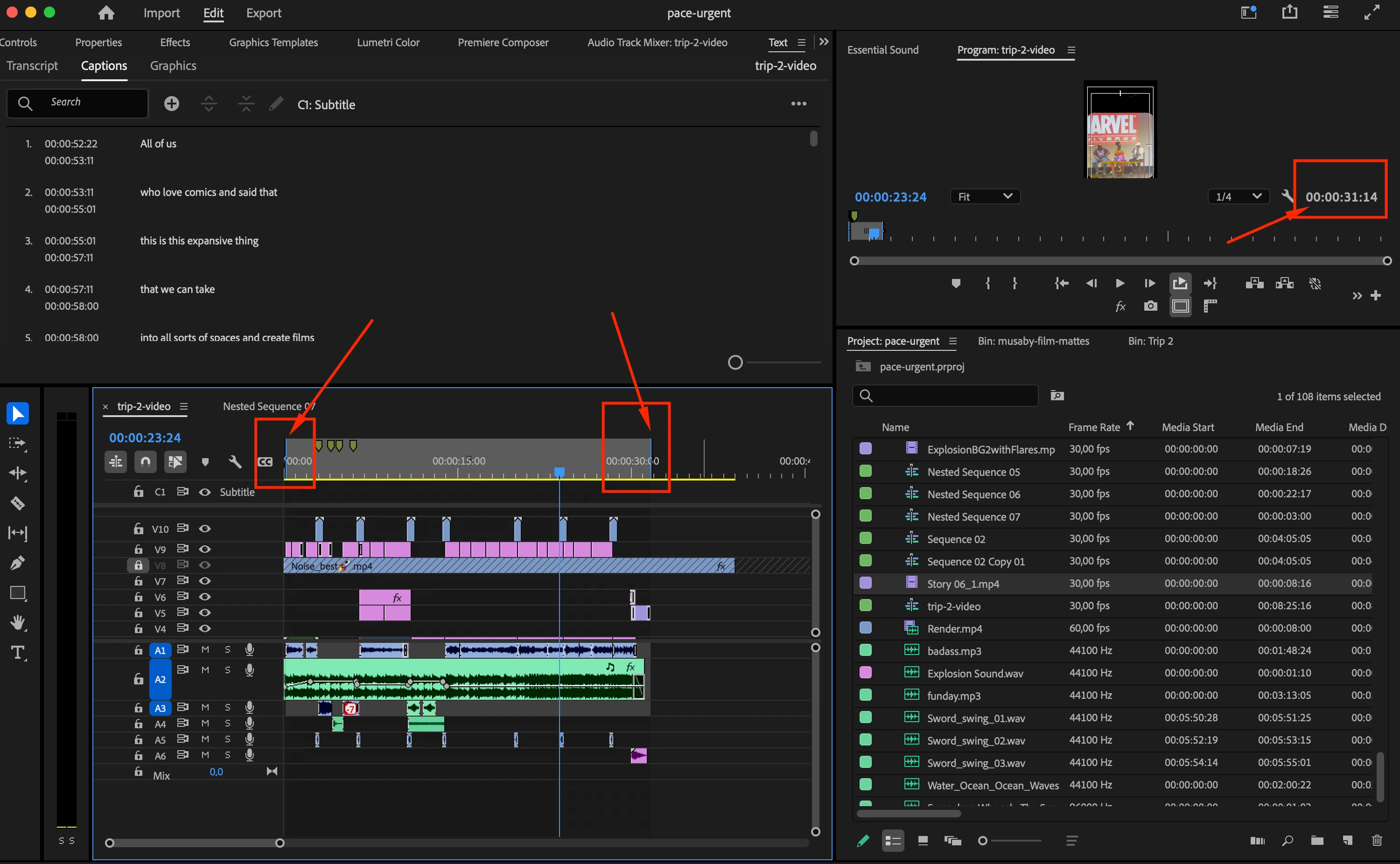
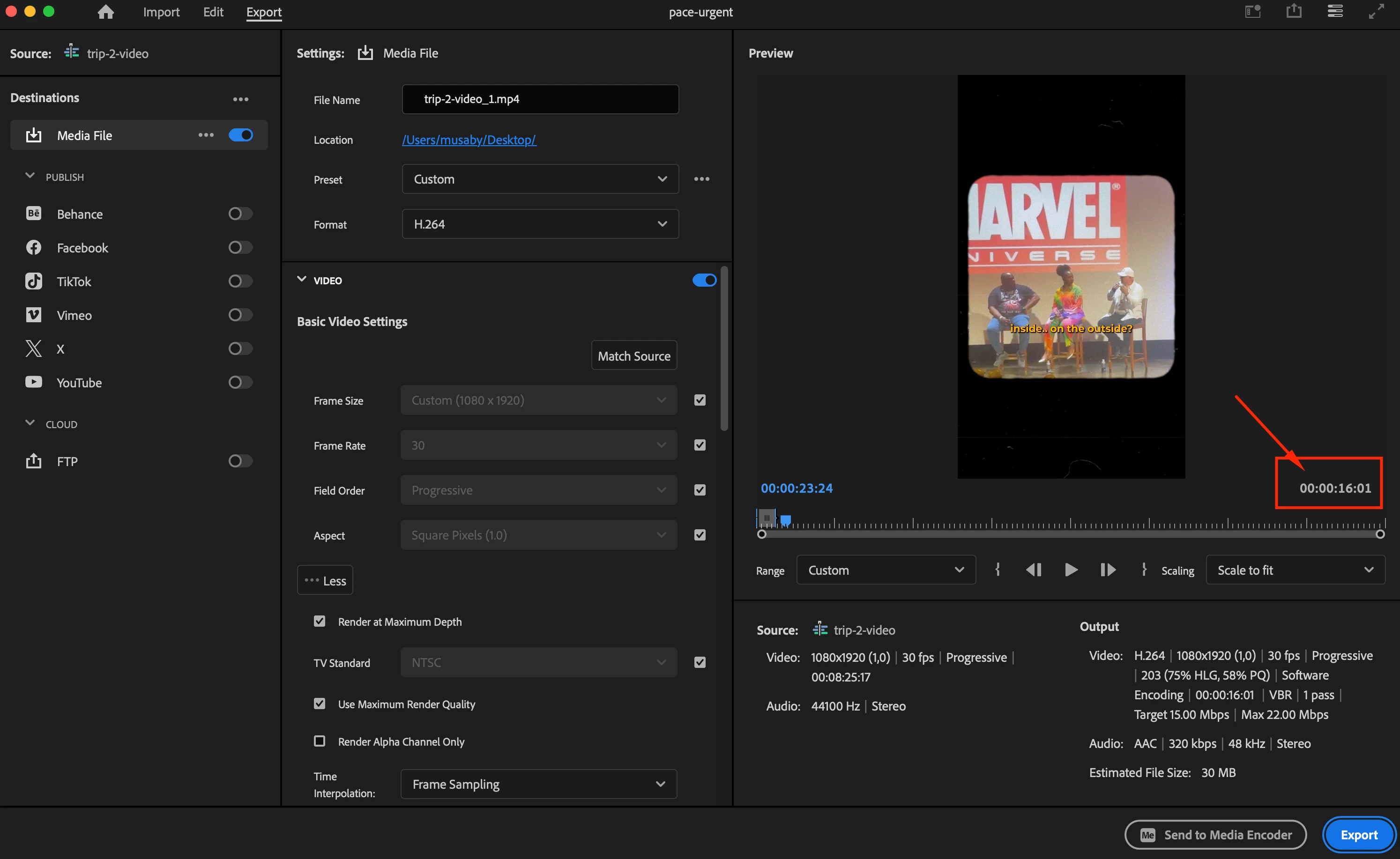
So in my timeline i have input and outpoint points, so lets say the part i want to export is 30 sec long and when i want to export.. premiere pro does not sync with my current points value, he just only allow me to render first 16 sec of the timeline. I can manuelly change this issue in export page but it's annoying to set all frames correctly one by one. IDK what happened this is my first time i'm having this issue in 6 years 😕😕

Did i change a settings some how?
Correct answer Kevin-Monahan

For Range, choose Source In/Out instead of Custom. That should work for you, @musaby. Let us know!


Thanks,
Kevin


2 replies

musaby
musabyAuthor
Known Participant
February 20, 2025

Yes, it worked, gosh it was so simple thank you for this Dear Kevin

Kevin-Monahan
Community Manager
Kevin-MonahanCommunity ManagerCorrect answer
Community Manager
February 20, 2025

For Range, choose Source In/Out instead of Custom. That should work for you, @musaby. Let us know!


Thanks,
Kevin


Kevin Monahan - Sr. Community and Engagement Strategist – Adobe Pro Video and Audio
