Known Participant
April 8, 2025
Answered

insert and overwrite sequences button not working on laptop.

  • April 8, 2025
  • 3 replies
  • 396 views

So I have just automatically synced a multi cam sequence to some audio tracks using the create multicam source sequence button and when I went to drag that sequence to my timeline with the insert and overwrite sequences unchecked to reveal the original clips, I couldn’t get this to work. For some reason my laptop just wont show the original clips no matter if insert and overwrite sequences is highlighted or not, its like this button isn’t working. So I tried an older version of premiere, maybe something has changed in the new update but nope, still not working. I then remoted into my desktop pc to try it on there, its running the same older version as my laptop and yep, worked just as expected, I’m not sure what’s going on and any help would be appreciated, how it works on my desktop but not on my laptop, not even in the new version. I’ve attached a video to better showcase my issue.


i have reset preferences and workspaces to see if this helps but it hasn’t 
Correct answer Dani_V.

Hi @Brandon5,

Thank you for the video showing the issue, it's very helpful and sorry for the frustration.

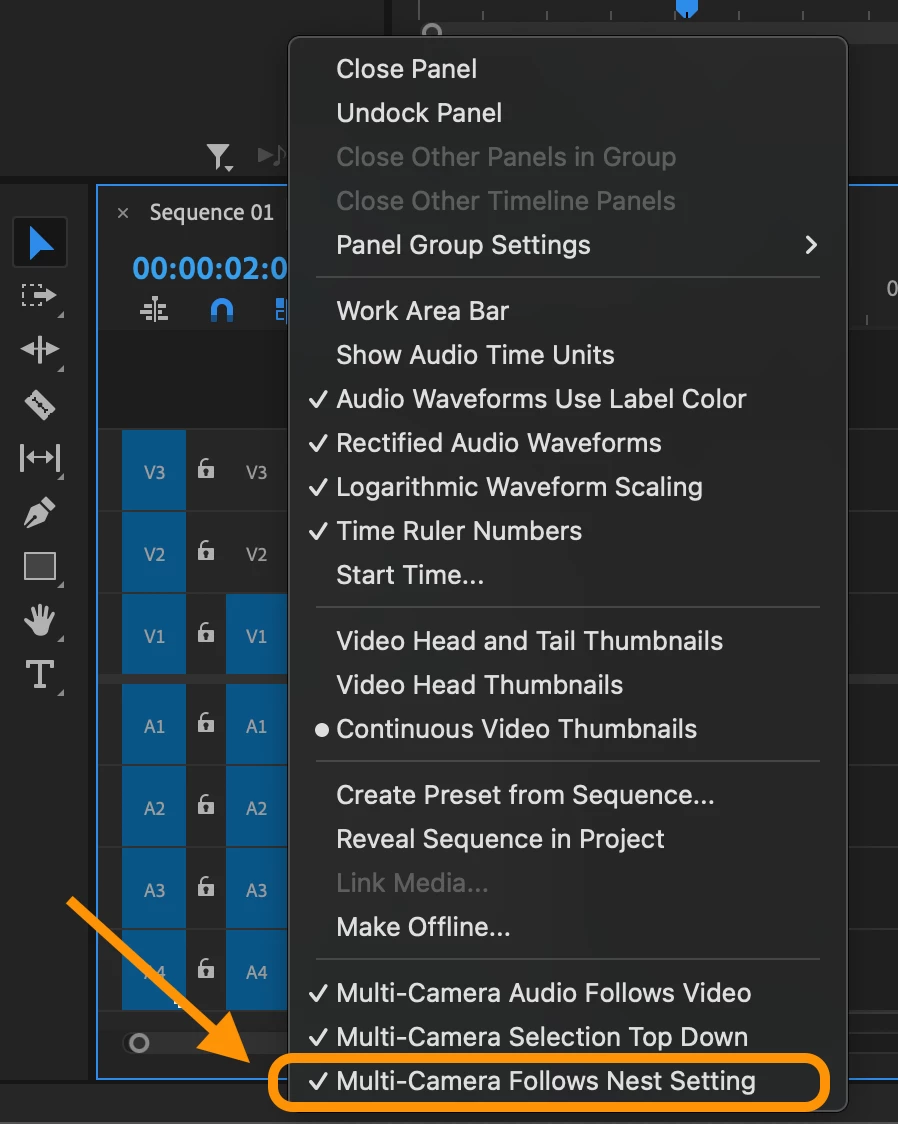
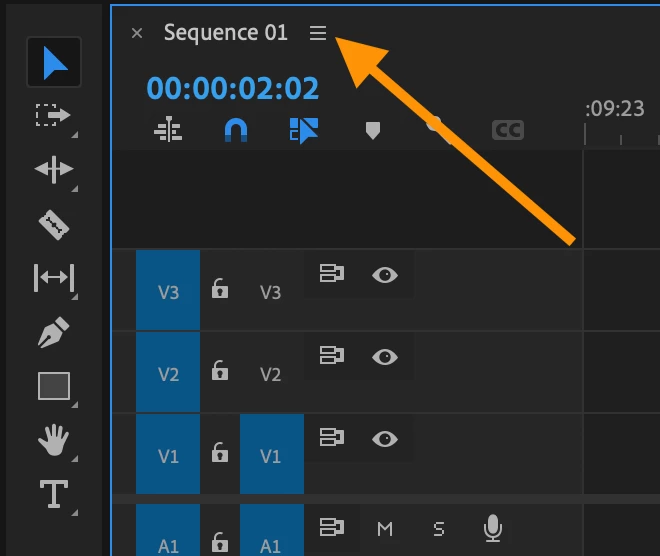
Have you tried going to the little 'hamburger' menu on the timeline and making sure "Multi-camera Follows Nest Setting" is selected? This can prevent your multicams and other sequences from not dropping in as seperated media (I've attached screenshots).

Otherwise, just to confirm this is happening on all versions of Premiere Pro 2024 and 2025? Are you able to share any additional operating system and hardware specs?

Thanks,
Dani

3 replies

Community Manager
April 8, 2025

You're welcome! Glad to hear that was the fix.

Brandon5Author
Known Participant
April 8, 2025

Ah, excellent thank you very much, that’s solved it. I hadn’t even known that was a menu until just now.

Dani_V.Community ManagerCorrect answer
Community Manager
April 8, 2025

Hi @Brandon5,

Thank you for the video showing the issue, it's very helpful and sorry for the frustration.

Have you tried going to the little 'hamburger' menu on the timeline and making sure "Multi-camera Follows Nest Setting" is selected? This can prevent your multicams and other sequences from not dropping in as seperated media (I've attached screenshots).

Otherwise, just to confirm this is happening on all versions of Premiere Pro 2024 and 2025? Are you able to share any additional operating system and hardware specs?

Thanks,
Dani