
"Insert graphic into text" fail - Premiere 15.0
Hi all,
I joined this community to see if someone can help me to fix this (supposed) bug.
I have a big project in Premiere Pro 15.0 on a PC, and in the timeline I have many texts.
Now, in some of those text I've put some images (Jpg or Tiff) using the tool Title>Graphic>Insert graphic into text.
All good, everything went smooth and I could export my file.
But the, trying to reopen the project, a few weeks ago all the images imported in that way are not working (and just those, hundreds of outher pictures perfectly work): opening the project I get an import error and I can't see my images (there should be a little jpg icon of a car istead of "LOGO")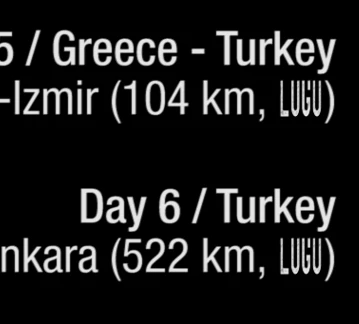
In the meanwhile, I didn't do any update to the PC, or software.
I already tried all suggested workarounds on the web:
- moving the images to another folder
- rename jpg into png
- clear all media cache files
- changing to RGB (they were already), or changing bit depth
They didn't work.
Any solution? Anyone experienced this issue ?? thanks so much
Paolo
 AdChoices