
Inspiring
December 13, 2018
Answered

Insistent resolve fonts error message when starting Premiere Pro 2019

  • December 13, 2018
  • 3 replies
  • 6610 views

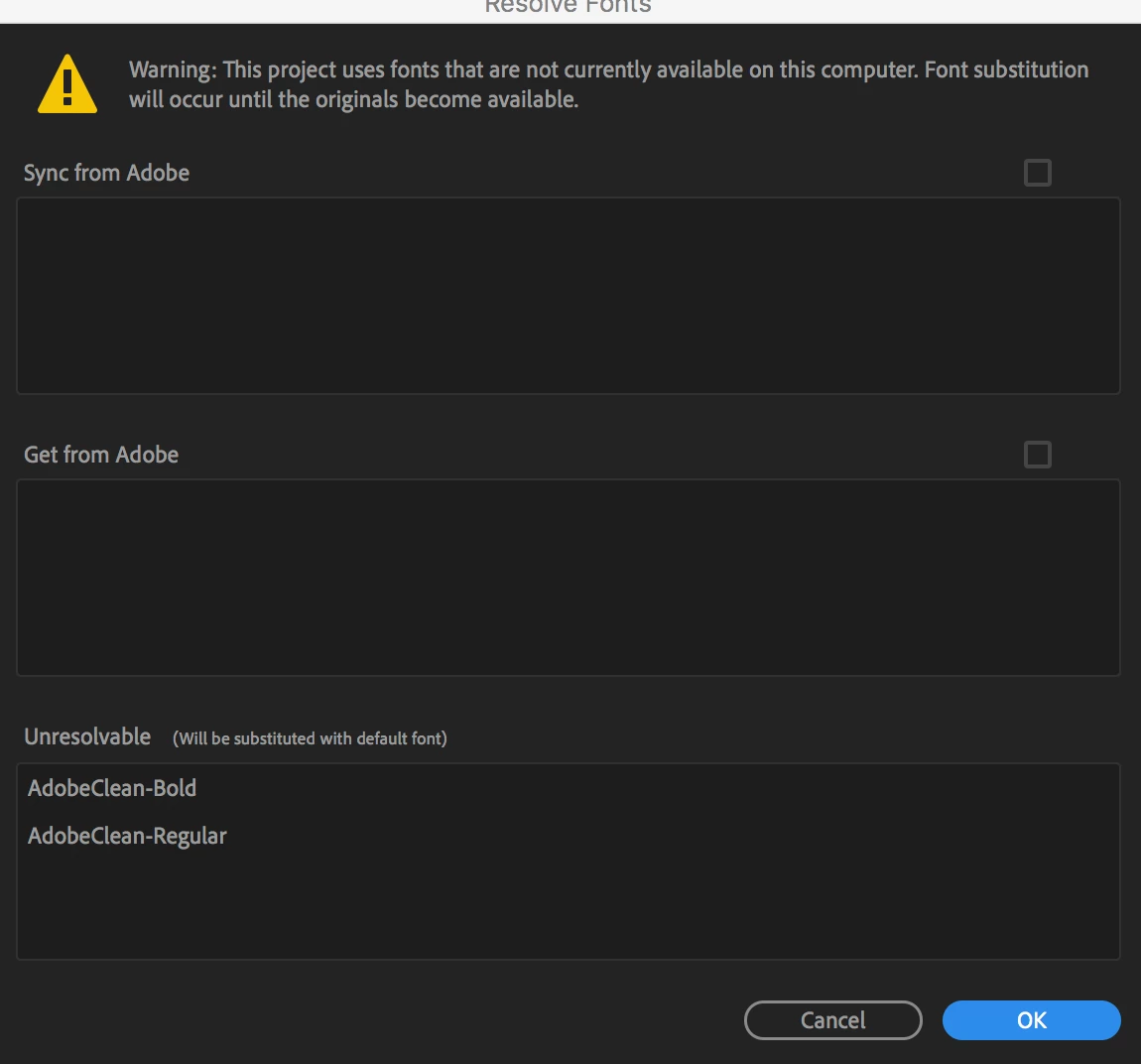
Below is a screenshot of an error message I get everytime I start up Premiere Pro (v 13.0.1). Does anyone know how to resolve this?

The message doesn't offer any route to resolving the problem, and if I understand correctly the message is telling me that the unavailable fonts are in fact Adobe fonts? (AdobeClean-Bold, AdobeClean-Regular)

Thanks!
This topic has been closed for replies.
Correct answer MyerPj

Did you google one of the font names. It seems those are internal to Adobe fonts?

Here's a link

Restricted fonts | Adobe Type

Maybe your install went wrong, not sure, but seems internal to the program.

3 replies

Face-C
Participant
January 15, 2019

Hello,
I am having a similar bug to this, I think. I opened up a couple month old project, on Premier 2019. The titles' font, (which are only for information for the broadcaster), have been changed to Courrier, and I have an error message saying "Invalid font family: AdobeClean, replaced by: Courrier". Now I don't remember what font I used, I don't think it was AdobeClean. I don't care in fact, I changed to something else, yet I keep getting the error message and a warning when I try to export. I've checked all my titles, restared Premiere, went to the Font panel un my user acount of Adobe CC, I can't rid of the warning.

I'll try an export and see if it works anyways, but that is a worry. I have to deliver a 5 episode series for broadcast and I have recurrent error and warning messages I cannot, for the life of me, get rid of.

This is a full fledged CC licence on a MacPro running 10.13.6
Cheers,

Damien

R Neil Haugen
Legend
January 15, 2019

Have you checked your CC app's Font section to see if it lists any problems with fonts?

Neil

Everyone's mileage always varies ...
Face-C
Participant
January 15, 2019

Update,

I happen to still have Premiere 2018 on my Mac, I just opened the project with that, no problem. However, I did indeed use AdobeClean, it was the first font in the list. I've now seen from serach on the net that it is not supposed to be available to end users, it is for the Adobe Applications' use only, somehow it was available in Premiere 2018.

I'm now redoing the changes I had done in PP2019 and will save a new copy of my project without the use of AdobeClean and see if I can open it within PP2019.
Cheers,

Damien

PS Neil, thanky for your message, and yes that's what I was referring to when I said I checked in the Font panel in my user acount of Adobe CC.

Mo Moolla
Legend
December 13, 2018

Something is blocking the connection to Adobe and not letting the Adobe fonts through

Mo Moolla
Legend
December 13, 2018

Are you online while opening up PP?

Is this a trial version or a purchased one?

elkalamarAuthor
Inspiring
December 13, 2018

Online and with a full Creative Cloud subscription!

MyerPj
Community Expert
MyerPjCommunity ExpertCorrect answer
Community Expert
December 13, 2018

Did you google one of the font names. It seems those are internal to Adobe fonts?

Here's a link

Restricted fonts | Adobe Type

Maybe your install went wrong, not sure, but seems internal to the program.