


Matt Young14394008
Legend
Apr 22, 2022 3:35 PM UTC
Answered

Installed fonts showing up as missing

Was ticking along fine with the new update until I've just gone to export and gotten a "missing fonts" warning.  These are fonts integrated as part of a mogrt I created, so I know for a fact I have had these fonts installed for years.  In Adobe Fonts the light and bold versions of Roboto show up as activated:
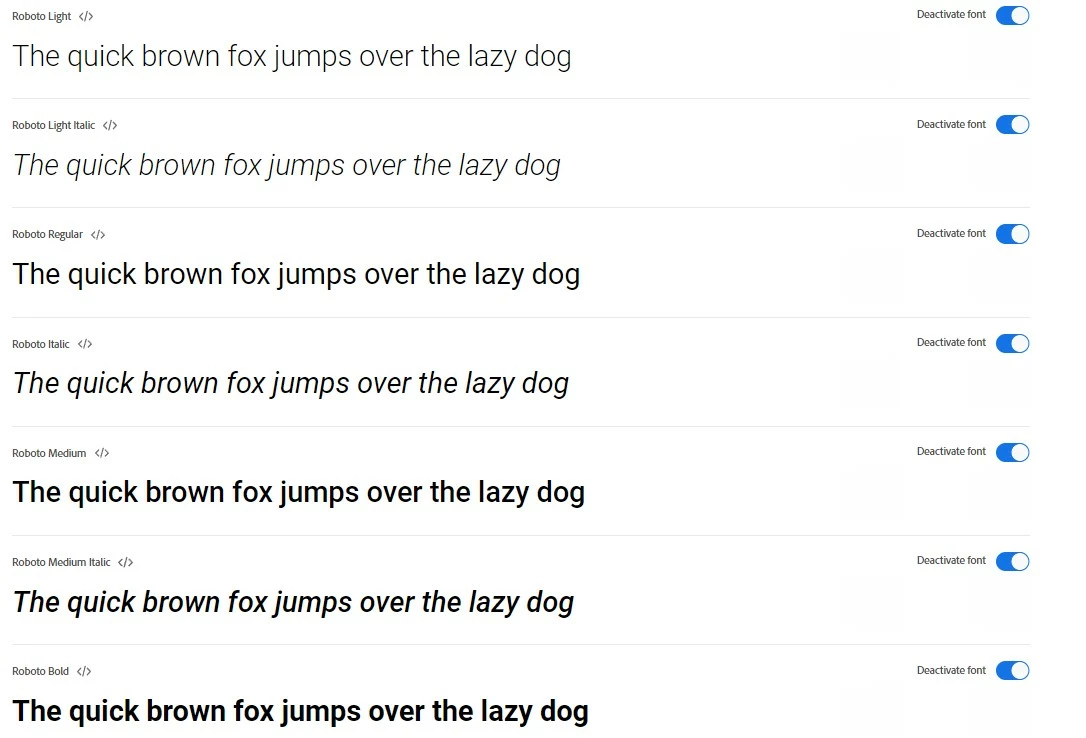
But within Premiere they're not available:

And so Media Encoder is warning me on export that they're not available.

I've tried logging out of Creative Cloud and logging back in, restarting Premiere & Encoder multiple times...What's going on here?  Any ideas?

Ann Bens
Ann BensCorrect answer
Community Expert
Apr 28, 2022 9:31 AM UTC

Deactivate in CC desktop app.

7 replies

Ann Bens
Community Expert
Community Expert
Apr 22, 2022 3:58 PM UTC

I gave up on Adobe fonts.

Just use the ones I can install into Windows: Roboto being one of them.

Translate
Matt Young14394008
Legend
Apr 28, 2022 9:23 AM UTC

I have Roboto installed on Windows as well...so how do I use that version within Premiere instead of Adobe's?  


Translate
Ann Bens
Community Expert
Ann BensCommunity ExpertCorrect answer
Community Expert
Apr 28, 2022 9:31 AM UTC

Deactivate in CC desktop app.

Translate