
Kes Akalaonu
Inspiring
February 13, 2020
Answered

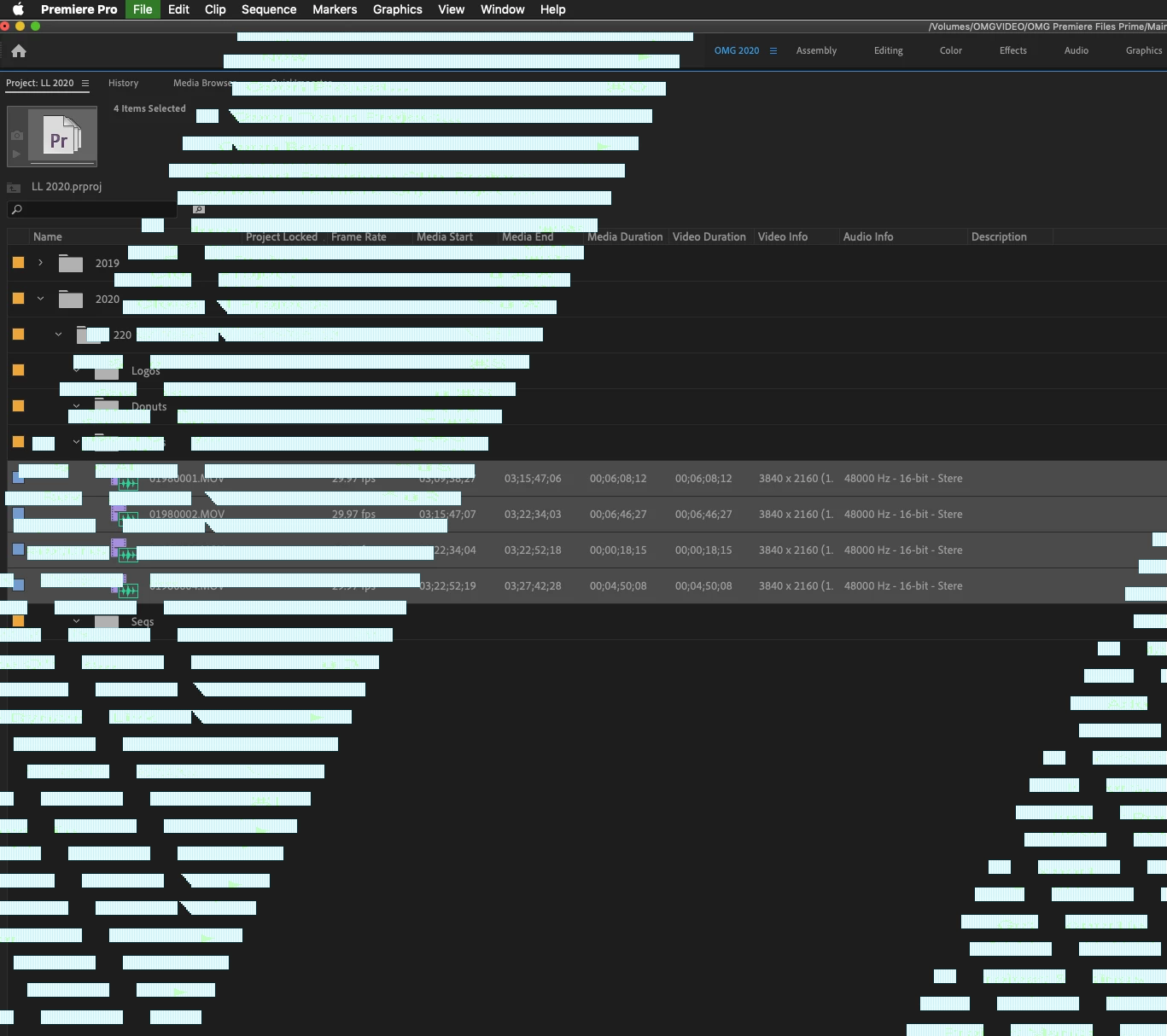
Interface Glitch with Premiere Pro CC 2020 14.0.1 on Mac

  • February 13, 2020
  • 2 replies
  • 1301 views

I just recently updated to 14.0.1 and I seem to get this interface glitch issue when I have Metal selected for Renderer. I'm not sure if this a current bug or if it's been address but it only goes away when I change to OpenCL. Any ideas on how to resolve this?My computer is 27 inch iMac Late 2013 running Mojave 10.14.6 with an NVIDIA GeForce card
This topic has been closed for replies.
Correct answer Meg The Dog

Go to System Preferences  > Accessibility  > Display.  Make sure increase contrast and reduce transparency are switched off. If they are already off, try toggling them.


MtD

2 replies

Meg The DogCorrect answer
Inspiring
February 13, 2020

Go to System Preferences  > Accessibility  > Display.  Make sure increase contrast and reduce transparency are switched off. If they are already off, try toggling them.


MtD

Kevin-Monahan
Community Manager
Community Manager
February 13, 2020

MtD,

You're experiencing this also?


Kevin

Kevin Monahan - Sr. Community and Engagement Strategist – Adobe Pro Video and Audio
Inspiring
February 13, 2020

No, but I've seen this offered as a potential solution on other forums.


MtD

Kevin-Monahan
Community Manager
Community Manager
February 13, 2020

Kesa,

Seeing more and more of this bug. Sorry about that! Please report it here. I will let the team know, as well.


Thanks,
Kevin

Kevin Monahan - Sr. Community and Engagement Strategist – Adobe Pro Video and Audio