Participant
June 16, 2026
Question

Is anyone else having problems with Premiere Pro?

  • June 16, 2026
  • 5 replies
  • 190 views

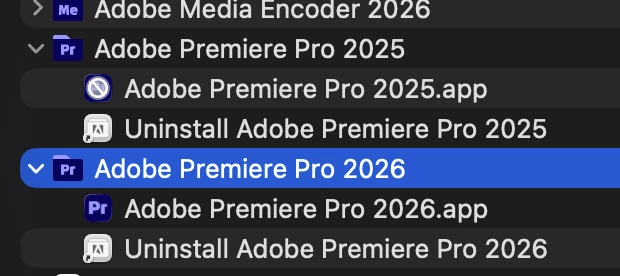
I tried to open Premiere Pro and it said “You can’t open the application ‘Adobe Premiere Pro 2026’ because it may be damaged or incomplete.” I opened Creative Cloud and it was stuck updating at 48%. I decided to cancel the update and redo it. It won’t even do that, so its now stuck cancelling the update. I also having difficulty updating Media Encoder.

Is anyone else having this issue? Please let me know. Thanks.

5 replies

Participant
July 6, 2026

I’ve just had the exact same thing happen to me. Premiere was updating, got stuck on 54%, hit cancel and it’s been stuck ‘canceling’ ever since, 3 hours later! I’ve tried force quitting all adobe activities in activity manager, I’ve tried restarting creative cloud, turning internet off and on. Anyone got an actual fix yet? 


(I’ve got loads of drive space left fyi)

Participant
June 25, 2026

Yes. Been dealing with this for days.

Community Manager
June 26, 2026

Hi sharonh98444706,
 

Sorry to hear about this. Are you unable to open the app, or is the Creative Cloud app stuck while updating? Let us know, we will get it checked.

Thanks,
Sumeet

Participant
June 29, 2026

I have the same issue. It updates up to 74% and then fails. Any help will be appreciated

MiffyAgScience
June 19, 2026

The Adobe Creative Cloud program can be frustrating because it does operate at an extreamly slow pace. Unfortunetly you will just need to leave your computer on, open and connected to the internet, so Adobe Creative Cloud can sort itself out. It will eventually resolve itself but it may take many hours, 12+ 

Miffy Ag Science
gerbil5
Participant
June 19, 2026

Thanks for the reply I’ll do that and hope for the best

gerbil5
Participant
June 18, 2026

Did the answer below fix the problem I’m having exactly the same issues

Community Manager
June 16, 2026

Hi GreenlightProductions,

I read your issue. Do you have plenty of drive space to install the application? That's happened to me before. See if that might be the cause.


Thanks,
Kevin